Content
- Video review
- Specifications
- Appearance and equipment
- Display and camera
- Keyboard and touchpad
- Software
- Performance and Benchmarks
- Autonomy
- findings
In the era of COVID, Honor has managed to takea significant share of the notebook market in Russia due to the excellent balance of price / performance, as well as the successful appearance of the models. Today, passions for the epidemic have subsided a little, but the Chinese company continues to supply the market with modernized variations of successful models. Today we will talk about the Honor MagicBook 16 (HYM-W56), the spiritual successor to the MagicBook Pro line.
Honor MagicBook 16 on the official website
Video review
Technical characteristics
 |
Technical characteristics of Honor MagicBook 16 |
|---|---|
| Device type | Notebook |
| operating system | Windows 11 Home (Home) 64 bit |
| CPU | AMD Ryzen 5 5600H 3.2GHz (up to 4.4GHz), TDP 45W |
| GPU | AMD Radeon RX Vega 512MB DDR4 1.8GHz |
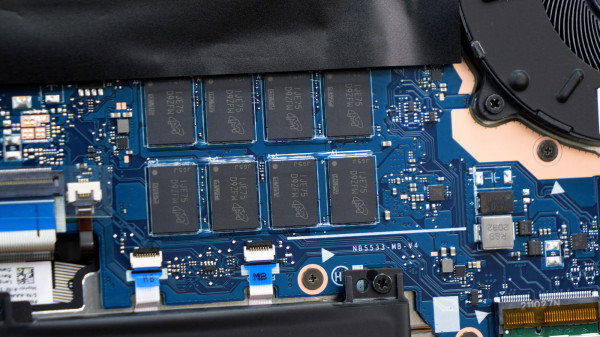
| Ram | 16 GB DDR4 3200 22-22-22-54-74 Soldered on the board |
| ROM | 512 GB PCIe 3.0 x4 |
| Screen | 16.1″, 16:9, 1980 × 1080 pixels, IPS, 60 Hz, up to 300 nits, 100% SRGB, 1000:1 contrast ratio, 170° viewing angle, Eye Comfort mode, matte finish |
| Keyboard | Numeric block missing Two-level backlight |
| Wireless interfaces | WiFi: a/b/g/n/ac/ax(6), 2.4/5GHz Bluetooth: 5.1 |
| Speakers | Two |
| Webcam | 720p@30fps |
| Battery | 56 Wh (3665 mAh) |
| Charging | USB-C, 65 W, (20 V / 3.25 A) |
| Interfaces | 2 x USB-C 3.2 Gen1 2 x USB-A 3.2 Gen1 1 x HDMI 2.0 1 x 3.5mm combo mini jack |
| BY | PC Manager Honor Magic Link |
| Dimensions and weight | 368× 236× 18.2 mm 1.84 kg |
Appearance and equipment
In addition to the laptop itself, the package includes65W charger, USB-C to USB-C charging cable and documentation. Nothing superfluous was put in the box, but the implementation of charging is still pleasing against the background of the “bricks” of competitors.
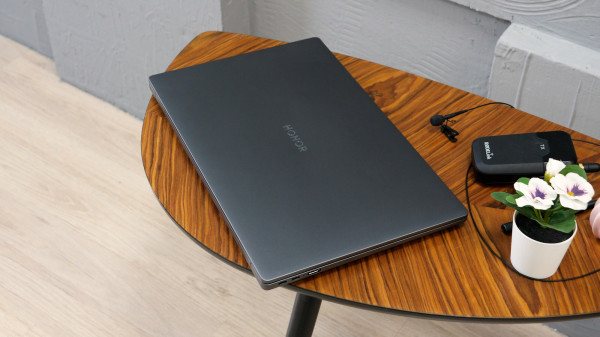
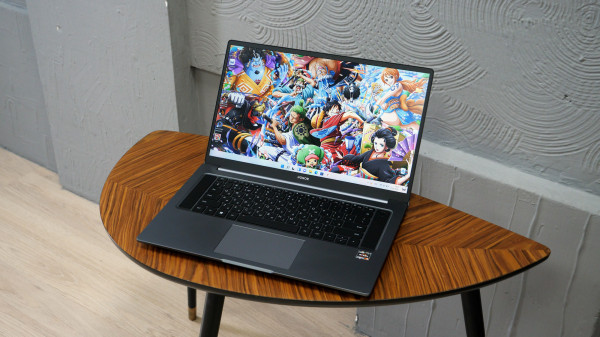
The laptop is made in the already familiar design withoutany noticeable changes. Calm colors, lack of decorative elements and a nice aluminum case will look appropriate both on the office table and at home. Dimensions and weight of the device are moderate. I wouldn’t call a 1.8-kilogram device light, but it’s still lighter than a conventional 2-kilogram MacBook Pro.
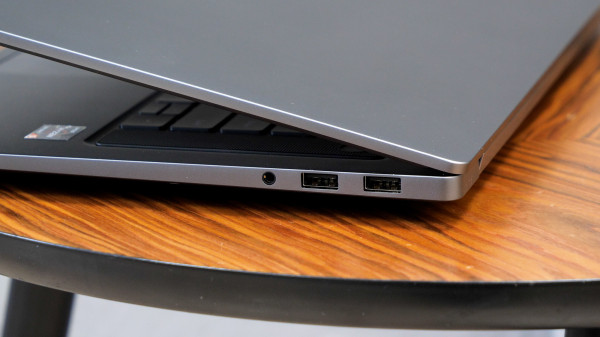
The following connectors found a place on the ends:
- 2 x USB-C 3.2 Gen1
- 2 x USB-A 3.2 Gen1
- 1 x HDMI 2.0
- 1 x 3.5mm combo mini jack
Thunderbolt is not supported, but through both USB-C you can both charge your laptop and display an image on an external display.
The lid opens to 137°, which is enough forthe typical working position at the table, but may be slightly insufficient when working in less trivial postures. The device is not prone to heat in simple tasks: it is quite comfortable to work “from your knees”.
Display and camera
The display uses a 16.1” IPS displaywith standard refresh rate (60Hz). The matte surface perfectly dampens reflections, but although the brightness is enough for office work, it can be difficult to read information in the sun (but the minimum brightness is comfortably perceived at night).
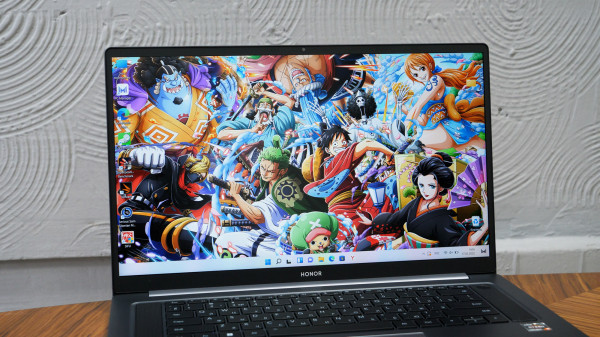
Aspect Ratio 16:9, coupled with a large diagonal allows you to comfortably work with two programs at the same time. As for colors, the manufacturer claims 100% sRGB space coverage, which actually looks like a nice natural image.
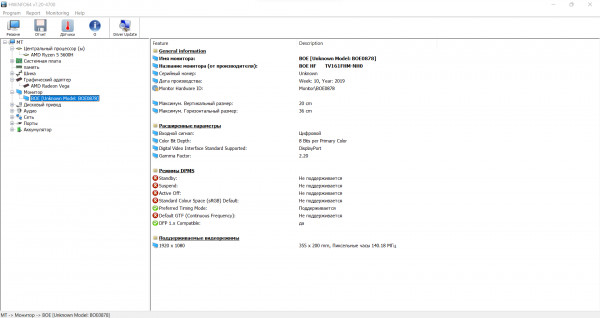
HWINFO: installed matrix information
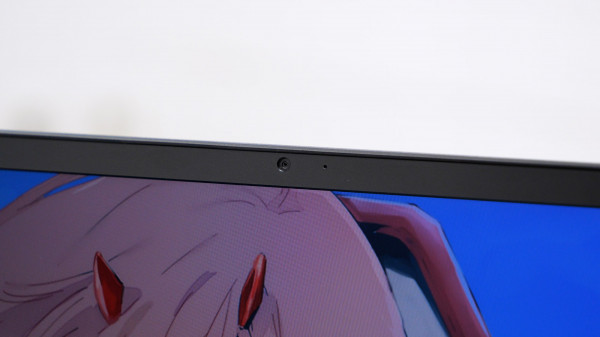
The camera layout makes the new model very differentfrom past representatives of the Honor laptop line. The webcam in MagicBook 16 is finally located in a common place - in the center of the top frame of the display. Let me remind you that for several years Honor has mounted laptop cameras in a key in place of the familiar F6. Yes, this approach had advantages in the form of absolute privacy in a hidden form and a thin top border, but they could not be compared with a completely unusable angle. Now everything is like everyone else and no problems, and the top frame is still quite thin.
Keyboard and touchpad
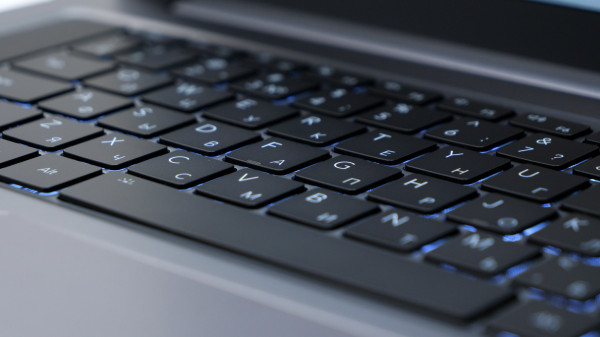
A significant part of the working surface is occupiedFull size membrane keyboard. It is convenient to print, but I recommend that everyone who has specific requirements familiarize themselves with the photographs: there is no digital block or PgUp / PgDwn here, and the arrows are made in 1/2 format. Of the pluses, I note a clear move and registration of keystrokes, the presence of a two-level backlight, a fairly accurate fingerprint sensor in the power button (well, a very convenient thing for a mobile device) and a couple of good speakers located on the sides.
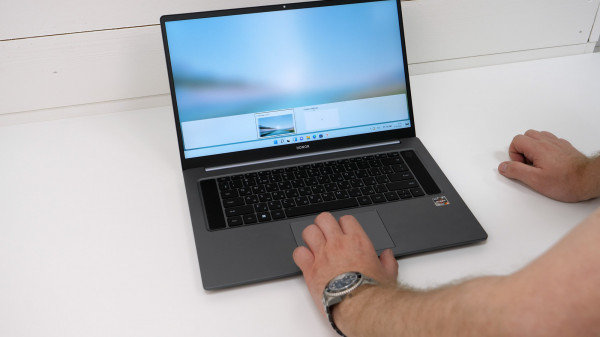
I did not meet any noticeable cons, printconveniently. The only thing that comes to mind is taste: after the Honor MagicBook 15 (review) with uneven key texture, the flat buttons of the MagicBook 16 feel slippery. On the other hand, the MagicBook 15 does not have key backlighting, so I would still give preference to the new model.
The plastic touchpad is located in the center, whichConvenient for both right-handers and left-handers. Size 120 mm × 72.2 mm, no separate physical buttons. Presses are recorded at 3/4 of the touchpad height (if counted from the user's side). Implemented support for multi-touch gestures. In addition, an NFC antenna is located under the touchpad for quickly connecting related smartphones using proprietary MagicLink technology.
Software
Honor MagicBook 16 comes withpre-installed Windows 11 Home and proprietary application PC Manager. With it, you can find out basic information about the device, carry out self-diagnostics, download / update drivers, etc.
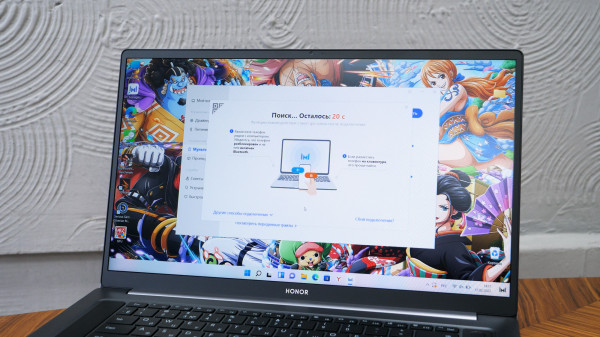
This is where the relationship with relatives comes from.Honor devices using the MagicLink mentioned above. After successfully linking the device, the user becomes available for convenient wireless file transfer in both directions, duplicating the smartphone display on a laptop, and other useful things.
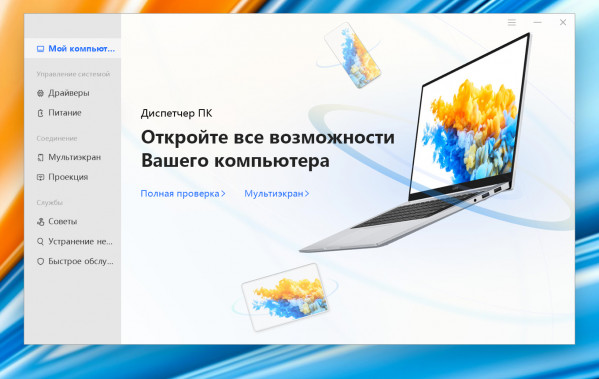
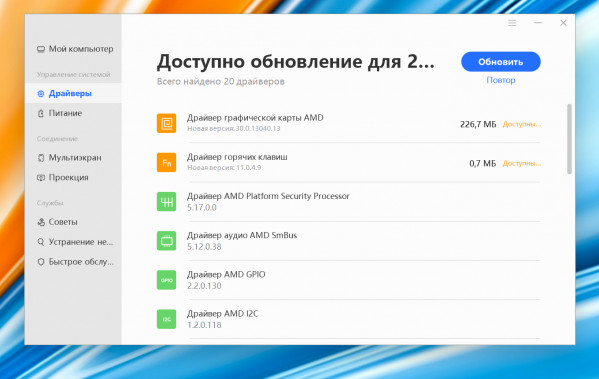
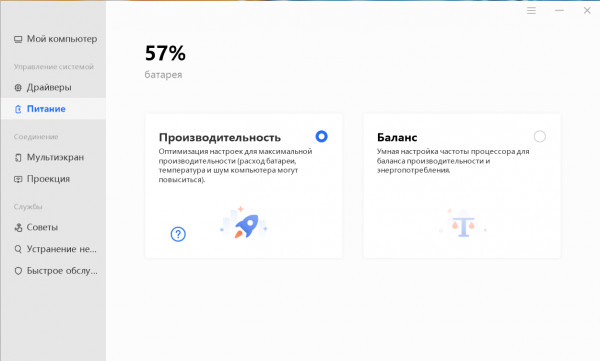
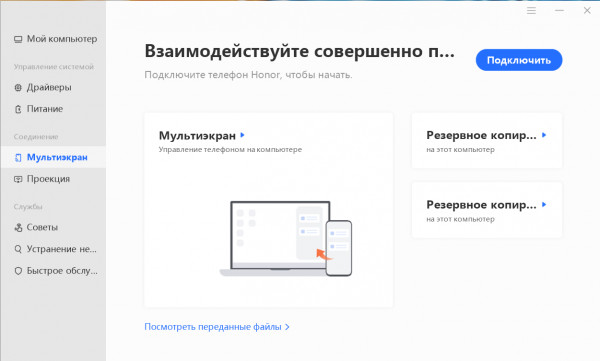
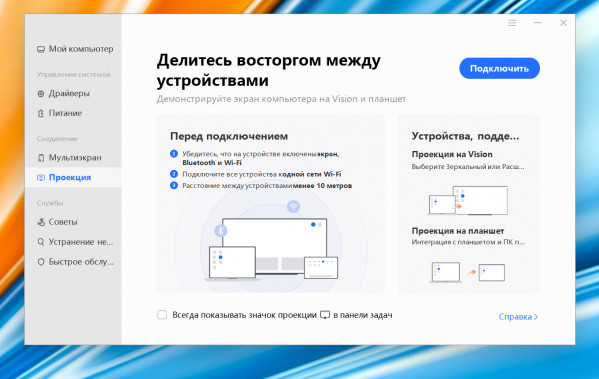
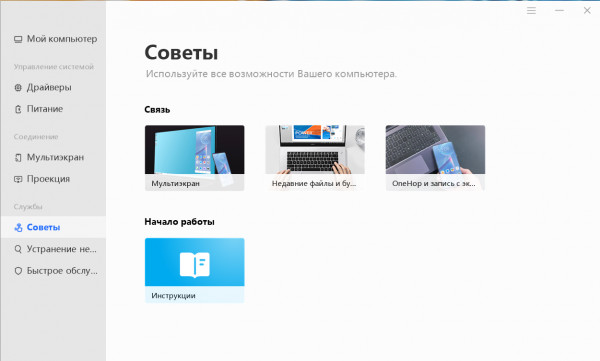
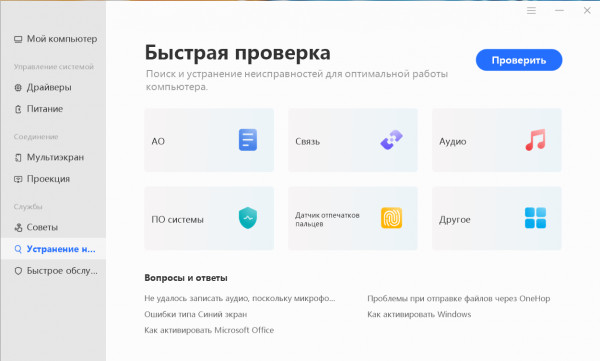
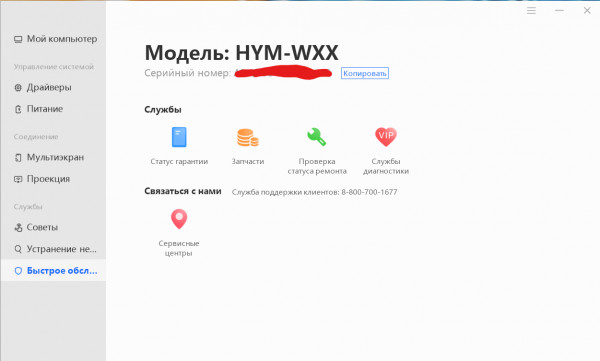
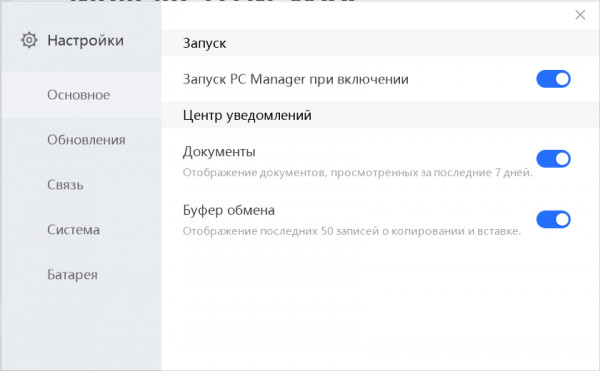
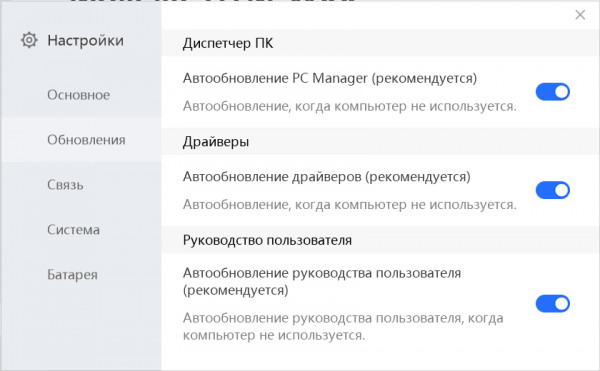
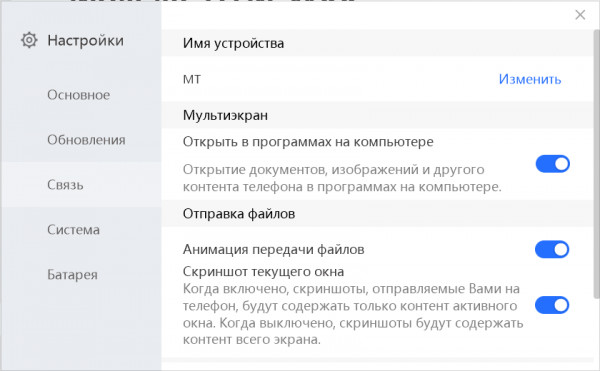
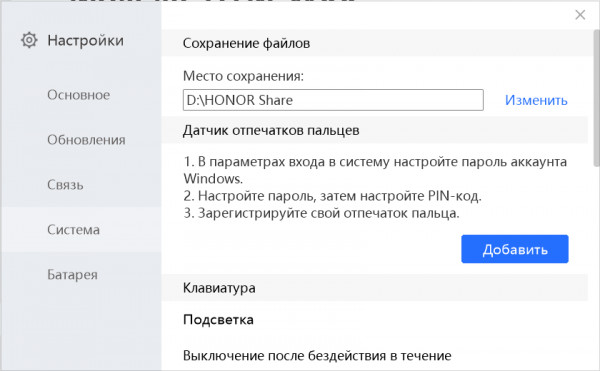
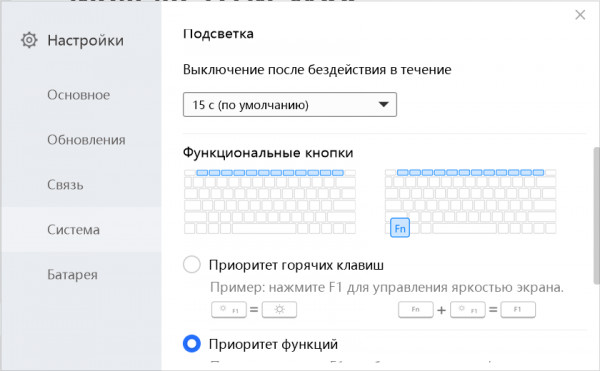
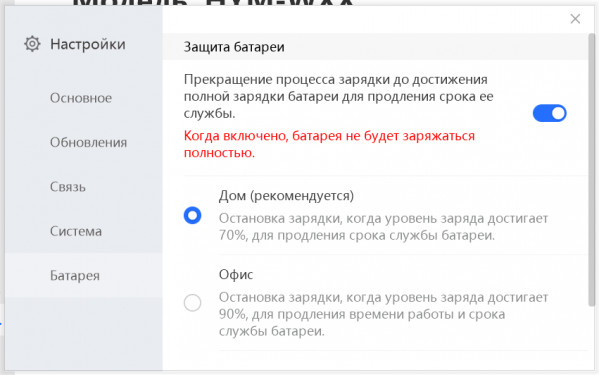
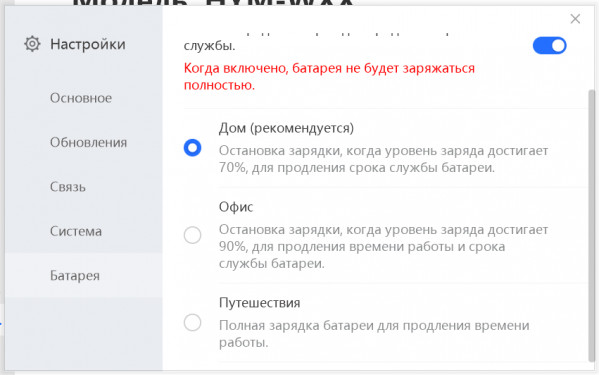
PC Manager - Honor's proprietary assistant
Performance and tests
Honor MagicBook 16 is presented in one configuration, including:
- Processor AMD Ryzen 5 5600H 3.2GHz (up to 4.4GHz), TDP 45W.
- Integrated AMD Radeon RX Vega 512MB DDR4 1.8GHz graphics chip.
- 16 GB DDR4-3200 non-replaceable RAM (22-22-22-54-74).
- 512 GB M.2 persistent memory, PCIe 3.0 x4 (replaceable).
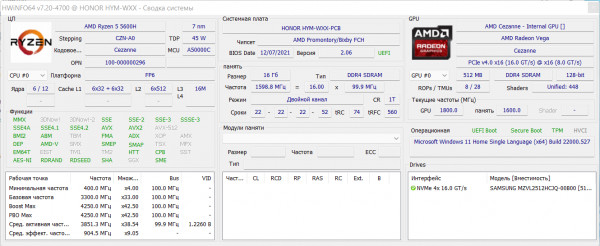
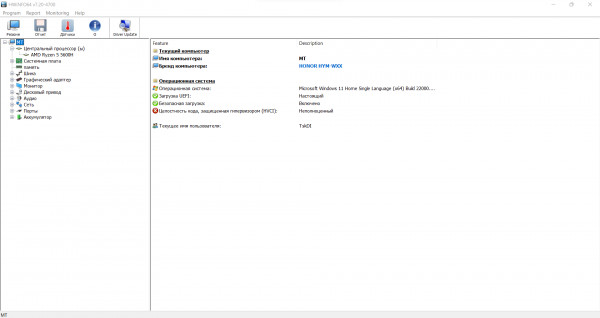
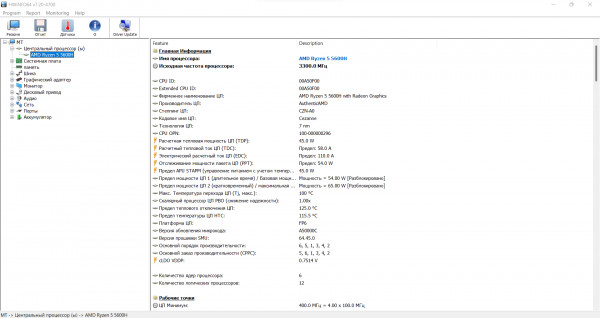
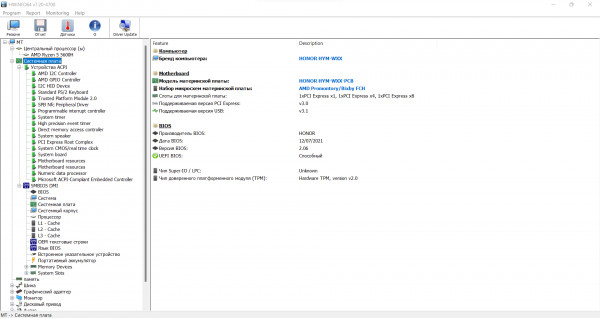
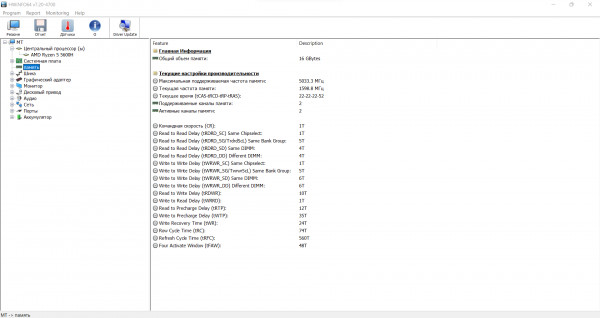
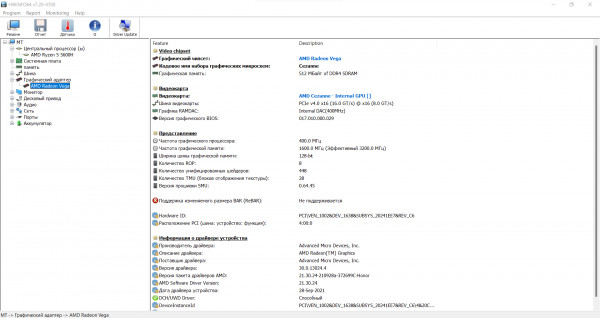

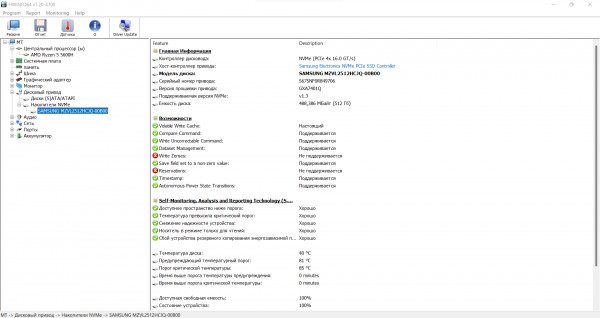
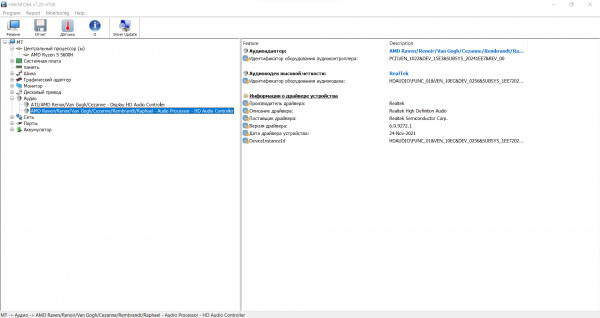
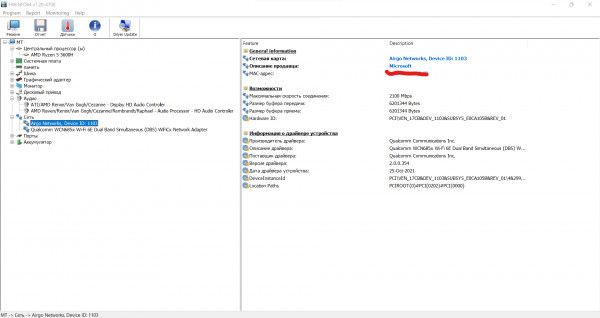
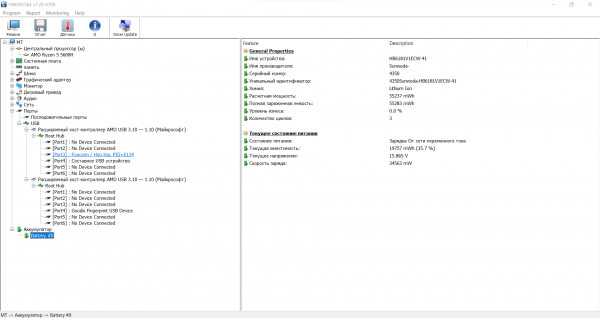
General information about HWiNFO64 components
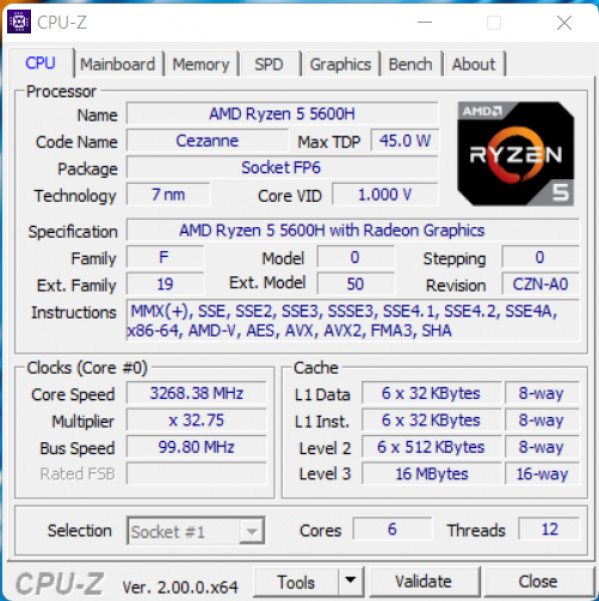
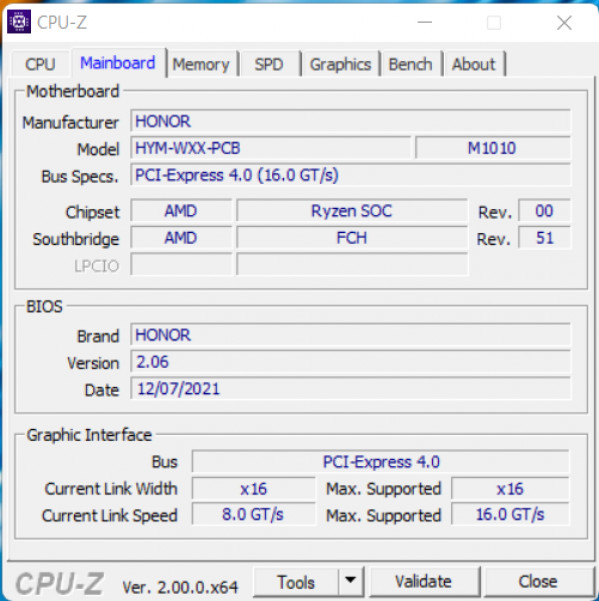
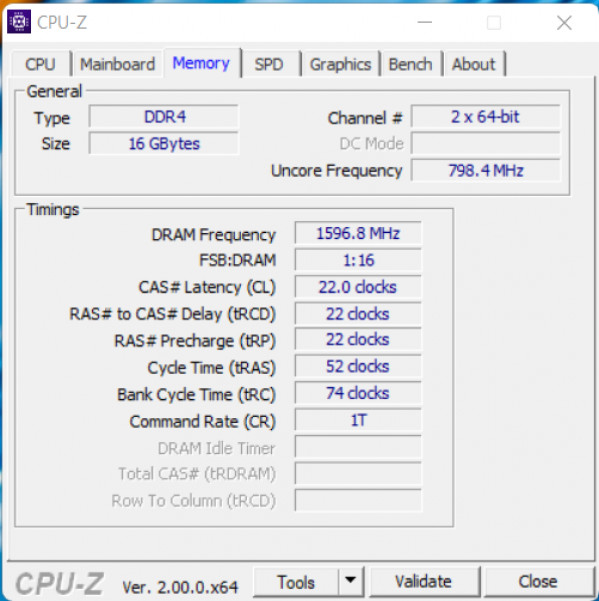
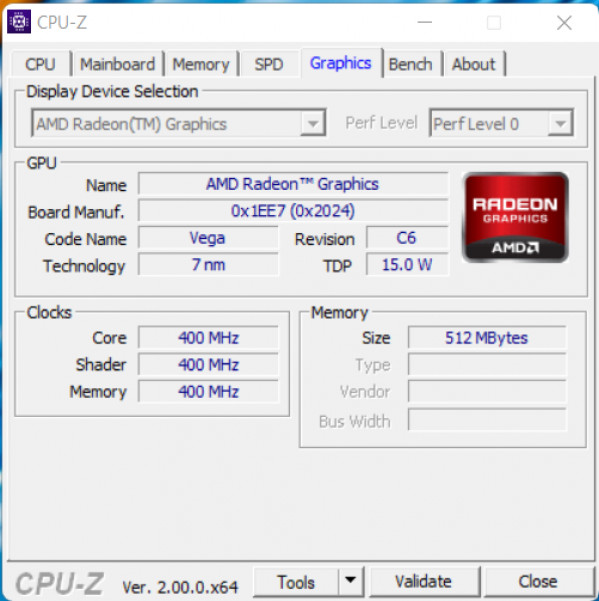
General information about CPU-Z components
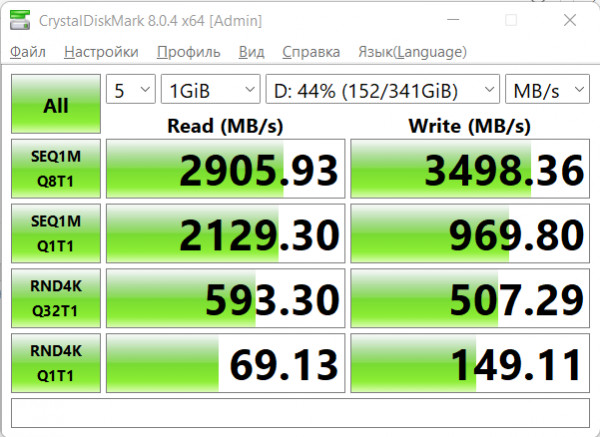
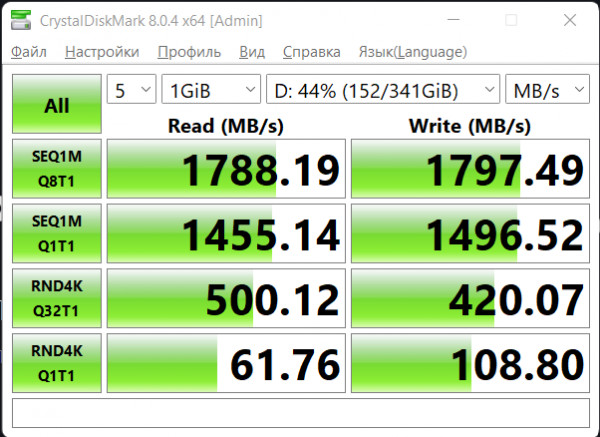
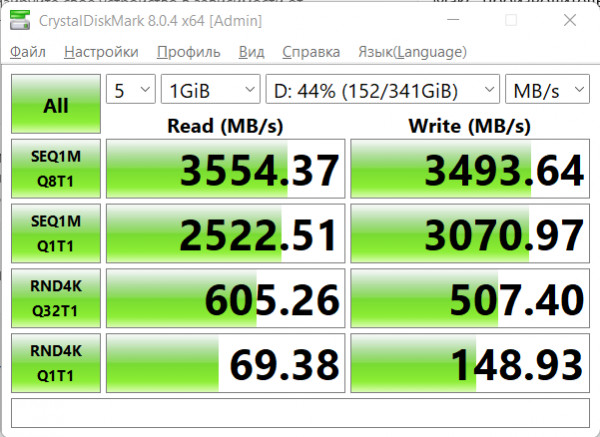
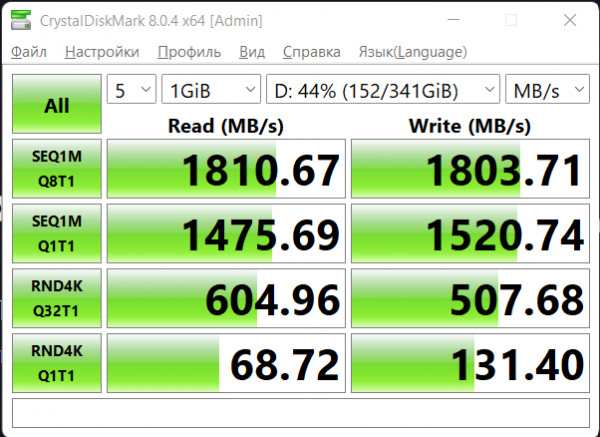
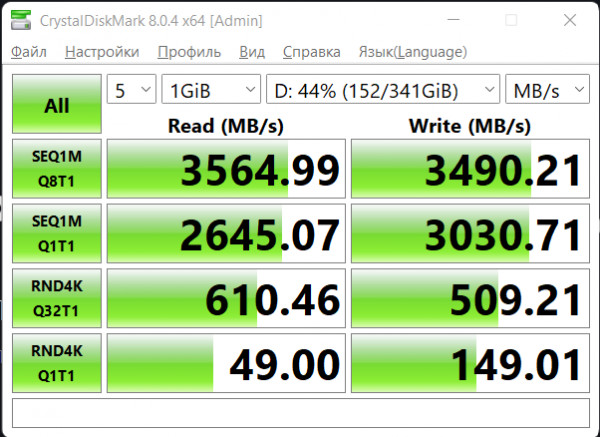
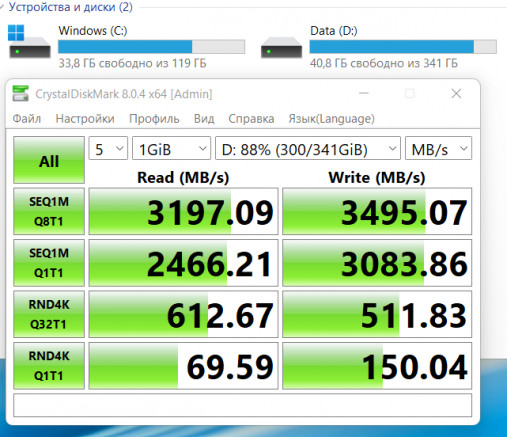
SSD noticeably slows down during battery life*
*Screenshot order:
- from the network, balance
- offline, balance
- mains, maximum performance
- offline, maximum performance
- from the network, max. pr-st, productive mode
- from the network, max. pr-st, performance mode, significant SSD fullness
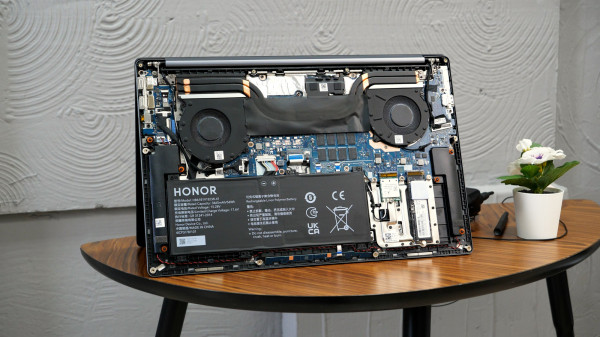
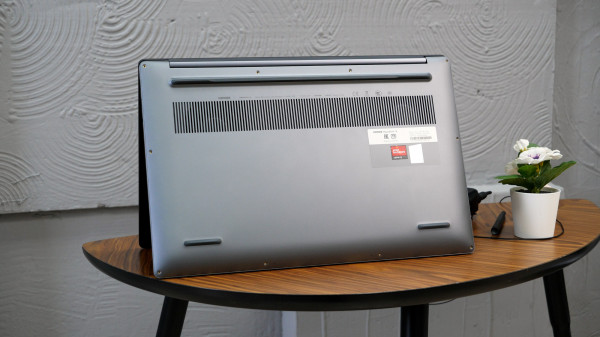
The cooling system is clearly shown in the photo.Air is taken from an opening at the bottom of the case, passes through two fans and is exhausted from the far end. During operation, the main heating is concentrated in the area of the “5” key. During idle time there is no noise at all from the coolers; in typical tasks (like working in a browser) a smooth, non-irritating rustle appears; under extreme loads there is significant noise, ≈40 dB at 20 cm from the device. In most usage scenarios, the CPU temperature does not go beyond ≈70°, but in the Cinebench R23 stress test it rose above 100°. You can regulate the power of the device using standard Windows presets (maximum energy efficiency, balance, maximum performance) and using a special performance mode. The latter only works when connected to the network and is activated either in PC Manager or by pressing the Fn + P key combination.
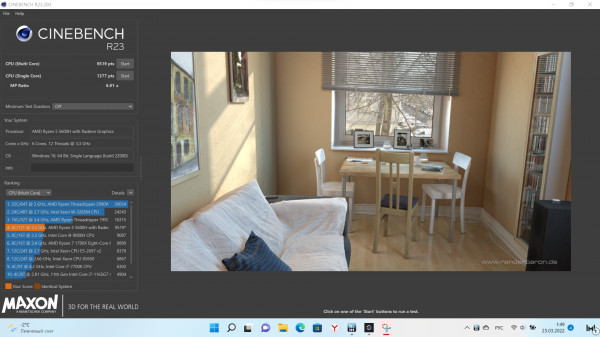
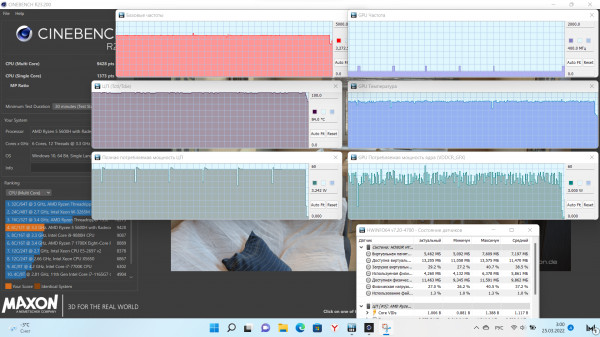
Cinebench R23: single run and stress test showed no throttling
According to the possibilities of filling, the laptop isis an intermediate link between "typewriters" and serious workstations. The AMD Ryzen 5 5600H processor pleases with a high (relatively) TDP of 45 W and allows you to comfortably work in professional software packages that actively load the CPU. Retouching in Photoshop, video editing, etc. - all this can be done on Honor MagicBook 16 *.
* within reasonable limits. If you edit an evil 4K @ 60fps video, the device, of course, will be thoughtful.
Graphics processing fell on the shoulders, even if notbad, but still a built-in chip. It copes with undemanding projects, but in modern 3D games you can only count on adequate framerates when playing with low graphics settings and lowering the resolution. Gears 5, for example, shows about 50 fps at 1080p/low (both online and offline). Dota 2 online – 120-170 fps at 1080p/low and ≈50 fps at maximum graphics settings; standalone – 110-150 fps (with drops) at 1080p/low and 40-50 fps (with drops) at maximum graphics settings.
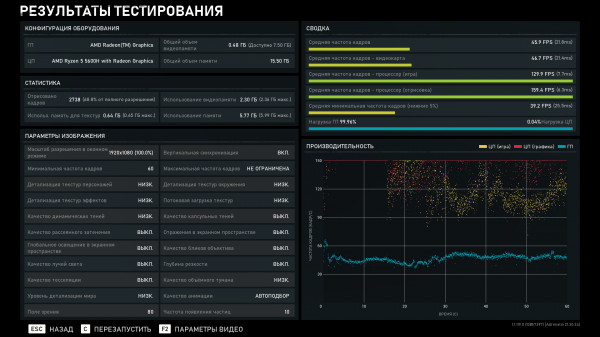
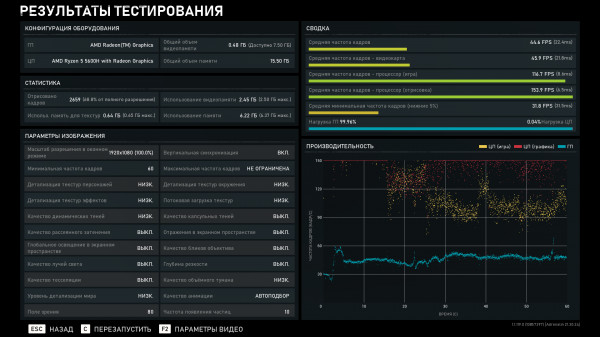
Gears 5, graphic benchmark: performance mod from the web; Max. e.g., offline
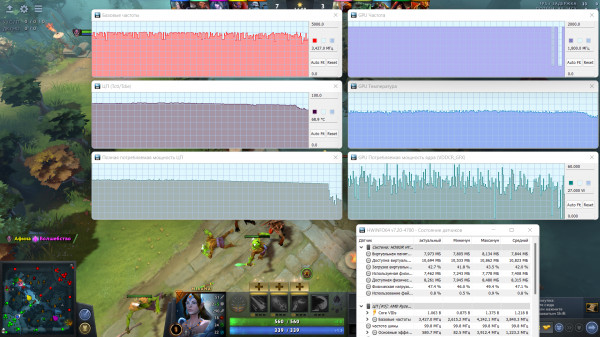
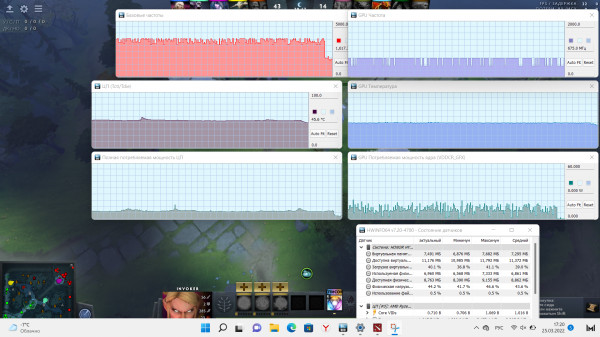
Dota 2: performance mod, offline; max energy efficiency, autonomous
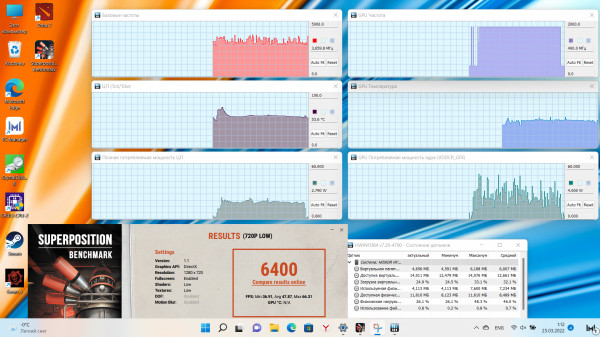
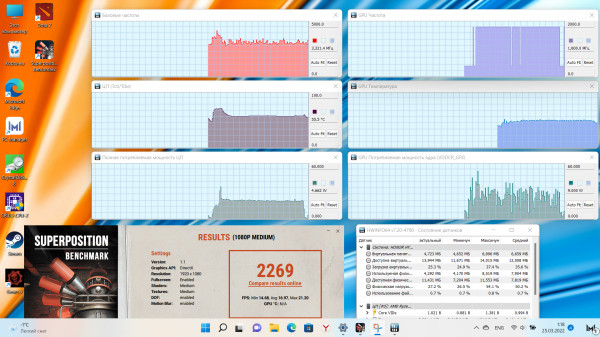
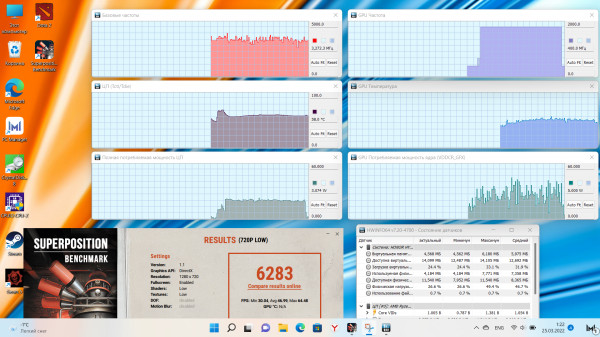
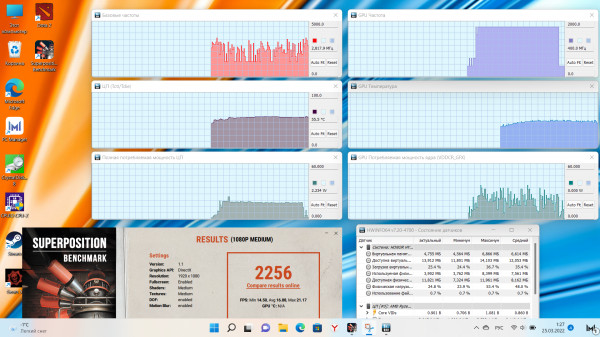
superposition*
*Screenshot order:
- performance, offline, low
- performance, offline, medium
- Max. pr-t, offline, low
- Max. ave, offline, medium
Autonomy
Responsible for the battery life of the laptop56 Wh battery. It is offered to charge it via a USB-C connector, which allows you to use one power adapter for both a laptop and other devices. Honor MagicBook 16 can also be charged from third-party adapters, the main thing is that the charge falls into the required specifications.
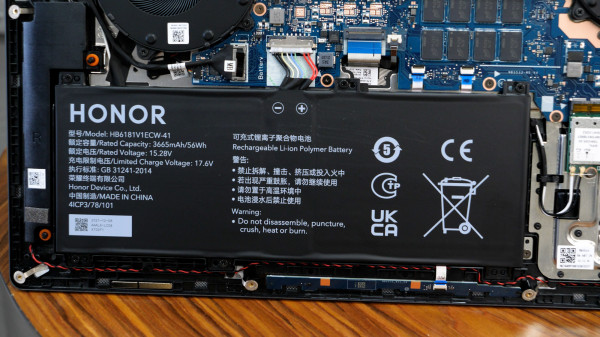
As for the native adapter, charge timingsthe following: 15 minutes - 28%, 30 - 48%, 45 - 70%, 60 - 87%, 75 - 95%. Moderate modern speed, which, however, is not enough for prolonged maximum performance: the battery slowly discharges even from the mains. As for the discharge, during testing we received the following figures:
- an hour of watching a YouTube video (1080p, 50% brightness, Wi-Fi) consumed 14% of the charge;
- hour of work in the browser (50-70% brightness, Wi-Fi, Bluetooth) - 14%;
- half an hour in Dota 2 (maximum energy efficiency mode, 1080p, low graphics settings, 110-150 fps, Wi-Fi, 50% brightness) - 23%.
Conclusions
Honor MagicBook 16 successfully continues the businessthe MagicBook Pro line. Key pros include a powerful processor, large display, and fast performance. If we compare hardware with the Pro version, it can be noted that everything has become a little better, more modern and faster. The only striking design change was the Webcam, finally located in the right place. Of the nuances of the model, I would note the appearance of 6000 series chipsets, which promise a significant increase in performance. Although new chipsets have new price tags, but that's a completely different story.
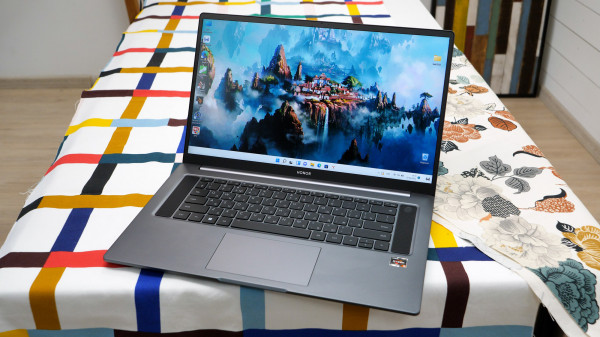
The MagicBook 16 can be recommended to those who put forward moderately serious requirements for CPU performance, but do not expect much from graphics capabilities.
Honor MagicBook 16 on the official website
© Dmitry Pivnev.