Every year Apple introduces a new generation of smartphones with improved technical characteristics. At
Article was updated on April 23, 2020.
</ p>- Why buy an iPhone in the USA
- How to buy an iPhone 11 on the American Apple website with delivery to Russia
- 1. Get the American address
- 2. Place an order on Apple.com
- 3. Made an order, paid. What's next?
- What is the result
Why buy an iPhone in the USA
The main point of buying an iPhone in the USA is to save. Even taking into account the delivery and insurance of the parcel, the final price of an iPhone is usually lower than the Russian price of a smartphone (how much depends on the dollar exchange rate). It’s easy to order an iPhone from America and pay for your purchase on the American site Apple. The main problem is that Apple, like most US online stores, does not deliver goods to Russia. When buying an iPhone on the official Apple website in America, you must indicate the American address where your order will come. Here intermediary mail services come to the rescue. The essence of their services: you use the address of the service warehouse to which your order arrives, and the service from the warehouse in the USA sends it to your home.
It is important to understand that when buying an iPhone fromAmerica or any other country, you only receive Apple's official one-year limited warranty. Apple's warranty is worldwide, does not depend on the country and is activated when checking the serial number on the official website. When purchasing a smartphone in Russia (tested by Rostest) from an official distributor, another year of warranty is added in accordance with the legislation of the Russian Federation.
How to buy iPhone 11 on the American Apple website with delivery to Russia
1. Get the American address
For the purchase of iPhone 11 in the US, I chose the mailPochtoy.com service, which has two warehouses in the USA: in Pennsylvania and Delaware. The main warehouse is located in Pennsylvania, in Delaware - additional. If in Pennsylvania there is no tax only on certain categories of goods, then in Delaware no purchases are taxed. For example, if you specify a Pennsylvania address when buying on the Apple website, the state tax will be $ 48.93 at the price of the 11th iPhone in the United States, $ 699.
So, go to the Pochtoy website.com and register to get an address in the USA. We indicate the name, surname and email. You do not need to confirm registration, you will immediately receive an address and enter your personal account. A password will be sent to the indicated e-mail, which can be changed.


After registration, two addresses will be available to youin the USA: in Pennsylvania and Delaware. It is these address data (of one of the states) that you specify when buying an iPhone on the official American site Apple. At the time of this writing, the Pennsylvania warehouse was temporarily closed, so in my account I only had an address in Delaware. But I needed it, because with the Delaware address I will not pay state tax.
We go into your personal account - the address is framed, each field can be copied and not entered manually when placing an order.
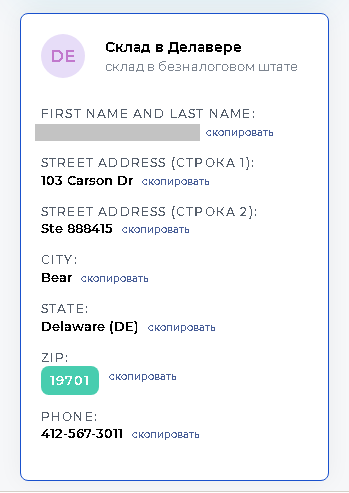
 After registering on the website Pochtoy.com you will receive a personal card with the address
2. Place an order on site Apple.com
We go to the official American site of Apple, then to the page of the iPhone you need and click Buy. In my case, this is the iPhone 11, which costs $ 699 in the USA.
To increase the chances of confirming your order the first time, go to the American Apple website using a VPN service or a proxy server (this will change your IP address).
Specify iPhone Settings
The first paragraph deals with the purchase of a new iPhone at a trade-in (Do you have an iPhone to trade in?), selectNo(No).
Next, select the color of the iPhone 11 (Choose your finish) For example, green.
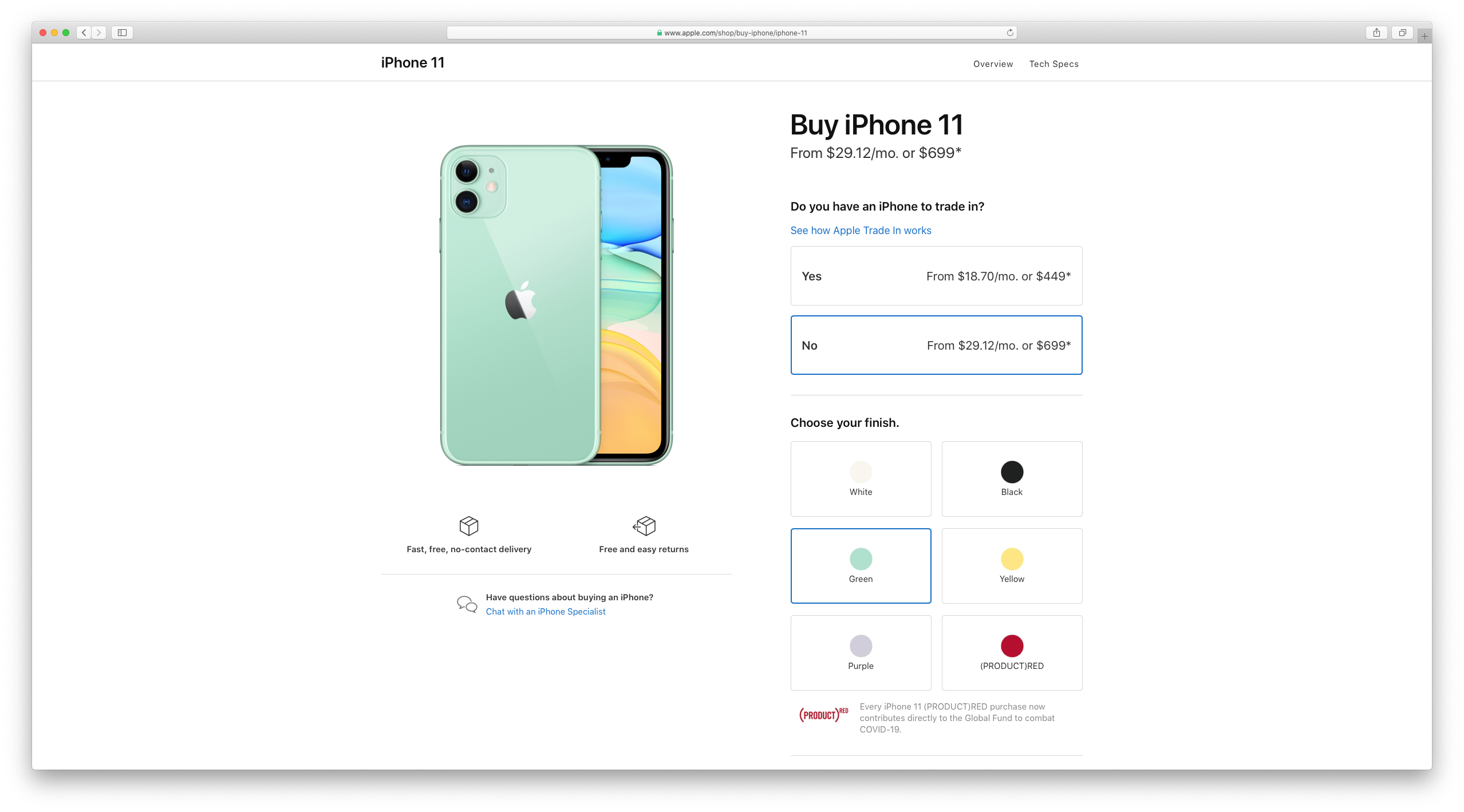

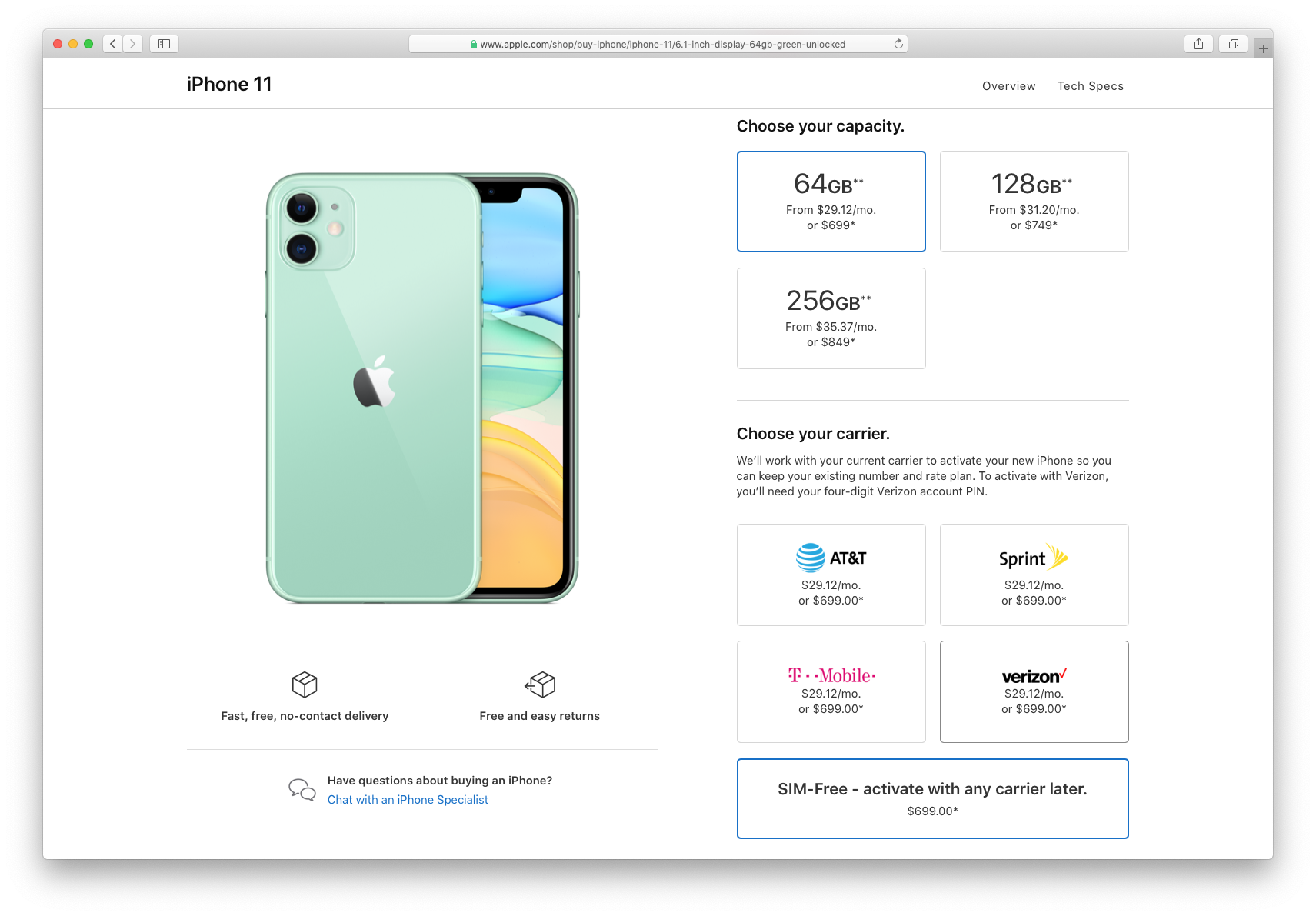
Specify the storage volume (Choose your capacity): 64, 128 or 256 GB.
Choose a mobile operator (Select your carrier) Click on the option without a SIM card (SIM-Free - activate with any carrier later) When buying an iPhone without a SIM card, the smartphone will not be blocked.

The next step is that the site will offer you an extended warranty, but it will not be valid in Russia, so we chooseNo AppleCare + coverage.
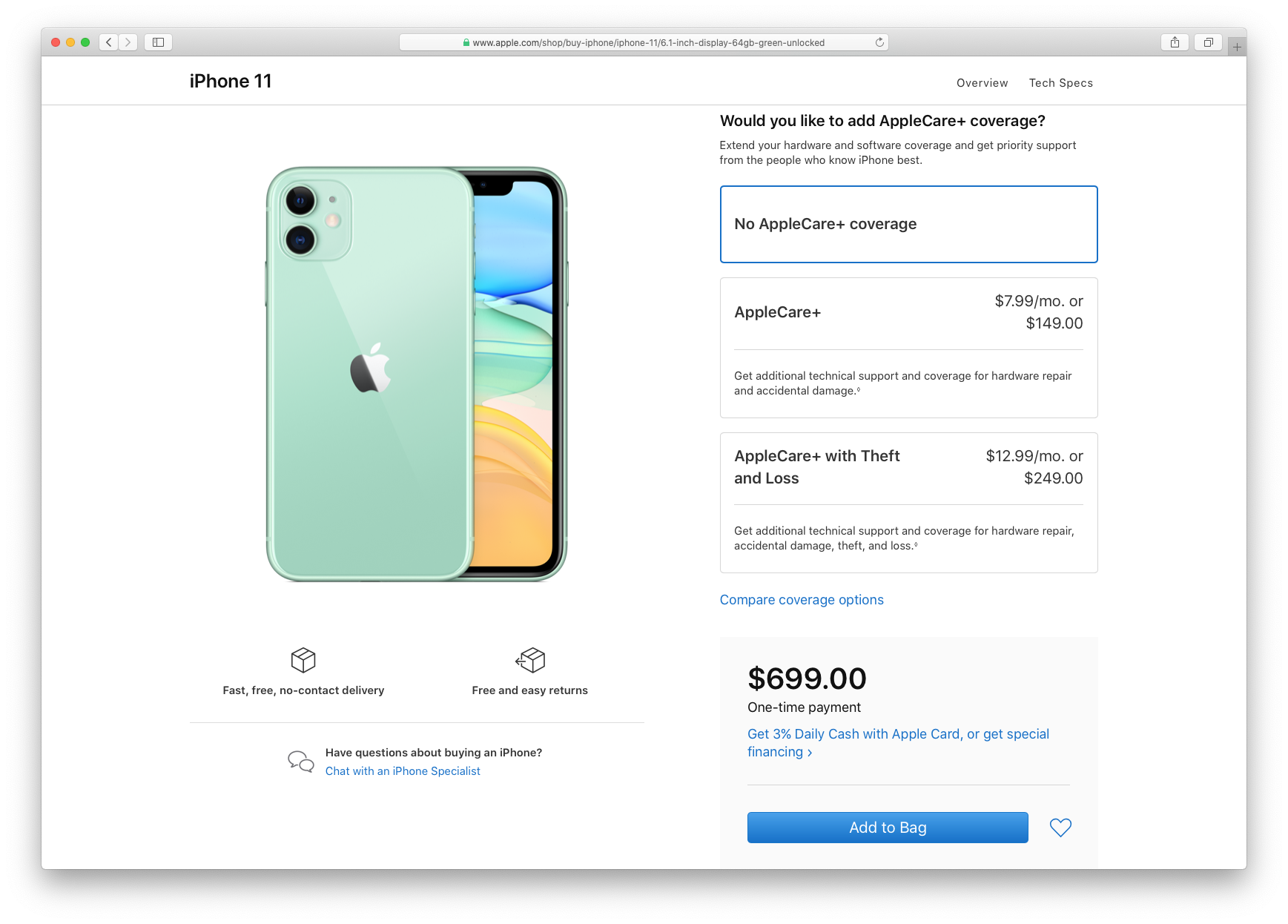

Finally, add the product to the cart (Add to Bag).
Before placing an order, the site will offer accessories for the selected iPhone. If necessary, add and go to the basket (Reewiev bag).

We check the order
We proceed to confirm the order (Check out). We check the selected smartphone model. In pointEnter zip codeYou can enter the state zip code to make sure there is no tax (in our case, this is the Delaware zip code) and see the estimated delivery date.
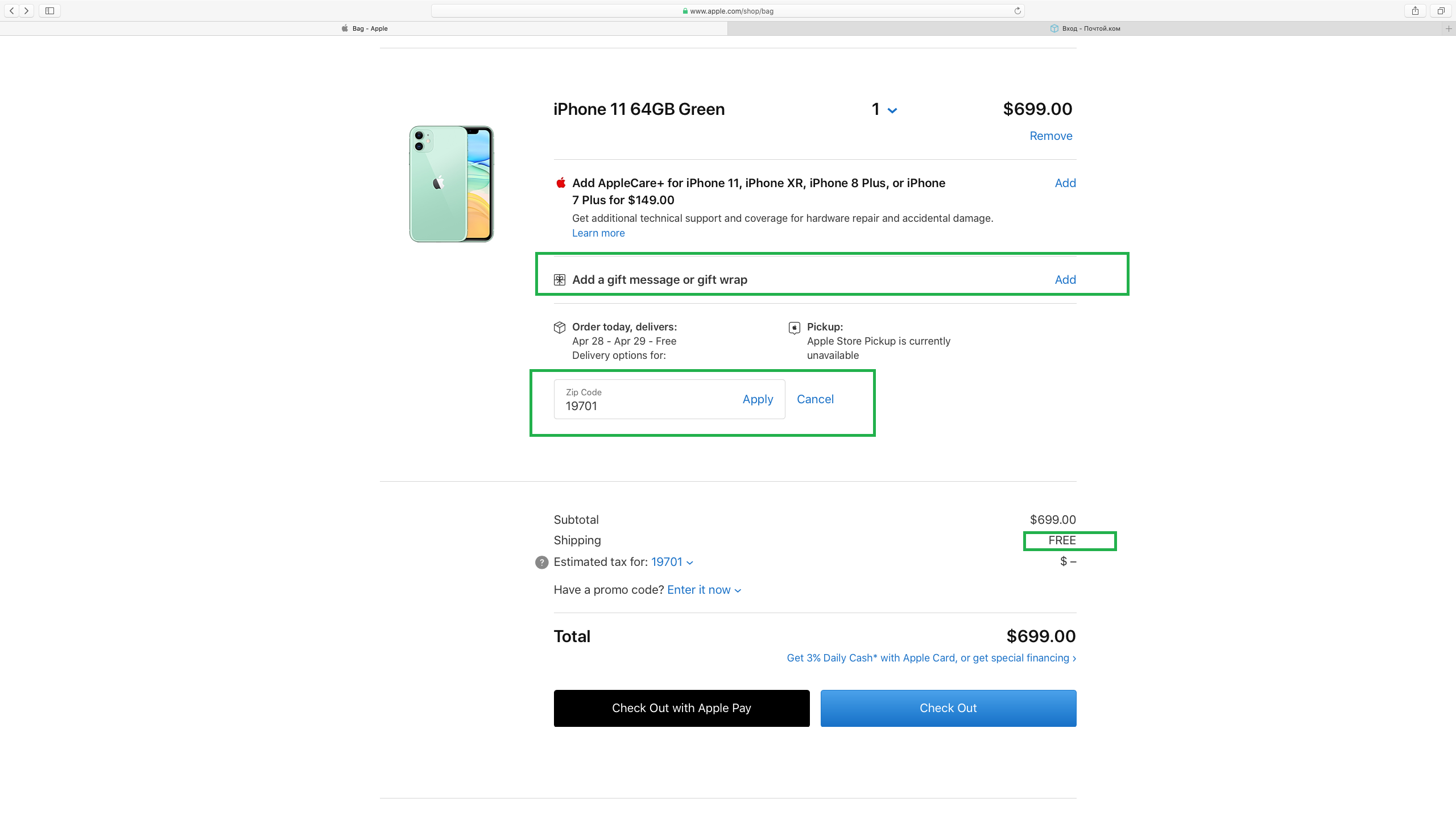

By the way, at the same stage at pointAdd a gift message or gift wrapFor $5 you can add wrapping or a free card with your own message.
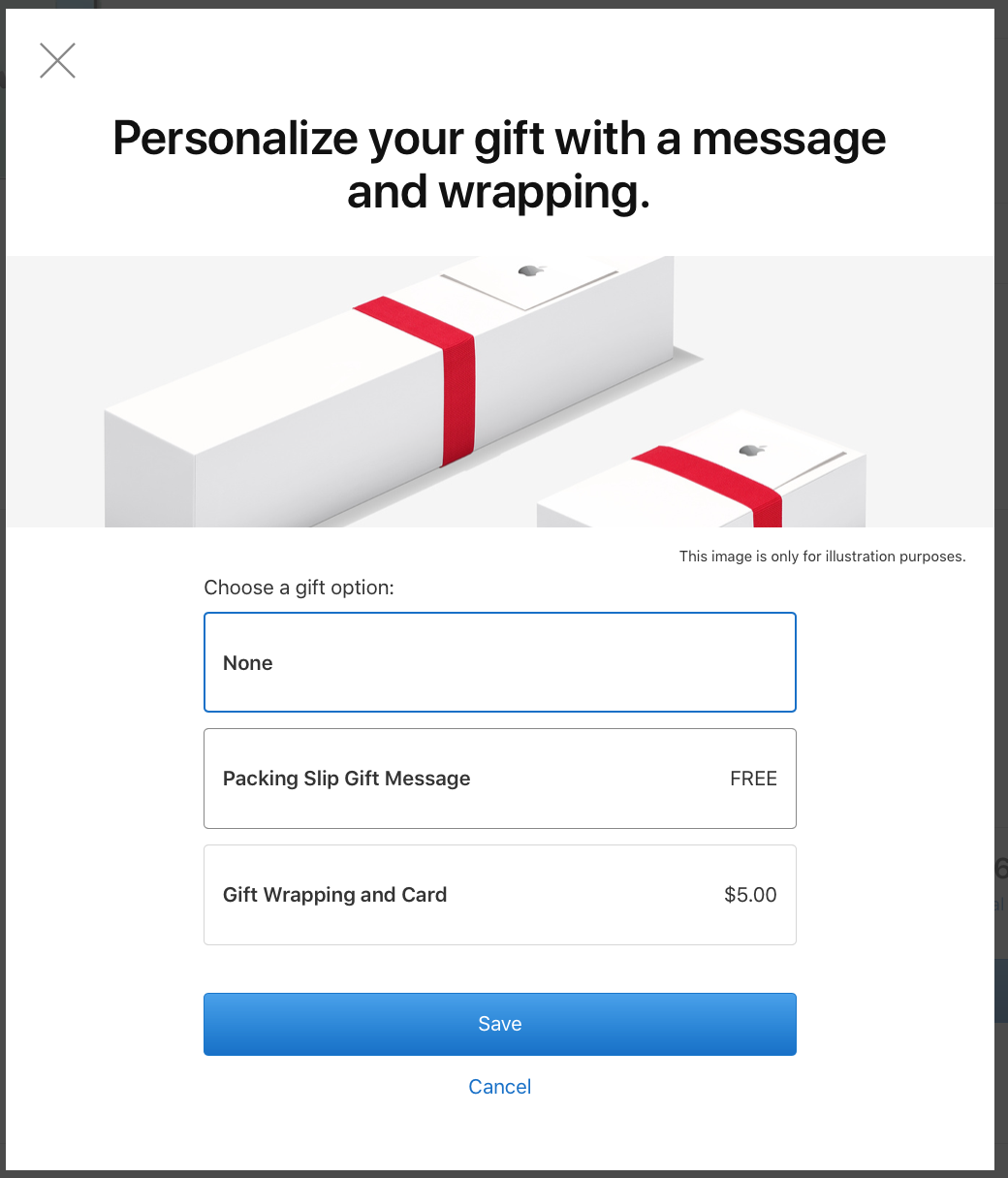

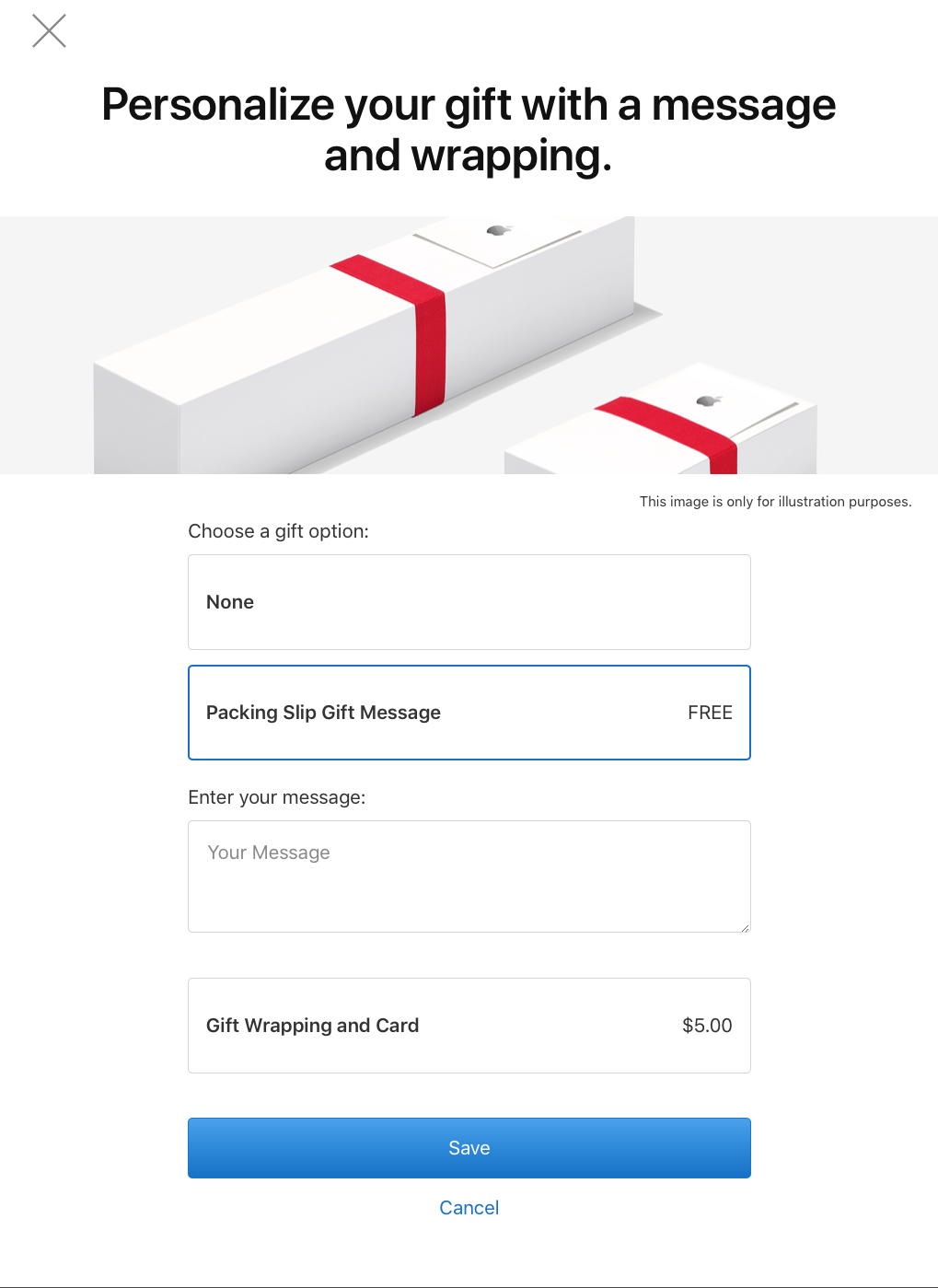

ClickCheck outand proceed to delivery and payment.
We indicate the name and delivery address
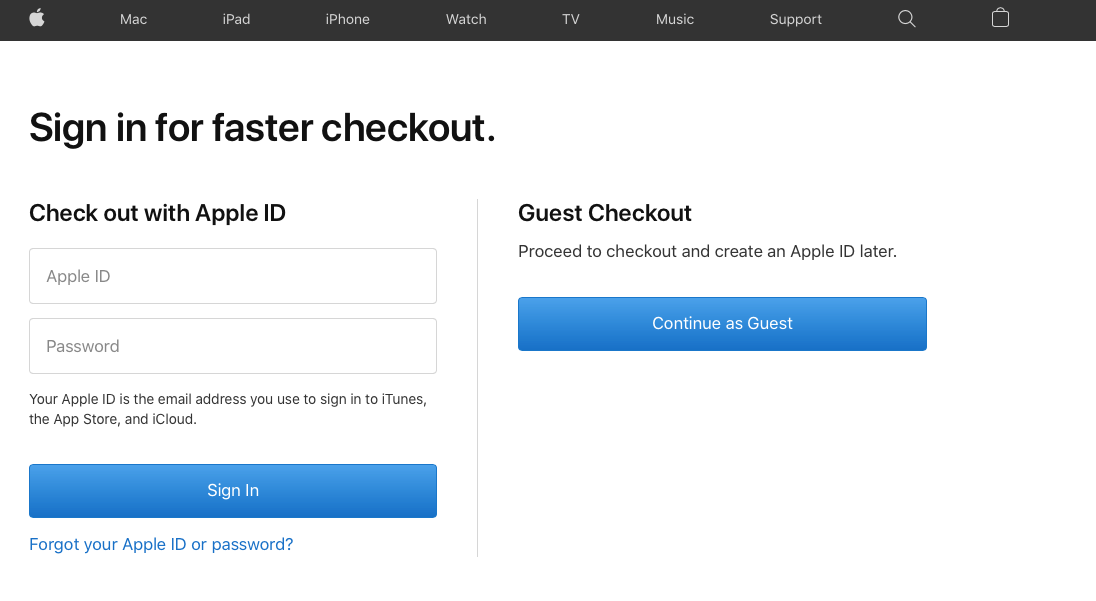
To increase the chances of successful confirmationordering login on the site is not recommended. When the site offers you authorization options (log in using your Apple ID or continue in guest mode), select the guest (Continue as Guest).
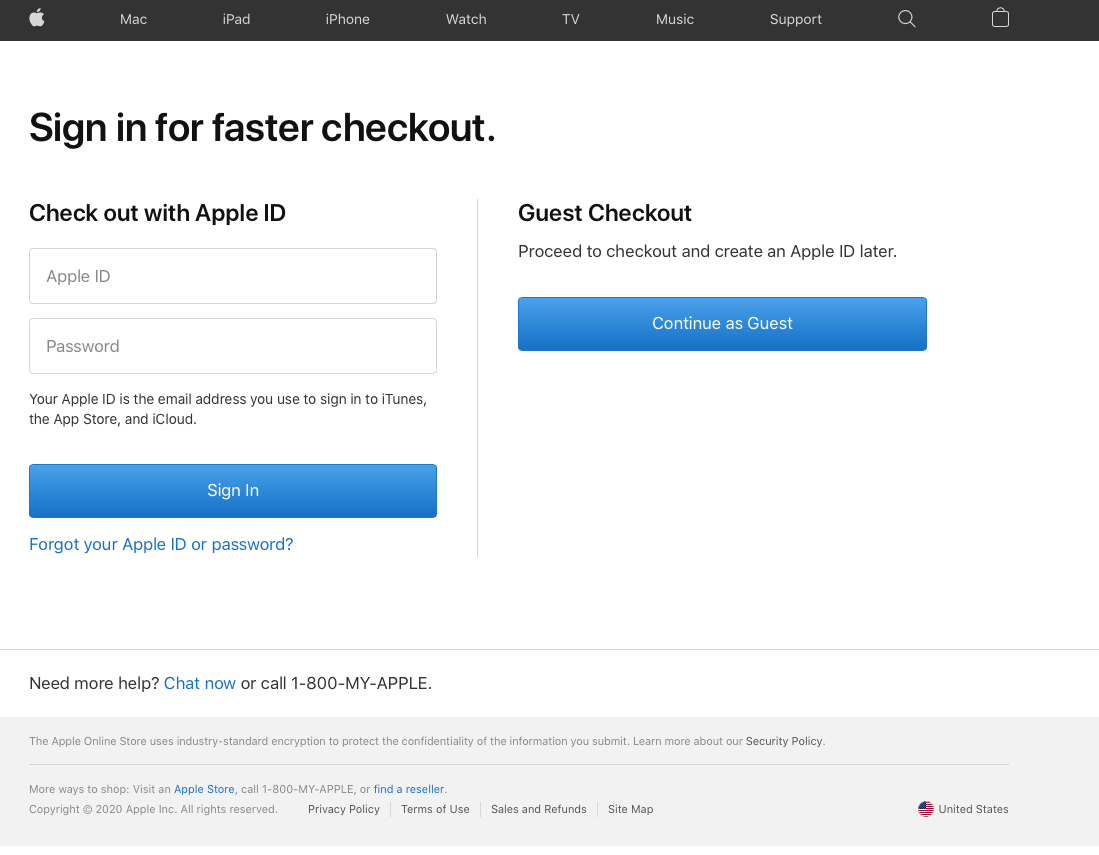

Next, Apple offers delivery or pick up the order yourself. Choose a delivery (I’d like it delivered). We indicate the index in the paragraphDelivers to(from the address in Pochtoy.com), if not already added at the previous stage.
We see the type of delivery, cost (free) and date. ClickContinue to Shipping Address– that is, we proceed to entering the address.
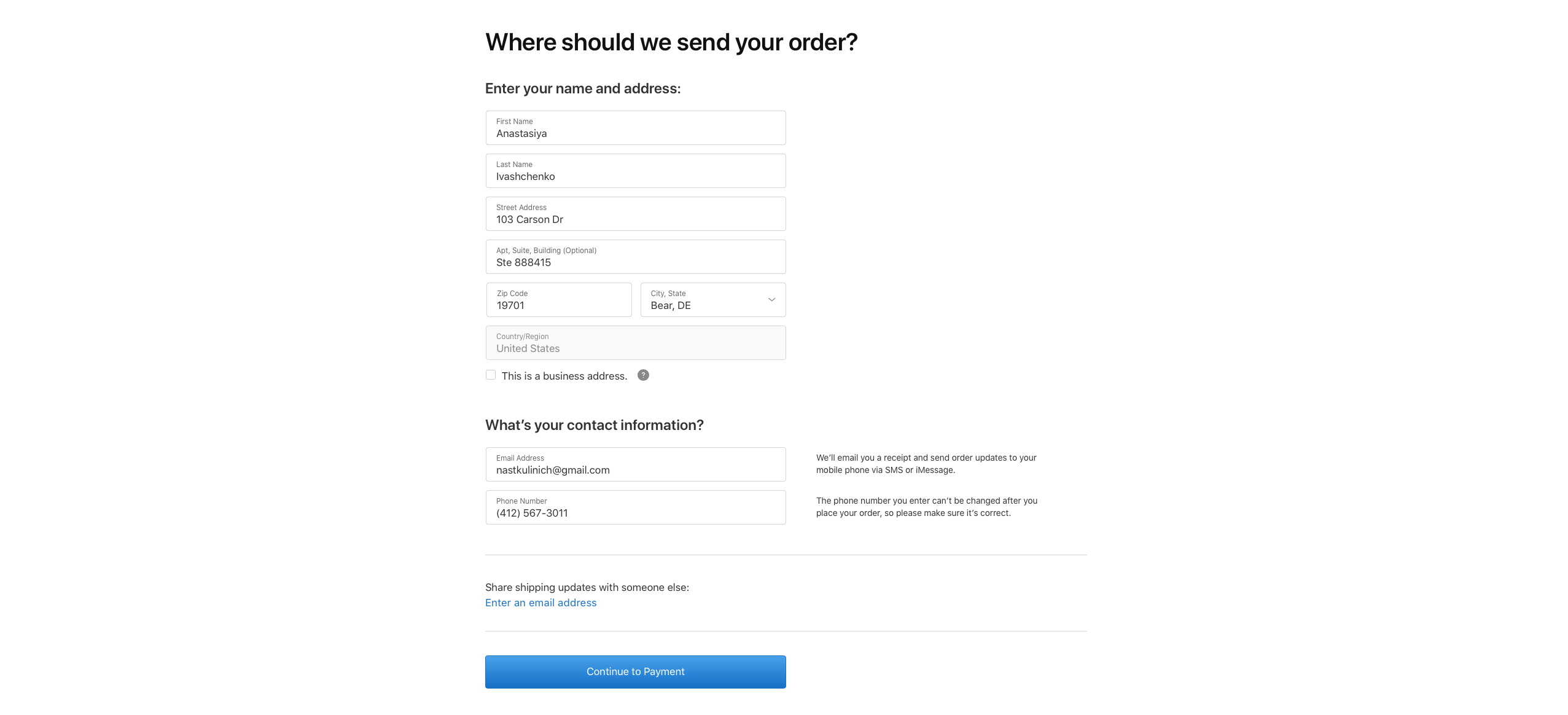
We fill in the proposed cells by copying the relevant information from your address to Pochtoy.com.
First Name:enter your name in Latin letters (copy from address)
Full Name:enter your last name in Latin letters (copy from the address)
Streer Address:copy the corresponding line from Street Address (line 1)
Apt, Suite, Blding (Optional):copy the second line from Street Address (line 2). This field is optional.
Zip Code:Since we specified the index earlier, it will appear here automatically and the city, state and country will be determined.
Do not tickThis is a business address.
Add contact details
We indicate your email. Enter your current email address, you will receive email notifications about the status of your order.The address must not be from the domain zone ru! Use mail at gmail.com.
Copy the phone number from your address to Pochtoy.com.
Check again the data that you entered and proceed to payment (Continue to Payment).

Choose a payment type
We pay the full amount (Pay in full), select the payment method (bank card or PayPal).
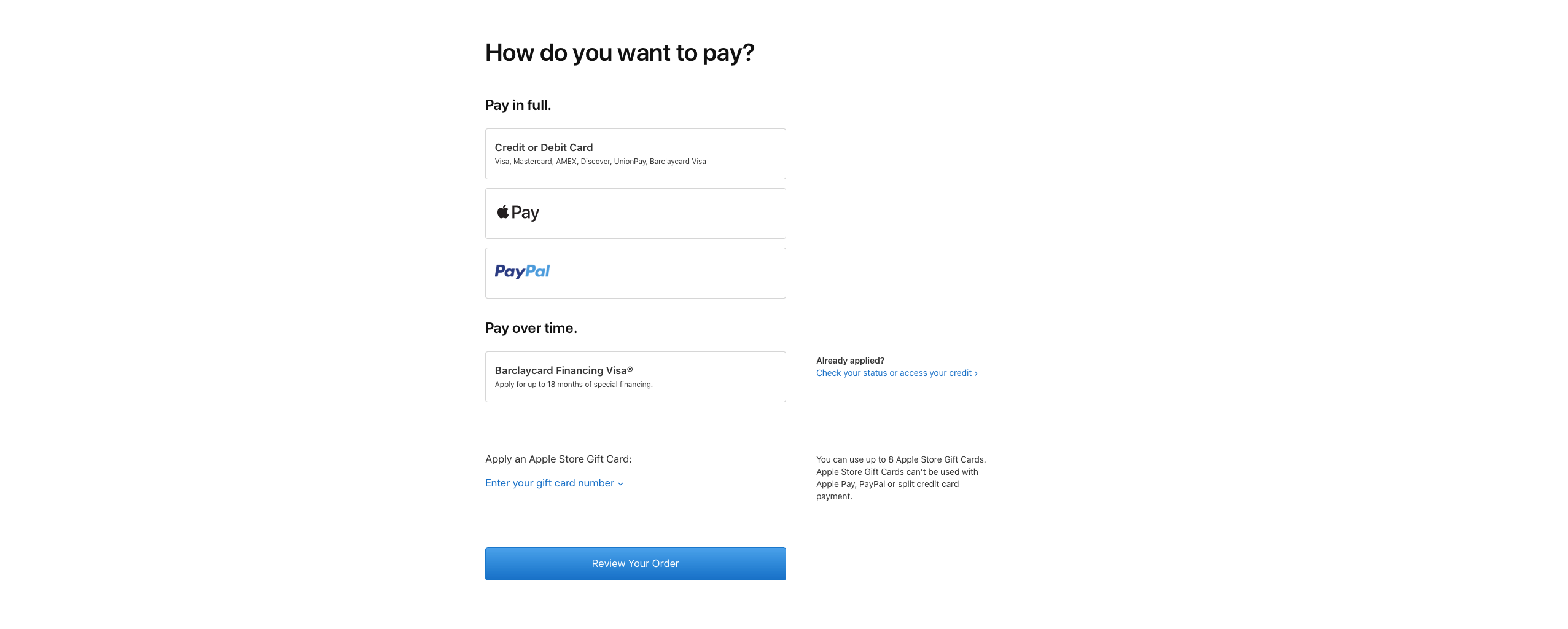

For a bank card, indicate the card number, the secret code indicated on the back of the card, the month and year the card expires.
By default, the first and last name and delivery address you entered earlier are generated: this data will be indicated on the check.
To pay by PayPal you will need authorization.
After placing the order, the money from the specifieda credit card or PayPal account will freeze. They will only withdraw funds when the order has been successfully processed and sent to the Pochtoy.com warehouse. Money for the purchase is withdrawn in rubles at the dollar rate in your bank. If the order is not confirmed, money is returned.
3. Made an order, paid. What's next?
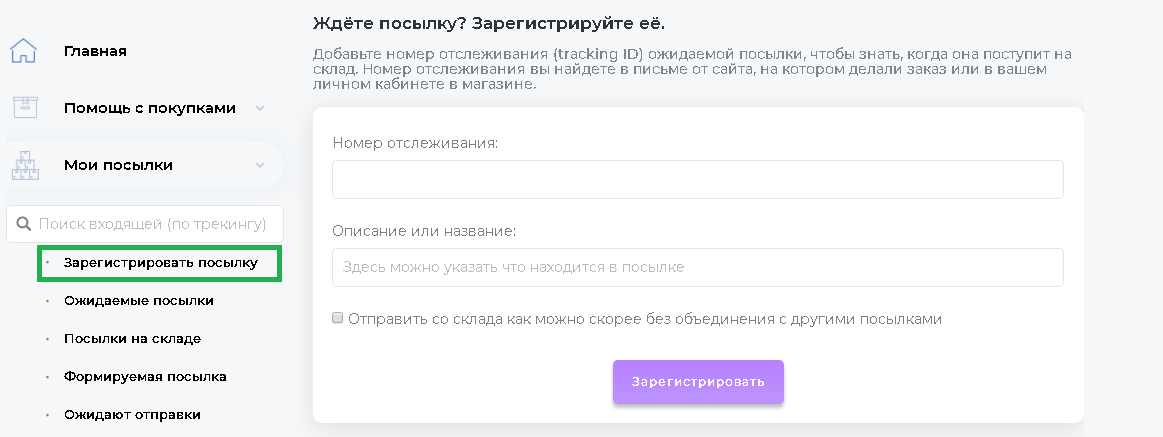
If your order is on the American site Applesuccessfully accepted, a confirmation email will be sent to the specified email with a number by which you can track the stages of order processing at Apple. After Apple sends your order to the warehouse at the specified address, you will receive a track number. Register the expected parcel using this track code in your Pochtoy.com personal account, select the delivery service, enter your details and fill out the declaration. After completing the declaration, replenish the balance by the approximate delivery amount. After the parcel arrives at the warehouse, the money will be debited automatically and the parcel will fly off with the next flight to Russia.

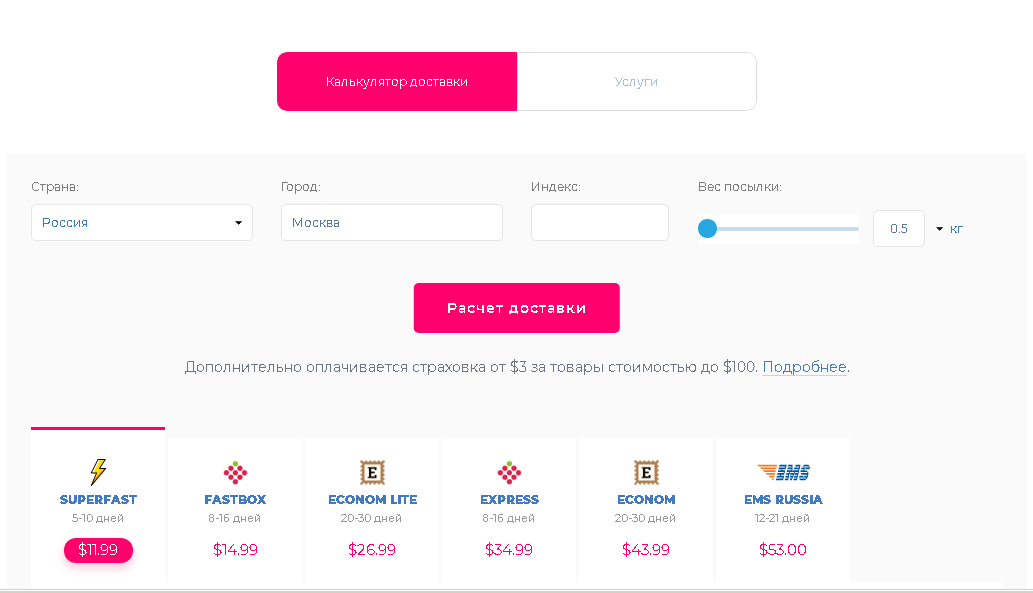
Delivery time depends on the selected service and delivery options.
Determine the approximate cost and delivery options using the calculator. Despite the high level of service and reliability of modern postal services,strongly recommend choosing shipping with insurance. Insurance will be included in the shipping cost.

What is the result
- As a rule, you can buy an iPhone on Apple’s US site 2-5 thousand below the Russian price (depending on the cost of delivery and the current dollar rate).
- When buying an iPhone in the United States or Europe, only Apple’s official annual warranty will be valid (if you buy in Russia from an official reseller, another year of warranty service will be added).
- When choosing a delivery service, check whether insurance is included in the price and what cases it covers.
- Read carefully what and how your package will be packaged.
Would you venture to order an iPhone from America?