The price of Bitcoin is growing every week. Perhaps you are also interested in cryptocurrency and want to top up
If you want to do everything as quickly as possible andsimply, it’s best to buy bitcoin through an exchange. It only takes a couple of minutes to get started. CEX.io is the best exchanger for buying bitcoins directly from the iPhone.
Step1:Sign up Vcex.io
You can register by this link. When you first open the CEX.IO application, you will be asked to enter your e-mail and password.
Step 2: Top Up Your Balance


After confirming the email, you need to replenish the balance for the amount for which you want to buy bitcoin + 5% exchange commission.
You can replenish the balance in three ways:
- Payment cards VISA/MASTERCARD
- The minimum replenishment amount is 1200 rubles. or $ 20
- The maximum replenishment amount is 15,000 rubles. or $ 300
- Bank transaction
- Cryptocapital
There are no limits or fees for bank transfers and CryptoCapital.
Important!Since CEX.IO is a bitcoin exchange, in the process of replenishing the balance you will need to confirm your identity.
Step 3: Download the App
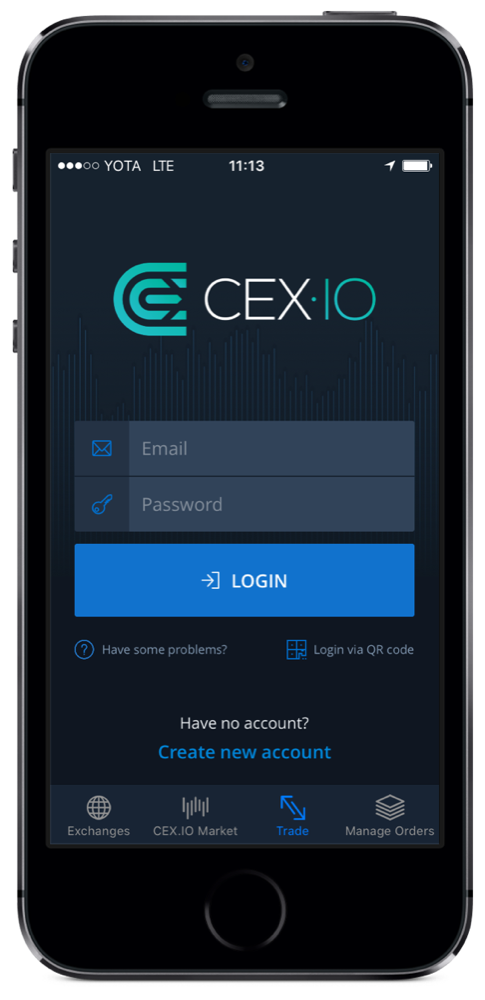

Download:CEX.IO in AppStore
Step4:Buy bitcoins
Verification of identity and connection to the account will take some time. When the process is complete, you will receive a notification.
After that, you will be able to buy bitcoins. Go into the application and see the price of bitcoin at the very top of the screen.
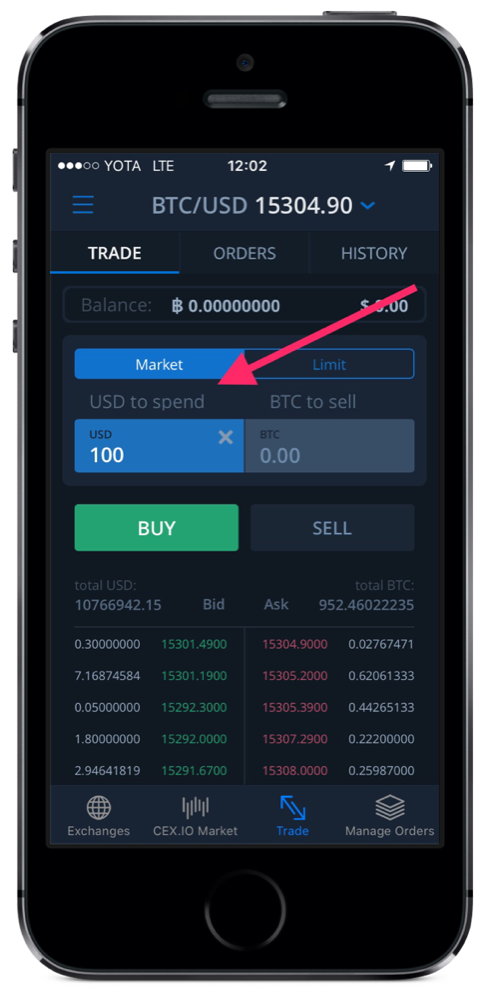

In fieldUSD to spendEnter the dollar amount for which you want to buy Bitcoin and click on the “Buy” button. For example, you can buy $100 worth of bitcoins. Ready! Now you have Bitcoin!
how sellbitcoins?
Selling bitcoins is as easy as buying (your bitcoins will be stored in a special cex.io wallet).

On the main screen of the application in the fieldBTC to sellEnter the amount in Bitcoin (BTC) and click "Sell".
If you still have not verified your identity on the exchange, then you need to do this. This is the only way to withdraw money for the sale of bitcoins.