Want to change the name of your AirPods? This is easily done through the Settings app on the iPhone or iPad.
</ p>IN
How to change the nameAirplans
- Open the applicationSettingson your iPhone or iPad with your AirPods.
- Select sectionBluetooth.
- Find in the list of accessoriesAirplansand tap(i)next to them.
- On the AirPods settings screen, selectName.
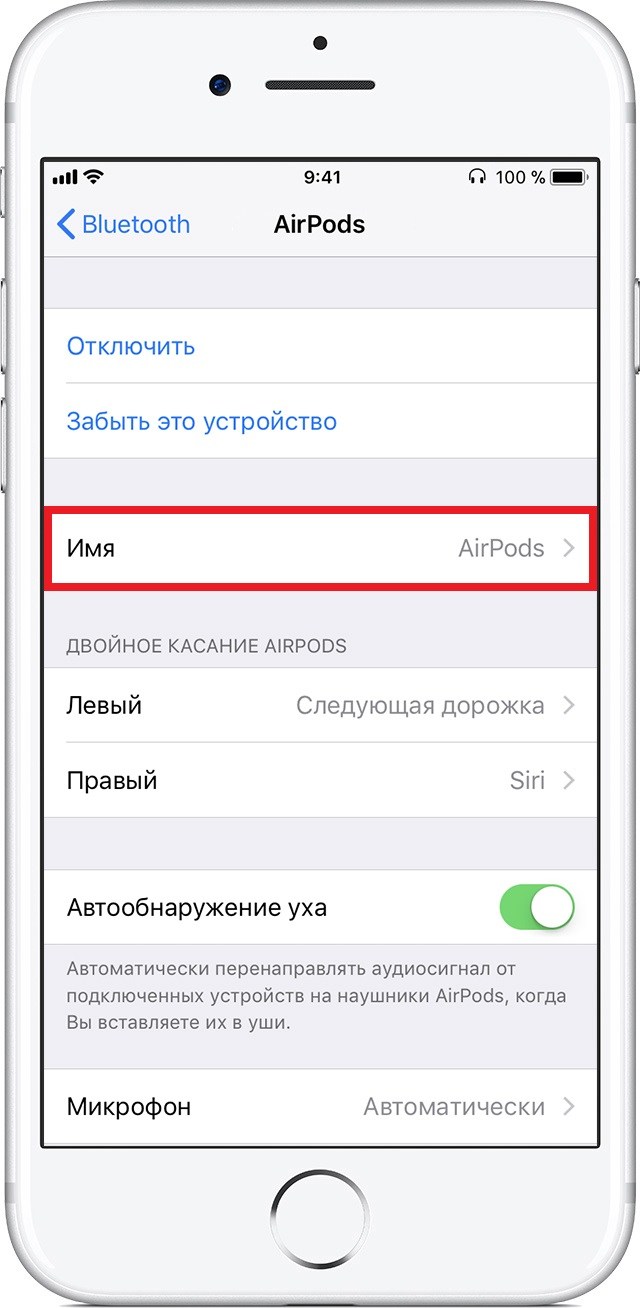
- Enter a new name for your AirPods, and then click the back button.
Now your AirPods will have a new name that will be displayed in the system and in the settings. The name of the headphones can be anything, and you can always change it again if you change your mind.
In the same way, you can change the name of your iPhone, iPad or iPod touch.
If your AirPods are Mac-related, you can change their name in the same way via MacOS System Preferences.