With the tvOS 12.3 update, the new TV app is now available in over 100 countries.The app is good,
Advertising
Advertising
Below we will tell you how to change the action of a button.
Home Button Action on Apple TV
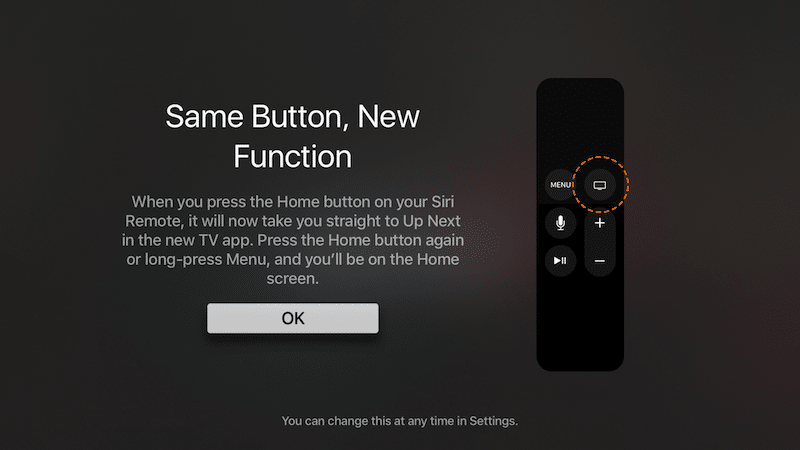

After installing the tvOS 12 update.3 you should have seen a message about the change. When you press the Home / TV button, the TV application opens. If you press the button again, the Home screen will open. To immediately open the Home screen, you need to hold down the Menu button. This can be changed.
Step 1: Open the appSettingson your Apple TV.
Step 2: SelectRemote controls and devices.
Step 3: Scroll tohome buttonand taptouch surface.
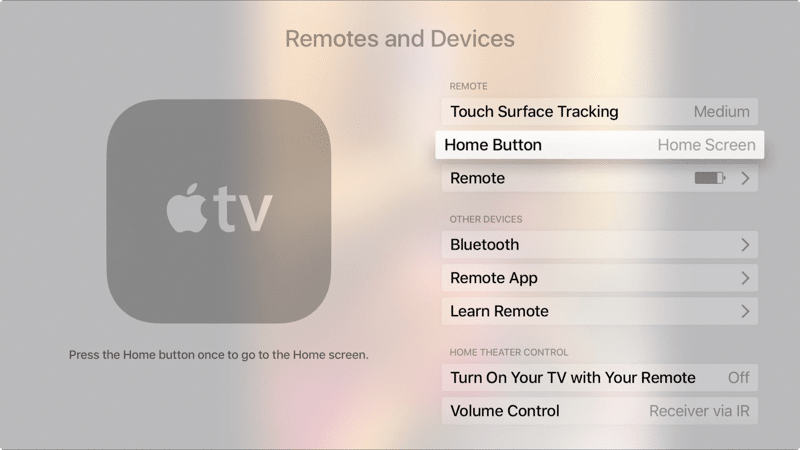

Step 4: The option will change from the appTv on Home screen.
You have successfully changed the action of the Home button. If you change your mind again, return to this screen and touch the touchpad, selecting the same option.