Like other technology companies, Apple stores information about you on its servers. However, unlike
Thanks to special technology, Apple can store information about each user absolutely privately.
Advertising
Advertising
What does Apple know about you?
The list of private information that Apple collects about you is pretty short compared to other companies like Facebook and Google.
Apple knows the following about you:
- Applications you downloaded
- Every time you update applications
- Books, movies, and other media you downloaded
- All songs that you store in iTunes Match
- In-app purchases
- All Apple devices you purchased and their serial numbers
- Every AppleCare purchase
- Every official repair and breakdown
- Serial numbers of old and new parts
In short, Apple essentially only knows about your purchases and actions in the App Store / iTunes.
Advertising
Advertising
What is not in your Apple archive
Your archive does not have data stored in Apple ID. These are Calendars, iCloud emails, iTunes content, etc.
Advertising
Advertising
Apple explains:
If you use iCloud, then you know that weWe store data for a very short time. Conversations in iMessage and FaceTime are encrypted so that they can not be viewed by anyone except the sender and the recipient. We cannot decrypt this data. The same goes for your location, map search, and Siri searches.
How to download your Apple archive
To download a copy of everything Apple knows about you, you need to contact the Apple Contact Team.
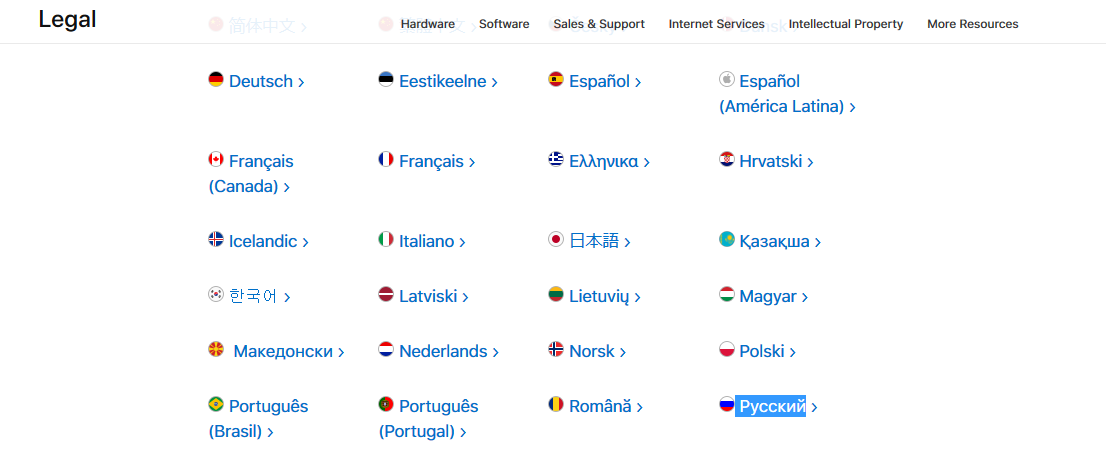
one)Visit apple.com/legal/privacy/.
2)Select your language from the list.

3)Scroll down toAccess to personal informationand click on the linkprivacy contact formin the text.
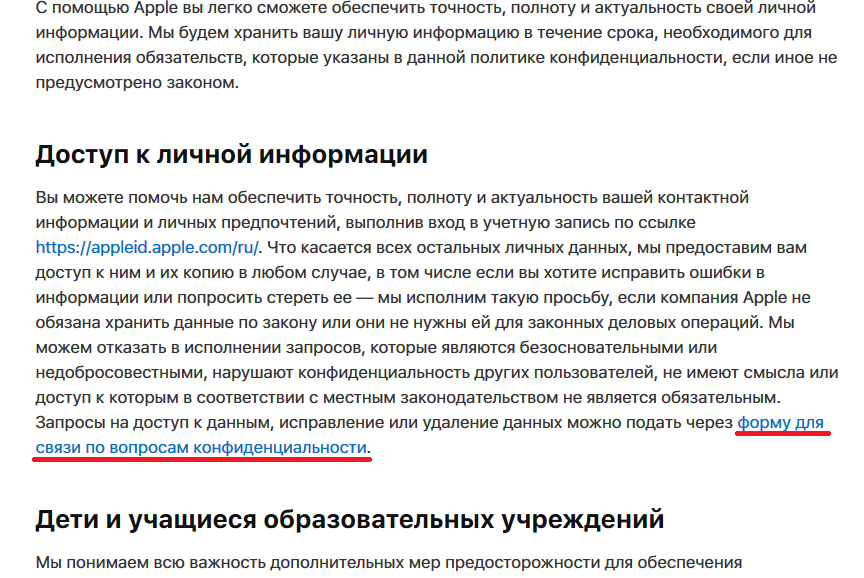

Note:You can also visit this page directly: apple.com/legal/privacy/en-ww/contact/.
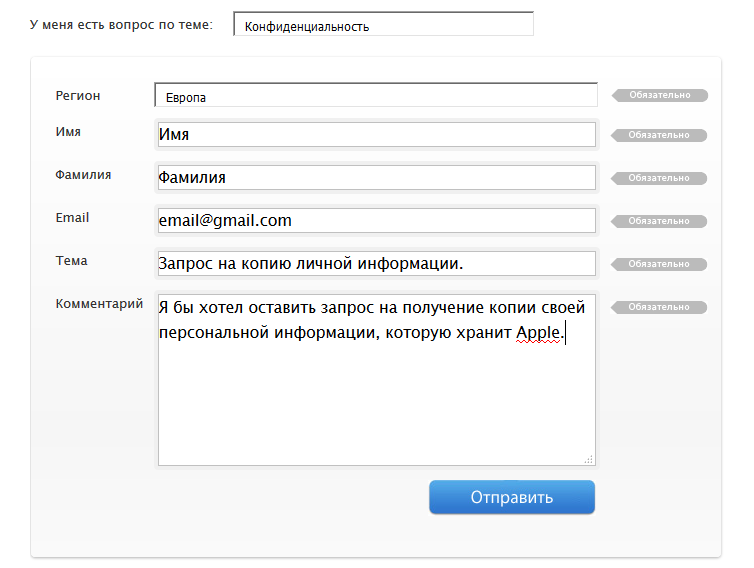
four)Select your language.
five)On the menu next toI have a question on the topicselect an optionConfidentiality.
6)Enter your first name, last name, email and subject. In the letter itself, simply write that you need a copy of your personal information that Apple stores.

Advertising
Advertising
7)ClickTo send.
eight)You should receive a response from the Apple team asking you to wait another 24-48 hours. In your response, provide the following information about your Apple ID:
- First and last name
- Apple ID
- Physical adress
- Phone number
- Serial number of your device
- AppleCare number subject to availability
This is necessary to confirm your identity.
Tip:To double-check all your data, log into your Apple ID via appleid.apple.com.
To find out the serial number of your device, go to Settings and click on your name.
9)After this, you will receive an email with a link to download the archive. Download the ZIP file and open it.
Note:Please be patient as it may take more than a week to create the archive. In addition, the email will include the password for the ZIP file for maximum security.
You will be surprised at how little Apple knows about you.
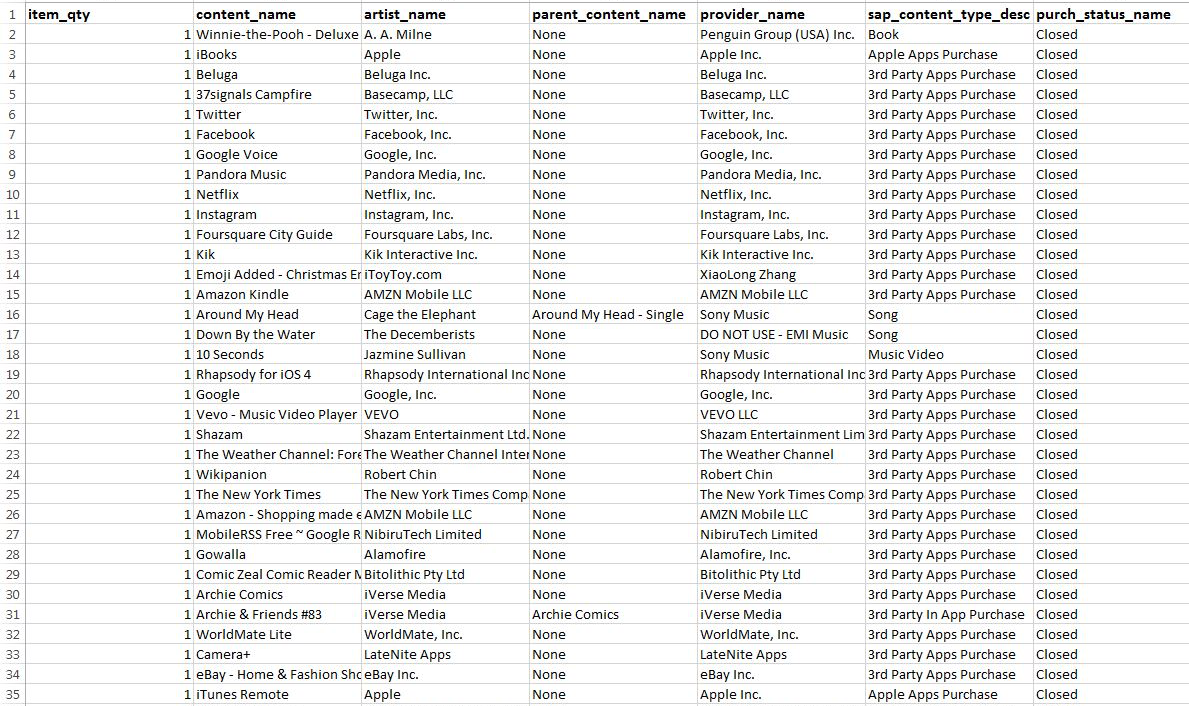

The archive will not have a history of your location, your messages and other data by which you can identify your identity.
How the request is processed
According to Apple, if you send a request in compliance with all the conditions listed above, you will receive an archive of your data.
“We will provide you with access (a copy) for any purpose, including requesting correction or deletion of any data, as long as it does not violate the law,” – says the support document.
Apple may not process:
- Queries written frivolously
- Requests for information about other users
- Impractical requests
- Lawbreaking Requests
You can check your Apple ID information at appleid.apple.com.