If you use Chimera, Electra or unc0ver jailbreak tools, then you should know about all the ways to download
Advertising
Advertising
The Xcode method saved more than once when it stoppedrun the Cydia Impactor program. Some devices cannot even launch AltStore. That is why below we will tell you how to use Xcode to download a jailbreak to your device.
Training
Perhaps the method with Xcode is more complicated and longer than others, but it is also more reliable. To use it, you will need:
- Mac
- Jailbreakable iOS device
- Lightning / USB Cable
- Free Apple Developer Account
- Latest version of Xcode
- Latest iOS app signer
- The newest version of the jailbreak application you want to use
We will use the unc0ver jailbreak tool, but Chimera and Electra are also suitable.
Advertising
Advertising
After you have prepared everything, you can proceed with the instructions. Read everything carefully, because there are a lot of steps.
How to install jailbreak through Xcode
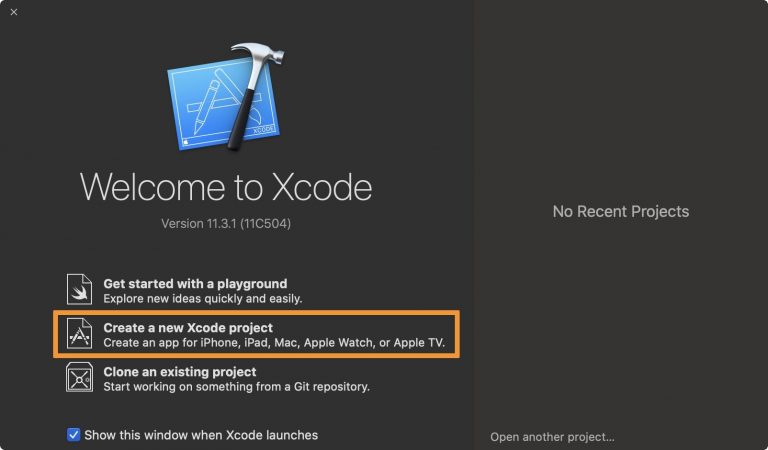
1)Launch Xcode and click the buttonCreate a new Xcode projecton the main window:

2) Make sure the next window is checkedSingle View App, then click the buttonNext:
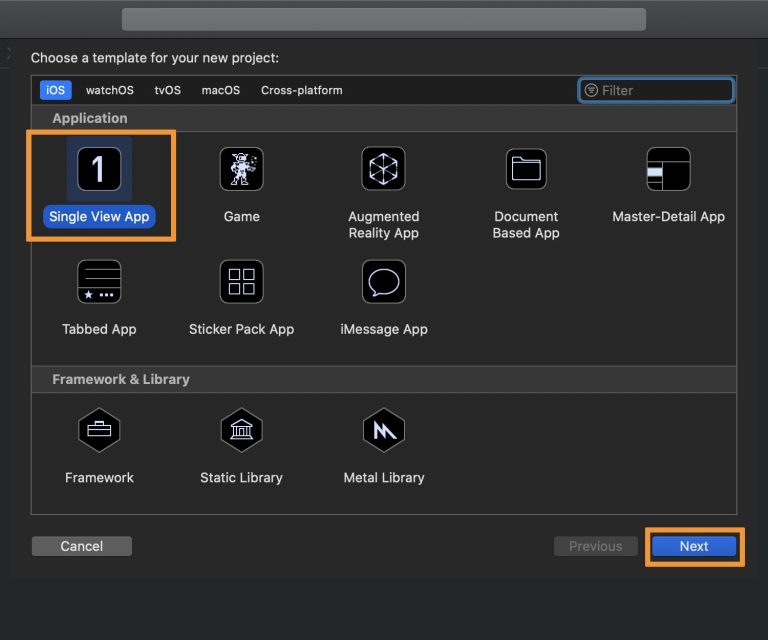

3)Enter any Product Name, Organization NameandOrganization Identifierof your choice, then press the blue buttonNext. Our project is called "unc0ver":


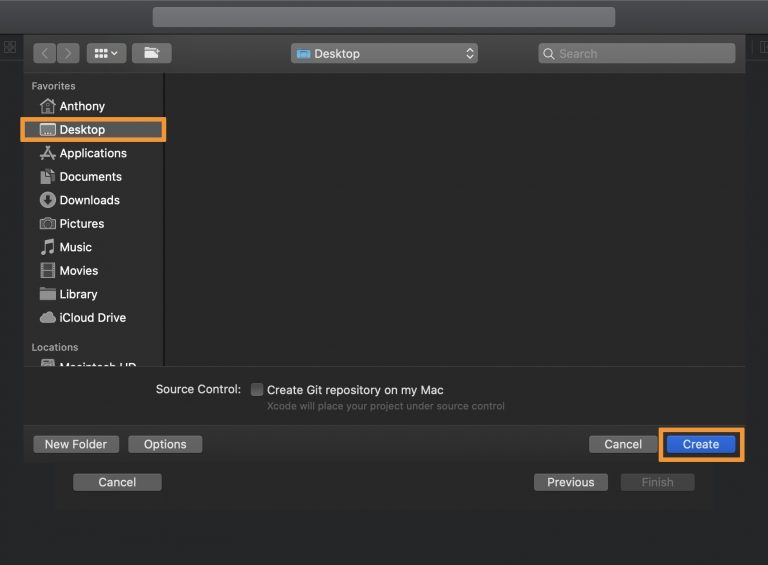
four) On the next window selectDesktop(Desktop)to save files and press the buttonCreate:

5)Connect your iPhone or iPad to your Mac with a cable and start trusting your device if prompted.
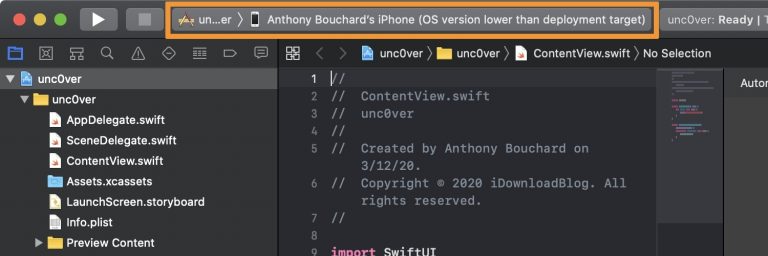
6)In the upper left corner of the Xcode window, click on the menu and select your connected device:

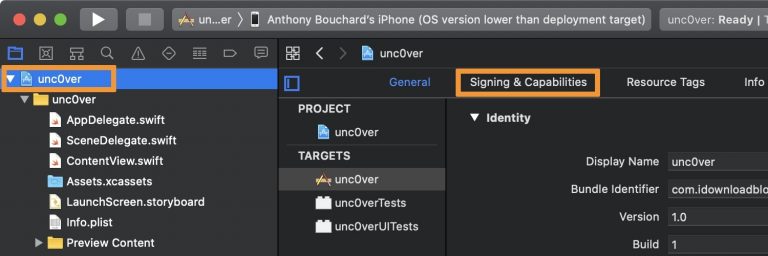
7) Now select the item at the top of the project content with the blue developer icon (ours is unc0ver), then clickSigning &Capabilities:

8)Select menuTeamsand add a new command or select an existing one. In our case, the existing one is selected:
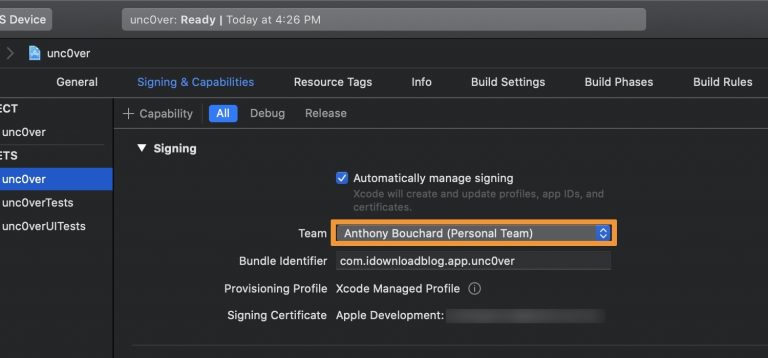

Note: If you have not created a team, you will have to register using the Apple ID with a developer account. Do this and continue.
9)Now you need to check if everything is correct. RunTerminaland enter the following command:
xcode-select–install
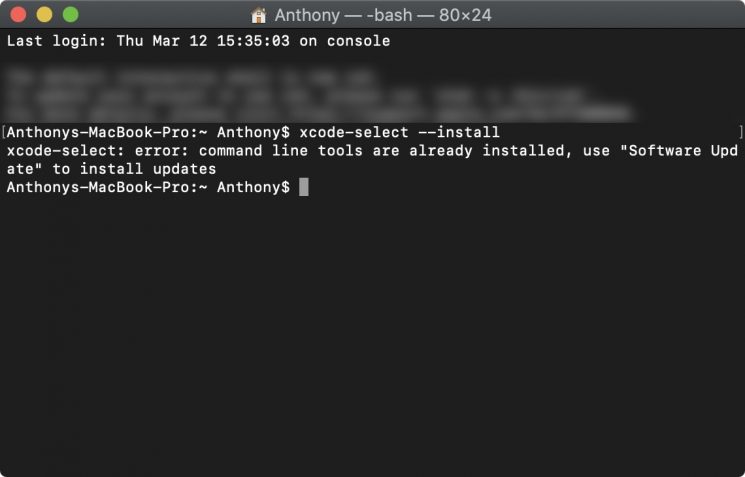

Note: If you get the error "error: command line tools are already installed, use “Software Update” to install updates ”, then you can proceed to the next step. Otherwise, save the certificates that will be offered.
ten)Run the programiOS App Signer:


eleven) Click the buttonBrowseand select the jailbreak tool file. We have this application unc0ver from the site unc0ver.dev.
12)Select your Apple ID as the Signing Certificate, your ID as the Provisioning Profile, and then enter the App Display Name and App Version. After that, click the buttonStart.
Note: Do not leave the Re-Sign selection in the Provisioning Profile field, otherwise it will fail.
13) Now you need to save the .IPA file somewhere. SelectDesktop(Desktop)and press the buttonSave:
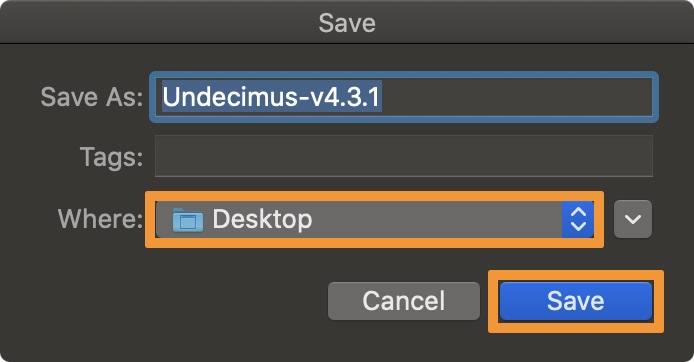

Note: The signed .IPA file will be saved on your desktop. Now, using Xcode, you need to download it to your iPhone or iPad.
14)Now go back to Xcode and selectWindow> Devices and Simulators:


Advertising
Advertising
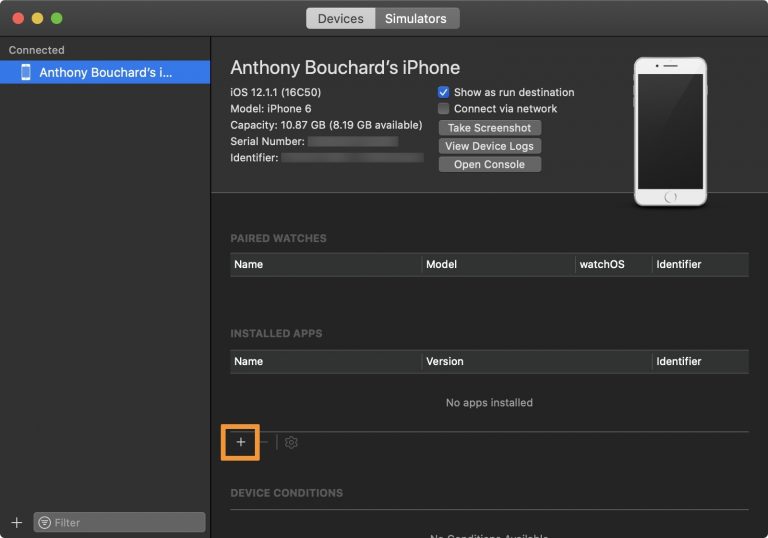
fifteen) In the new window, make sure your iPhone is selected on the left and then click the button+bottom of the window:

16)A new window will appear. SelectDesktopAndsigned.IPA file, then click the buttonOpen:
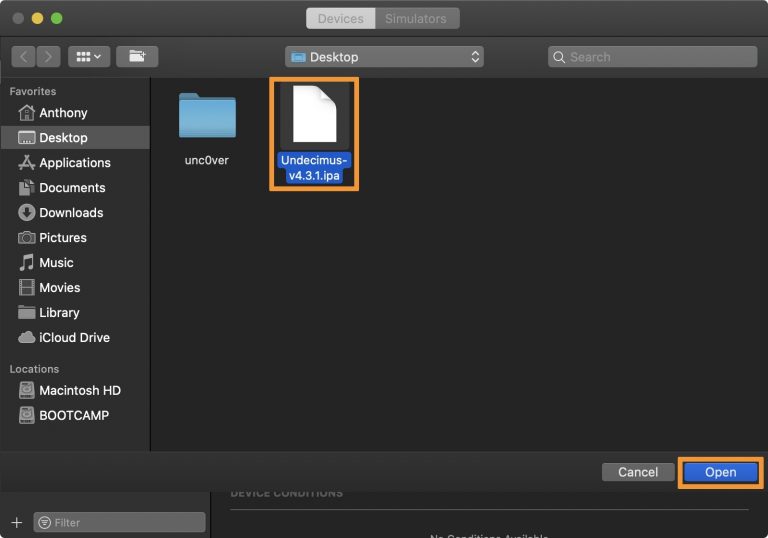

Note: Xcode will install the file on your iPhone or iPad. The application will appear in the Installed Apps list.


17) Now on your device go toSettings → General → Profiles and device managementand select the Apple ID with the developer account:
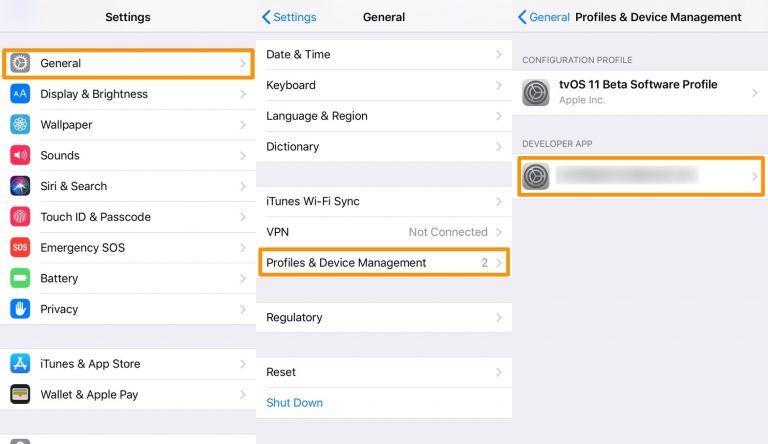

18)Press the buttonTrusttwice.
Note: The jailbreak application is ready to use.
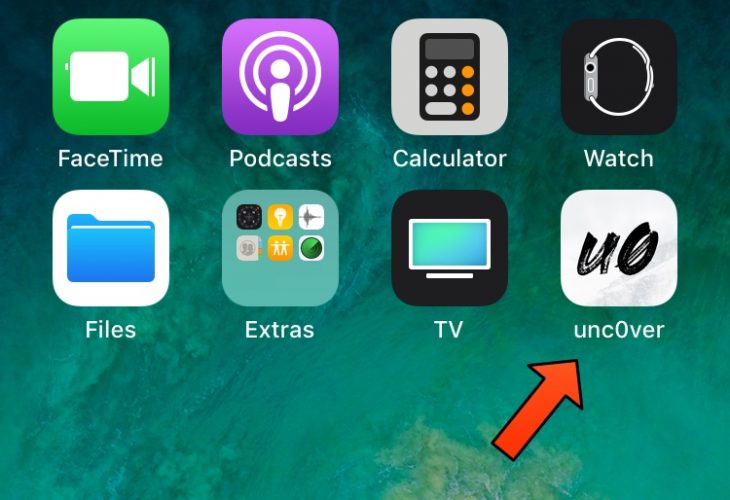
nineteen) Return to the home screen and launch the installed jailbreak application:

20)Click the buttonJailbreak:


Advertising
Advertising
After the installation is complete, you can start installing various jailbreak tweaks on your device.
The method with Xcode is not as fast and convenient asothers, but he will never let you down. If Cydia Impactor stops working, as well as services for signing, this method will save you. In addition, with its help you will get acquainted with the Xcode interface, which is also useful.