If you need to quickly insert a screenshot from your Mac into an application on the iPhone, this is very easy.
</ p>With
How to copy a screenshot
one)Open the screenshot tool using a keyboard shortcutCommand+Shift+5.
2)Press the buttonOptionsat the bottom of the window.
3)Now selectClipboard.
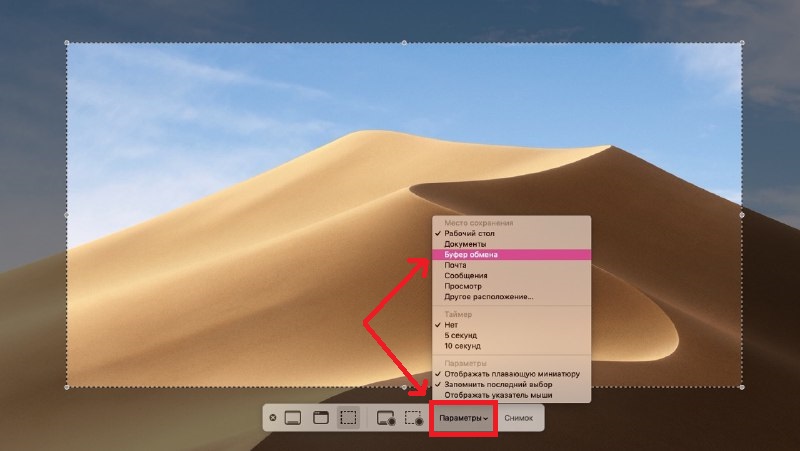

Take your screenshot, and after that it will be saved to the shared clipboard.
OR
To copy your screenshot to the clipboard even faster, you can use the keyboard shortcutCommand+Control+Shift+3.
How to insert a screenshot
It doesn’t matter which of the methods you used above, inserting a screenshot on the iPhone will be easy anyway. Open the desired application. For example, Notes.
one) Pinchthe location where you want to paste the screenshot.
2)SelectInsert.


Now you know that it is very easy to insert screenshots from Mac to iPhone. You will find more useful instructions here.