If you've recently switched from a Windows PC to a Mac, you may have already noticed that macOS also has a Recycle Bin that you need
Advertising
Advertising
On a Mac, you can empty the trash completely or delete only some files from it. In addition, you can automatically empty the basket, which is very convenient. We will talk about all this below.
- How to delete files from Recycle Bin on Mac completely
- How to delete some files from the Recycle Bin
- How to recover files from macOS Recycle Bin
- How to automatically empty the trash
- How to empty the Trash through the Terminal
How to delete files from Recycle Bin on Mac completely
There are four different ways to empty the basket completely.
Method 1:The Trash icon is located in your Mac's Dock and is the easiest way to empty the trash.Right-click on the icon and selectEmpty trash.
Advertising
Advertising


Method 2:You can open the Trash and click theClearin the upper-right corner.
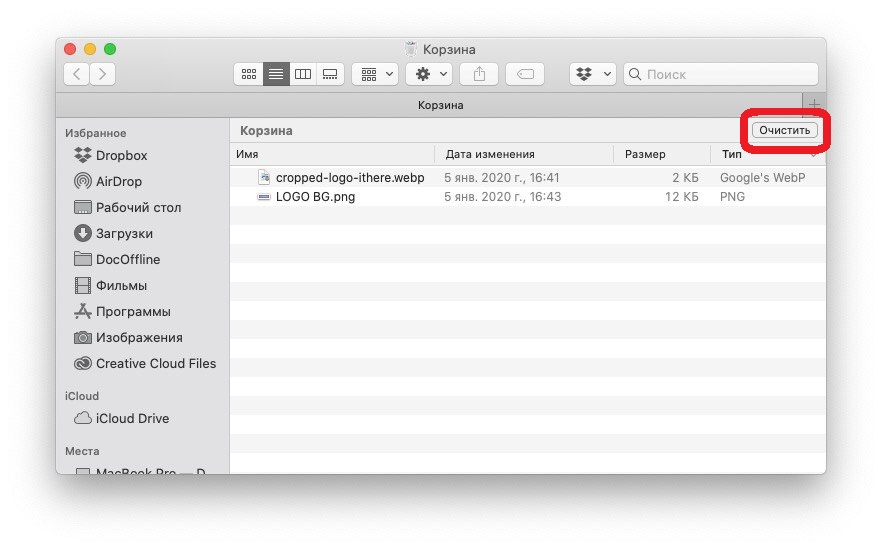

Method 3:When the Trash is open, you can also right-click in the window and selectEmpty trashin the menu that appears.


Method 4:From the menu bar, selectFinder>Empty trash.


How to delete some files from the Recycle Bin
If you need to delete only some files, this can also be done extremely easily. To do this, right-click on the file you want to delete and selectDelete Immediatelyin the menu.


How to recover files from macOS Recycle Bin
When you empty the Recycle Bin, all the files in the Recycle Bin will disappear forever.If you've deleted a file, but then change your mind and want to keep it, right-click on it in the Trash and selectReturnon the menu.


How to automatically empty the trash
If you do not want to constantly empty the Trash manually, this can be done automatically.
one)From the menu bar, selectFinder>Settings.
2)Select a tabAdditions.
3)Check the box next toDelete items from the Trash after 30 days.


How to empty the Trash through the Terminal
Perhaps you are used to working on the command line, or you want to get used to the Terminal program. Through it you can clean the basket.
Open the Terminal program from the Utility folder. Then open the trash.
one)In the Terminal window, enter the following command:
sudo rm –R
(be sure to put a space after the letter R)
Don't press the keyReturn/Enter.
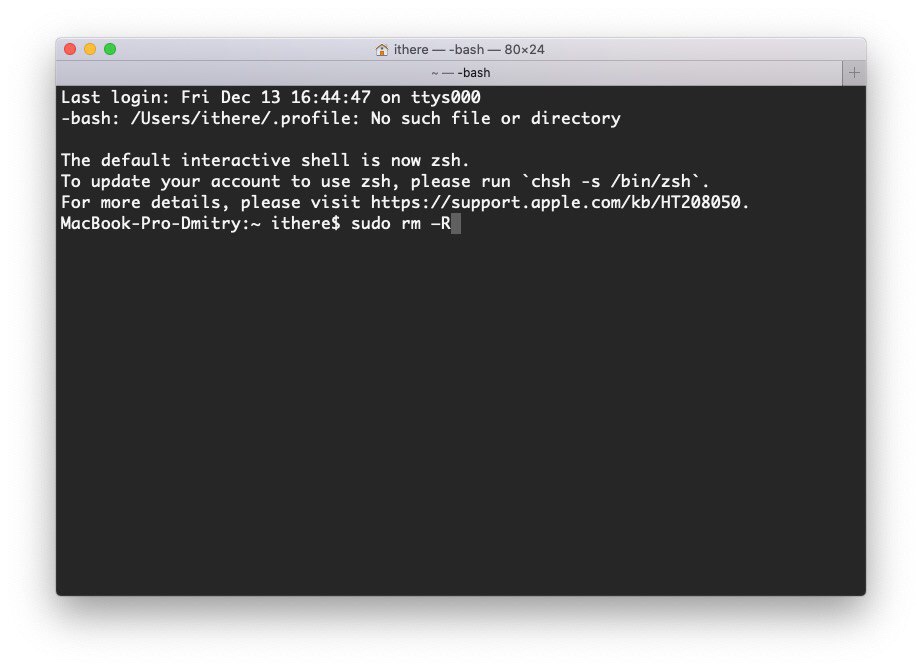

2)Select all, one or more files in the Recycle Bin that you want to delete, and drag them into the Terminal window. The file names will appear in the window.
3)Now clickReturn / Enter.
four)Enter your Mac password and clickReturn/Enter.
Files will be deleted from the Recycle Bin.
As you can see, there are many ways to empty the Recycle Bin on a Mac, and you can use the one that seems most convenient and fast to you.