Sometimes you just can't stop watching a video or listening to a song, whether it's a video by you or
Advertising
Advertising
how loop video or audio atQuickTime
Open the video you want to replay in QuickTime and follow the steps below.
one)SelectViewin the menu bar at the top.
2)ClickTo loop.
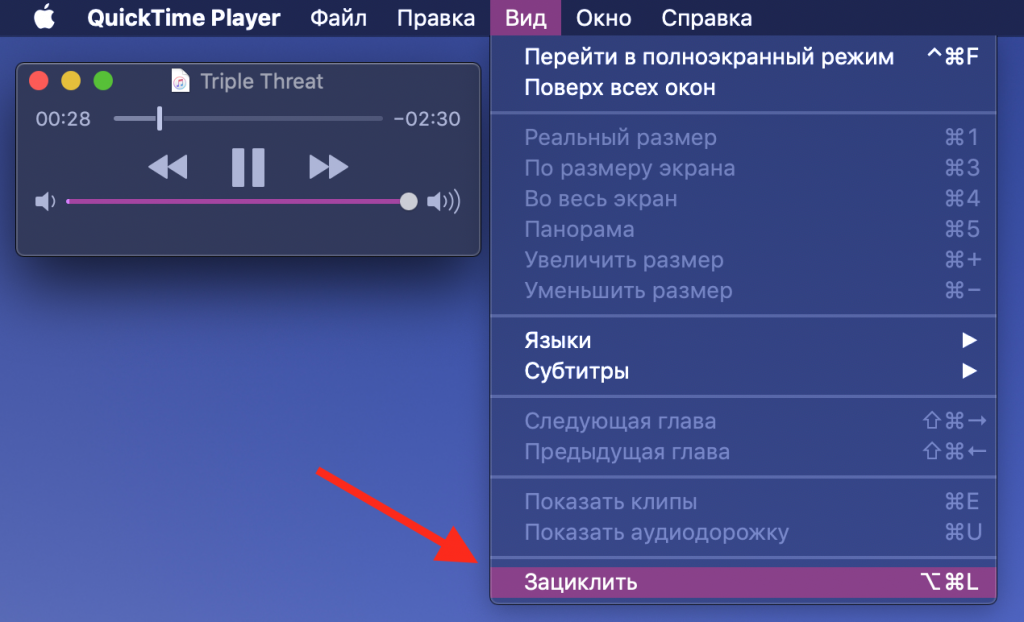

That's all! Now you can relax and watch the video again and again until you get bored.
Looping a video in QuickTime is easy. Now you can endlessly enjoy the video in which your puppy performs a new trick, or in which your child sings.