Siri in iOS 13 can read incoming messages aloud through your AirPods or Powerbeats Pro.It's all happening
Unfortunately, in Russia the function is not available. However, below we will talk about it in more detail.
</ p>Function Details
The personal assistant in iOS 13 can readIncoming messages from different messengers through AirPods or Powerbeats Pro headphones, which is very convenient if you have no time to look for a smartphone. The feature does not work on original AirPods, only on second-generation models and Powerbeats Pro. In addition, the Russian-speaking Siri also does not support the function.


Listen to and reply to messages very quickly.convenient, because now you don’t even have to touch the earphone to activate Siri and ask to read the message. Below we will describe how to configure the function.
How to make Siri read messages out loud
one)Open the appSettingson your iPhone, iPad, or iPod touch with iOS 13 or later.
2)Select sectionNotifications.
3)Now select the itemAnnounce Messages with Siri.
four)Turn on the switch next to theAnnounce Messages with Siri.
five)If you don't want Siri to read your responses aloud before sending them, you can turn onSend Replies Without Confirmation.
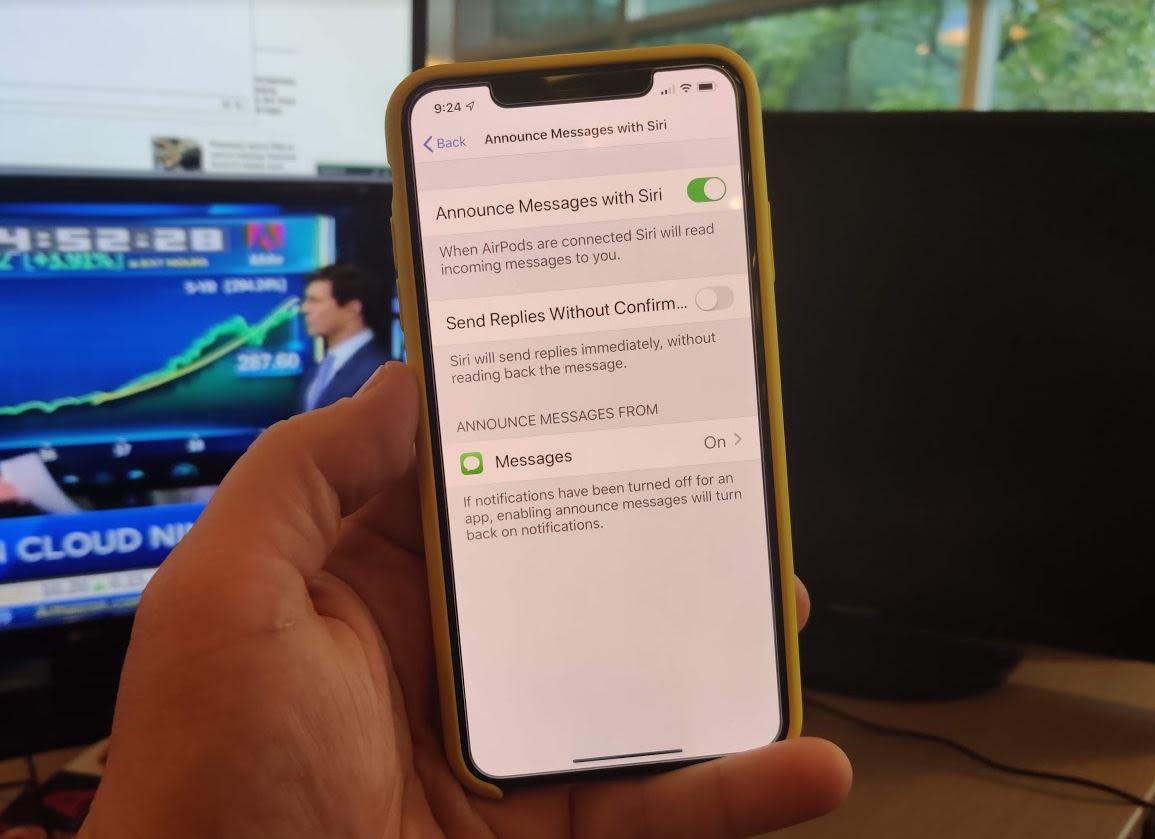

Recall that the function is relevant only on smartphones with English.
6)Now selectMessagesunder the heading Announce Messages From.
7)Selectfrom whomYou want to receive messages from everyone, recent contacts, contacts only, or favorite contacts.
If you have disabled notifications from some application, activating the Announce Messages with Siri function will enable them.
Here you will find a list of supported third-party messengers, which you can also configure yourself.
How the function works
When the feature is turned on, the personal assistant will read the incoming messages out loud. This applies to both regular messages and messages from third-party messengers.
First, Siri calls the sender, and then reads the message itself. After that you can tell your answer. No need to use the "Hello Siri" command before giving the answer.


For example, you are jogging or playing with your children. You receive a message, and now you do not need to be distracted by the answer - everything happens automatically.
Other AirPods improvements in iOS 13
If you have Apple’s wireless headphones,then you definitely want to install iOS 13. The update has a function that allows you to broadcast audio to two pairs of headphones at once. That is, you can watch one movie with someone on your smartphone or listen to music together.
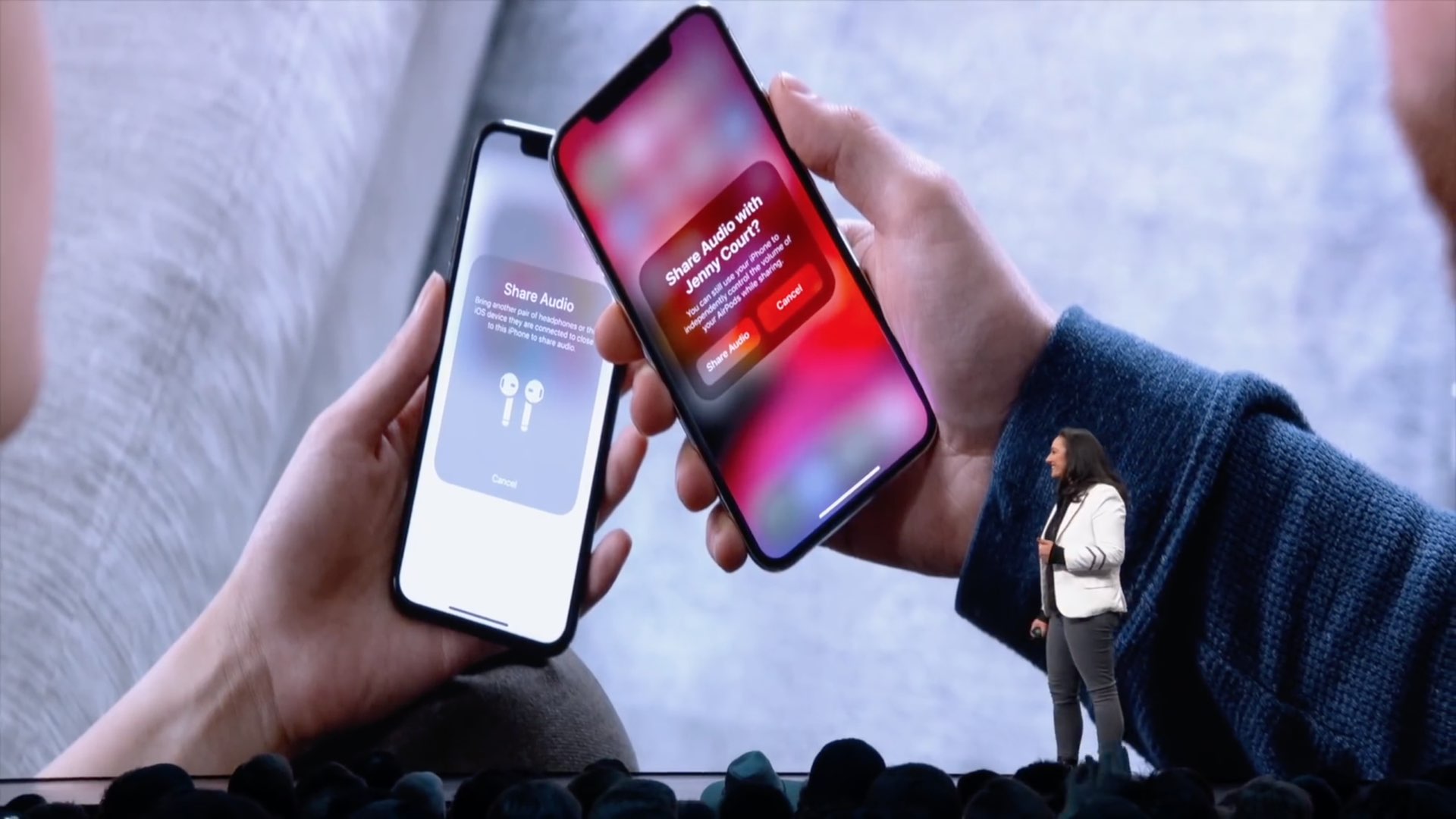

Perhaps this is due to the Bluetooth 5.0 protocol, not only with improved communication, but also with support for connecting to two accessories at once.
In previous versions of iOS, Siri can talk out loud who is calling you, which is also very convenient.