When working in the Safari browser, it happens that you have several windows open at once. Perhaps one window is open
Advertising
Advertising
Combine window atSafari
Open Safari and follow the steps below.
one)From the menu bar at the top, selectWindow.
2)Now clickMerge All Windows.
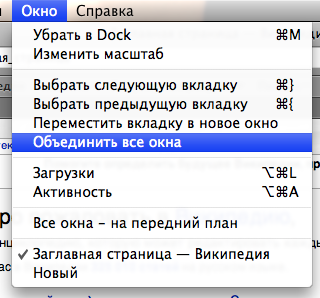

After that, all your open windows will merge into one in the form of tabs. Safari is an awesome browser with many handy features. We hope you find this useful.