There are keyboard shortcuts as well as Automator commands, and they are very convenient to use. Still conveniently fast
You can add the icon of your favorite site to the Dock or even create a whole folder with sites. Note that the site icons will be located in the right sati Doc.
If you need to add an icon for just one site, this can be done in two different ways, depending on which the icon icon will differ.
Tug of warlinksat Doc
Open the desired site in Safari, Firefox or Chrome, then select its link in the address bar of the browser and drag it directly to the Dock. When the icon is in a suitable place, release the link.
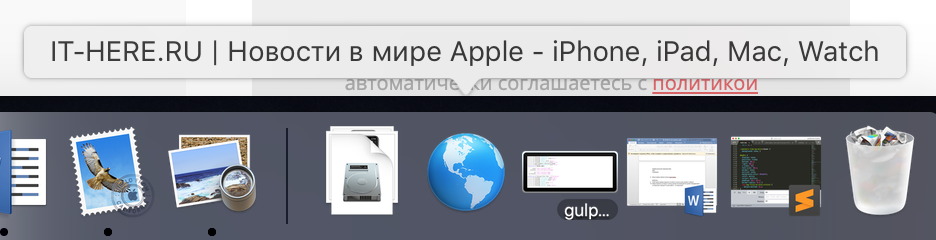

Notes:
- The icon of the icon will be in the form of a globe.
- The signature for the icon will be the name of the site from the browser.
- You can only open the site through the icon or delete it from the Dock.
Draglinkson the desktop
The second method is suitable for those who want to choose their own signature for the site icon.
Select the site link in the address bar and drag it to the desktop.
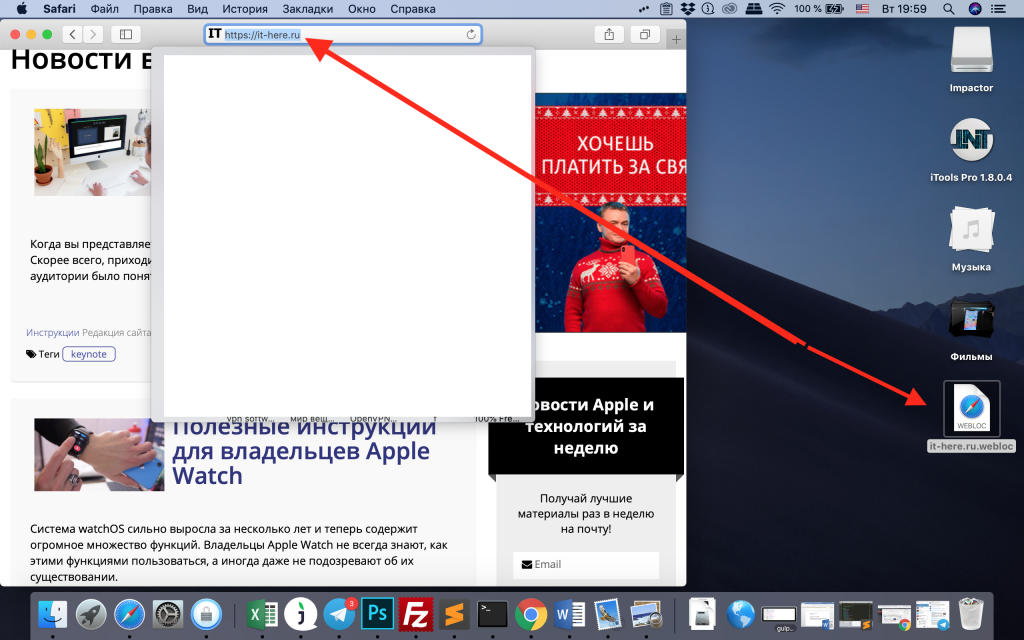

Now click on the site icon with the right mouse button and rename it.
After that, drag the icon to the Dock in the same way.
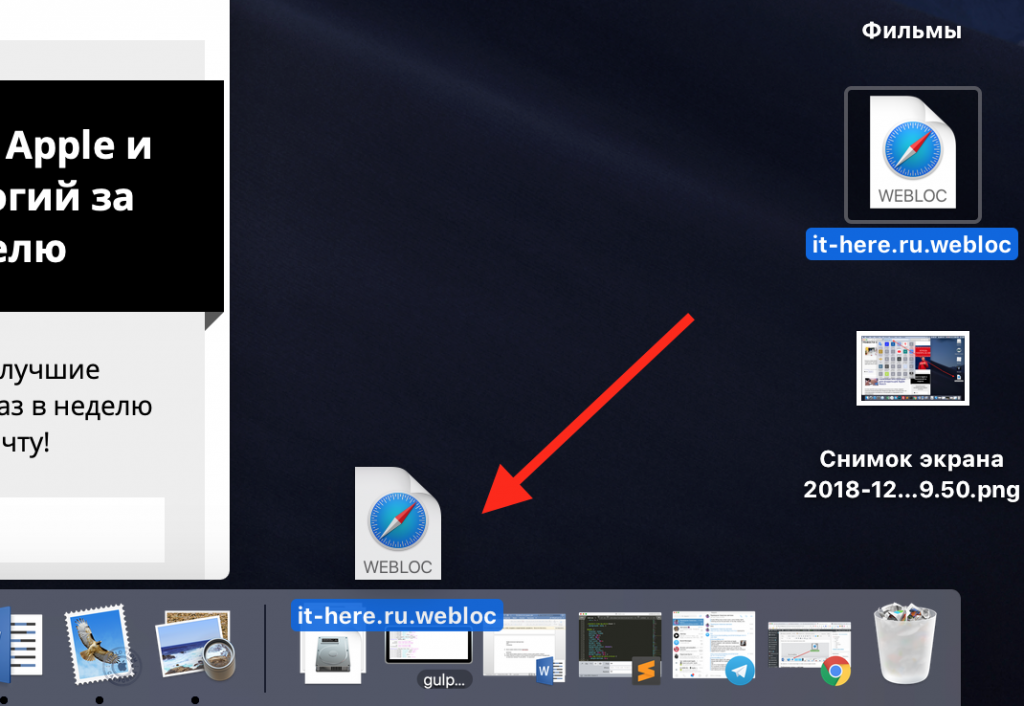

You will notice that the icon icon will not be the same as in the first method.
Adding a folder with sites
If you want to add several favorite sites to the Dock, you can combine them into a folder.
If there are not so many sites, you can add an icon to each Dock individually, using one of the methods above.
To add a folder, drag the links of the necessary sites to the desktop. If desired, you can change their names.
1)Hold down the keyShiftand select each icon.
2)Once all sites are selected, right-click on them and selectnew folder.
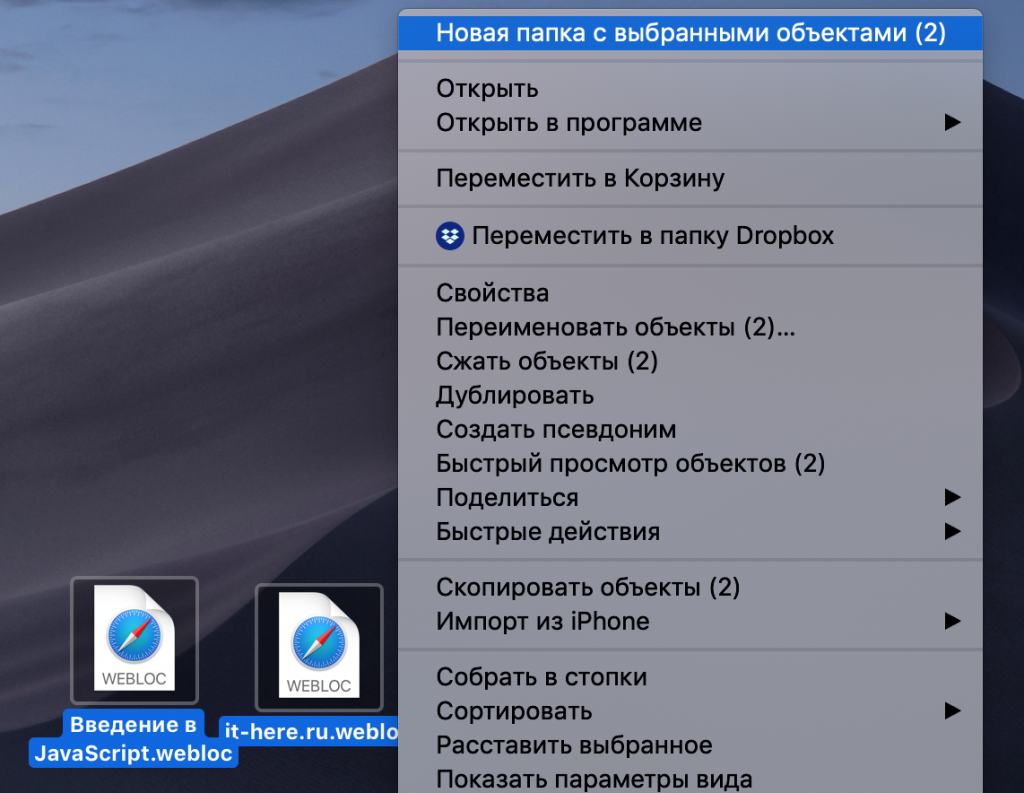

Now you can name the folder, for example, “Favorite Sites”. After that, drag the folder to the Dock.


The folder icon can be changed using the options opened by the right mouse button.
Using the icon of your favorite site in Dock, you can quickly and conveniently open it without even launching a browser.