If you are planning to sell/donate your old PC, you need to securely erase your SSD or

The author of Tom's Hardware did a simple experiment,to show that simple deletion may not be enough. He erased the files and reset the system to factory settings. However, the file recovery utility did its job.
So, the best way to erase a hard drive isuse a program that writes random data several times across all sectors. This brute force method, however, does not work for SSDs.
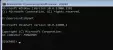
A cheap and versatile way is to usethe built-in diskpart utility in Windows 10 or 11. You can even use this method if the SSD is bootable. Interaction with diskpart is carried out through the command line. There you just need to enter the necessary commands.



 15
15
And for the hard drive, the free software package Darik's Boot and Nuke (DBAN) is suitable.