If you've been looking for a way to easily and quickly remove the background from an image on your computer, there's a way to do it
How to remove background from image via remove.bg
remove.bg is a free program that allows you to edit the background of images, including removing it completely. It is available for macOS, Windows and Linux.
The program automatically removes the background from anyimages. You can even upload multiple images or folders at once, if you have a lot of them. You can leave the background transparent or immediately fill it with some color. In addition, you can select a resolution before saving the result.
The program will save the time you spendto remove the background from the image through Photoshop. The only drawback of the program is that it does not work without an Internet connection. Nevertheless, she copes with her task perfectly. Below we show an example of how to use the program.
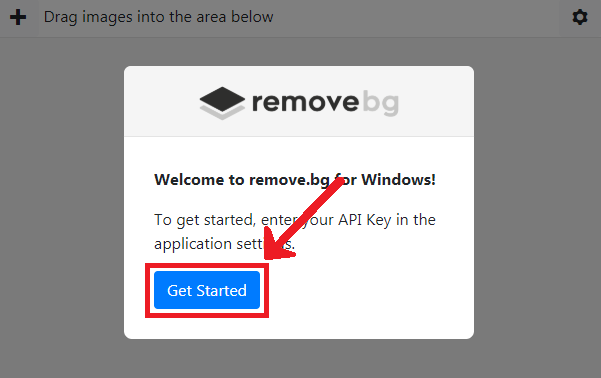
Step 1:Download and install the program: When you run the program, it will requireenter the API key that you will receive after registration.Get started.

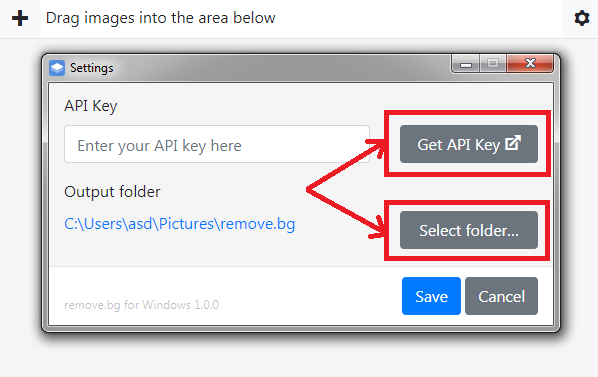
Step 2:On the next screen, tapGet API Keyto open the registration site. Here you can select the folder where the results will be saved.

Step 3:On the site that opens, you can register with your Facebook account or mailbox.
Step 4:After registration, you will be able to edit one HD image (up to 4 MB) and 50 regular images per month.If that's not enough for you, you can buy additional access or subscribe.To get the API key, clickRead the API docs > Get API Key.


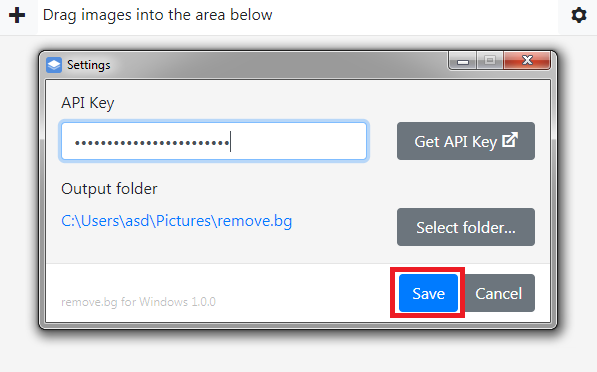
Step 5:Copy the key from the page that opens and paste it into the program.ClickSave.

Step 6: Now drag and drop the image you want to remove the background from into the program window.Choose a transparent or colored background, as well as the size of the result.Start.


The process will take some time depending on how many photos you received. The result will be saved to the folder you selected earlier. Below you can see examples of results:


As you can see, working in the program is very easy and convenient. Now you can do in a couple of clicks what used to take a lot of time.
- The remove.bg program can be downloaded for free.
How to remove background from image online
remove.bg is not only a program, but also an online service for removing background from pictures. Everything works very simply: you go to the site, upload your image and get the result.


How to remove background through Background Burner
This is another online service that automatically removes the background from images. Here's how to use it:
Step 1:Open the site, scroll down a bit, and select your image.


Step 2:When the process is complete, you will see several options for the results.Touch Upto manually edit it.


Step 3:Here you can manually remove the remnants of the background from the photo or bring back something that should not have been deleted.When you're done editing and you're happy with the result, clickFinish.
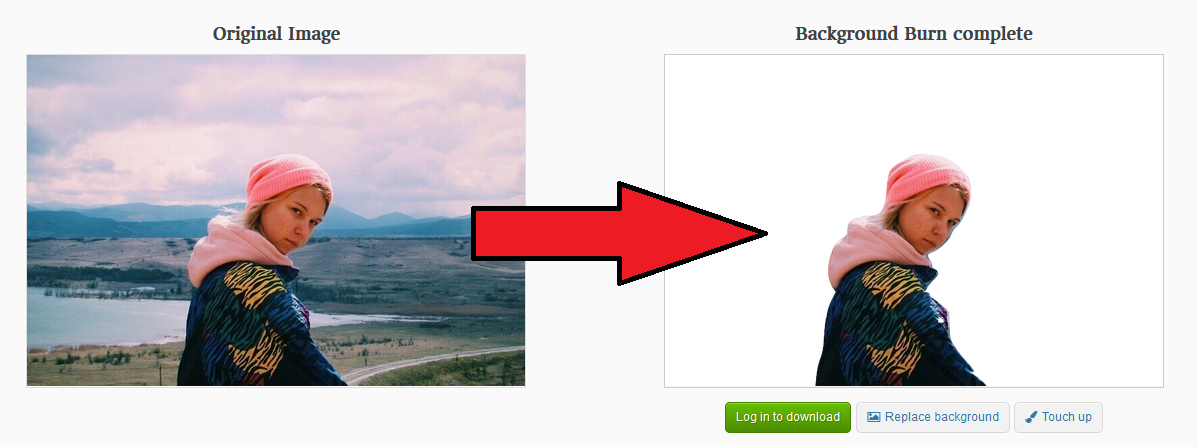

Step 4:You can save your result with a white or transparent background.
Make Image Transparent Service
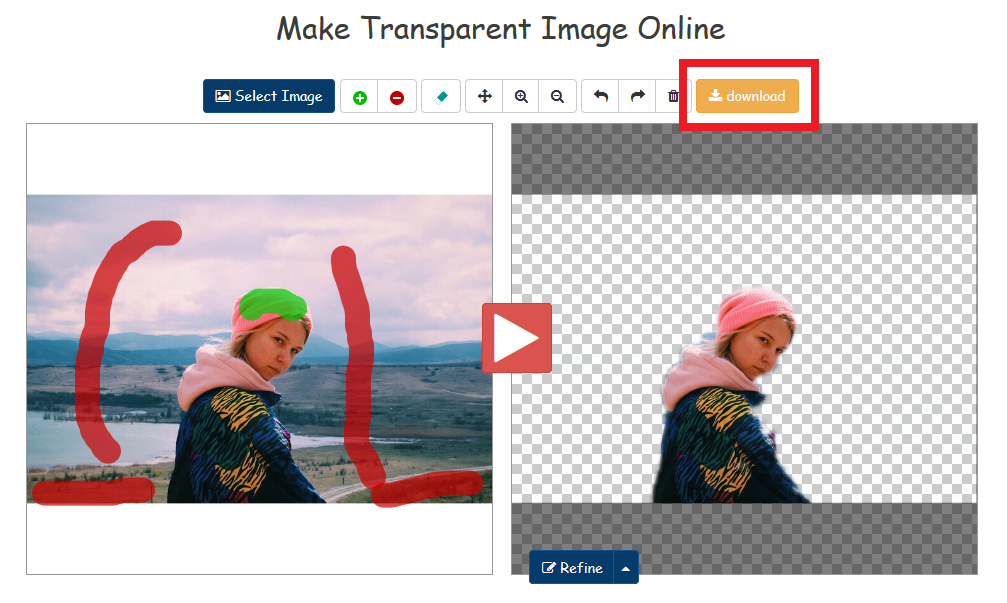
There is another way to remove the background from the picture online.Is a Make Image Transparent service. However, it has a significant drawback - a large amount of advertising. Nevertheless, he will cope with the work, and you will not have to pay for anything.
Step 1:When you close the ad on the site, select your image.


Step 2:Use the red brush to remove the background from the photo, and use the green brush to bring back the elements.You can also use various tools like zoom, cancel, etc.


Step 3:When you're done, tap the red button in the center of the screen.If not, edit further.

That's all, we hope that at least one of the above services will be pleasant to you and photo editing will be much easier for you.