If you use a regular password of 6 or even 4 digits on your smartphone, then we are obliged to inform you that the first
Matthew Green, professor and programmer at the Instituteinformation security them. John Hopkins, advises using a password of numbers and letters of at least 7 characters to protect yourself. It is best to use uppercase letters, lowercase letters and numbers.
If you do not know how to set such a password, we will tell you about it below.
How to set a password and numbers and letters
- Go to Settings on your iPhone or iPad.
- Select sectionTouch ID and passcodeorFace ID and passcode.
- Enter your old password.
- Select an itemChange the passcode.
- Enter the old password again.
- ClickPassword Code Parameters.
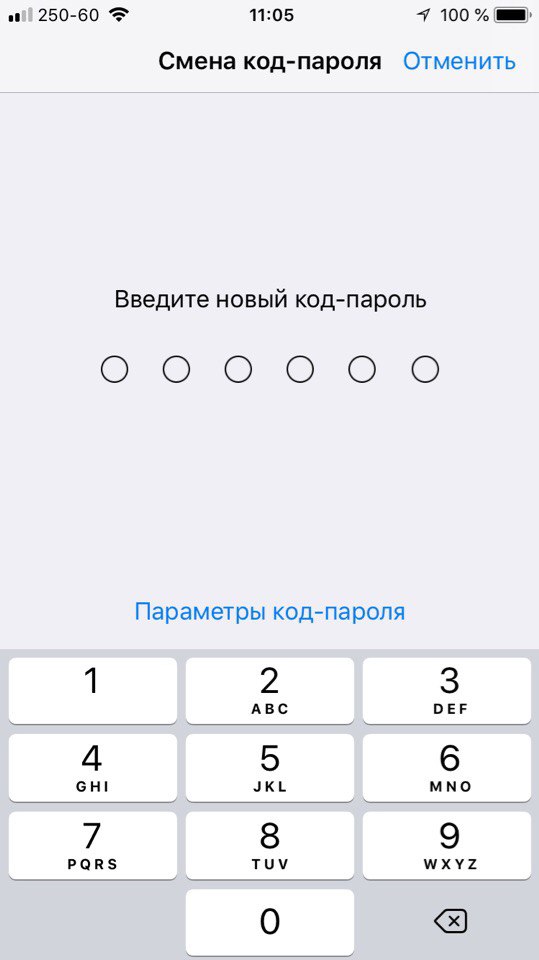

- SelectCustom code (letters + numbers).
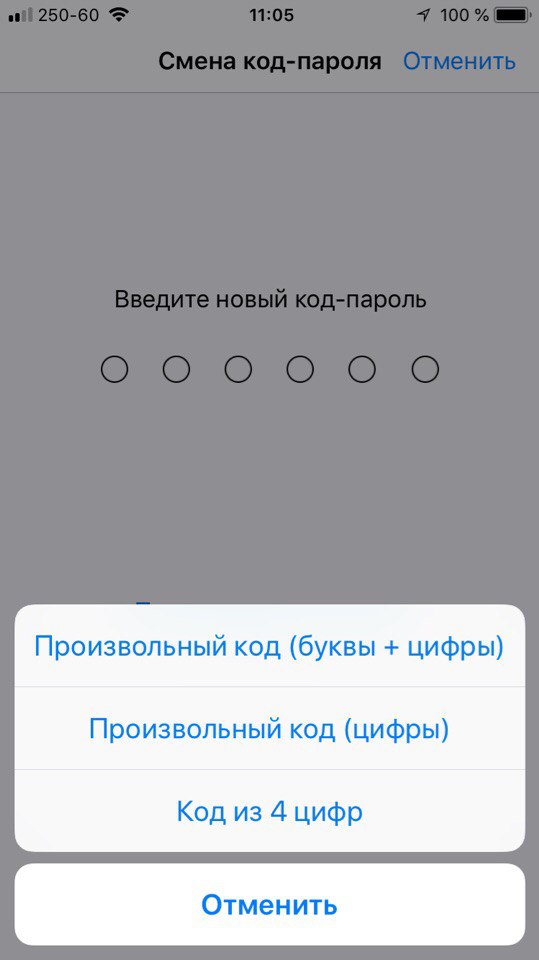

- Enter a new password. It must consist of a minimum of 7 characters, and it must contain lowercase and uppercase letters, as well as numbers.
- ClickFurther. Enter the new password again.
It's all. If you use Face ID or Touch ID, a complex password will not be a problem, since you will only need to enter it after rebooting the device.