В iOS 12 и macOS 10.14 Mojave появилась новая полезная функция, позволяющая делиться паролями от сайтов и приложений
How password transfer works
Password sent via AirDrop automaticallysaved on the device. Password is sent with login. If the account has already been saved on the recipient device, the user will be asked to replace the password with a new one.
To open saved passwords on Mac, open your browserSafari, go to settings and then to the tabPasswords.
On iPhone, iPad, and iPod touch, you can view your saved passwords inSettings → Passwords and accounts → Site and software passwords. Sending passwords via AirDrop is especially useful if you are not using sync, or just want to share your Netflix password with your friends.
How to send passwords viaAirdrop oniphone and iPad
one)Open the appSettingson your iPhone, iPad, or iPod touch.
2)SelectPasswords and accounts.
3)ClickWebsite and software passwordsand log in using Face ID/Touch ID or password.
four)Selectany accountfrom the list.
five)Clamppassword fieldorloginand then selectAirdrop.
6)Selectnearby devicein the AirDrop menu, if available.
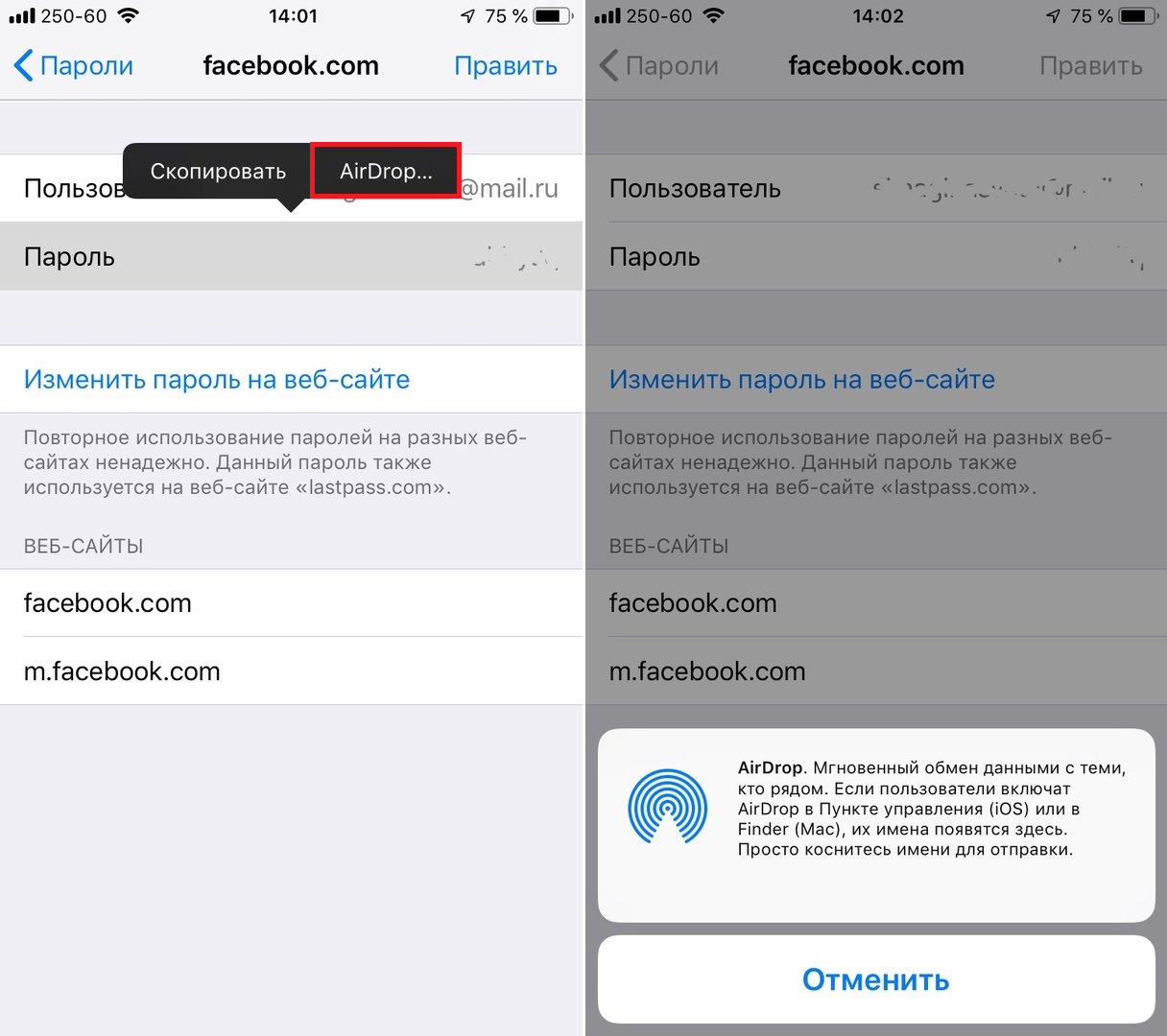

The selected password along with the login will be sent to the selected device. If the account you are receiving is already saved, on the menu that appears, clickRefresh, and the password will be replaced with a new one.
How to send passwords on Mac
one)Open your browserSafarion mac.
2)Click on menuSafariand then selectSettings.
3)Go to the tabPasswords.
four)Nowlog inusing Touch ID or your admin password, and then double-tapsaved accountto open all the details about him.


five)Click the iconshareat the bottom of the window.
6)Selectnearby devicein the AirDrop menu.
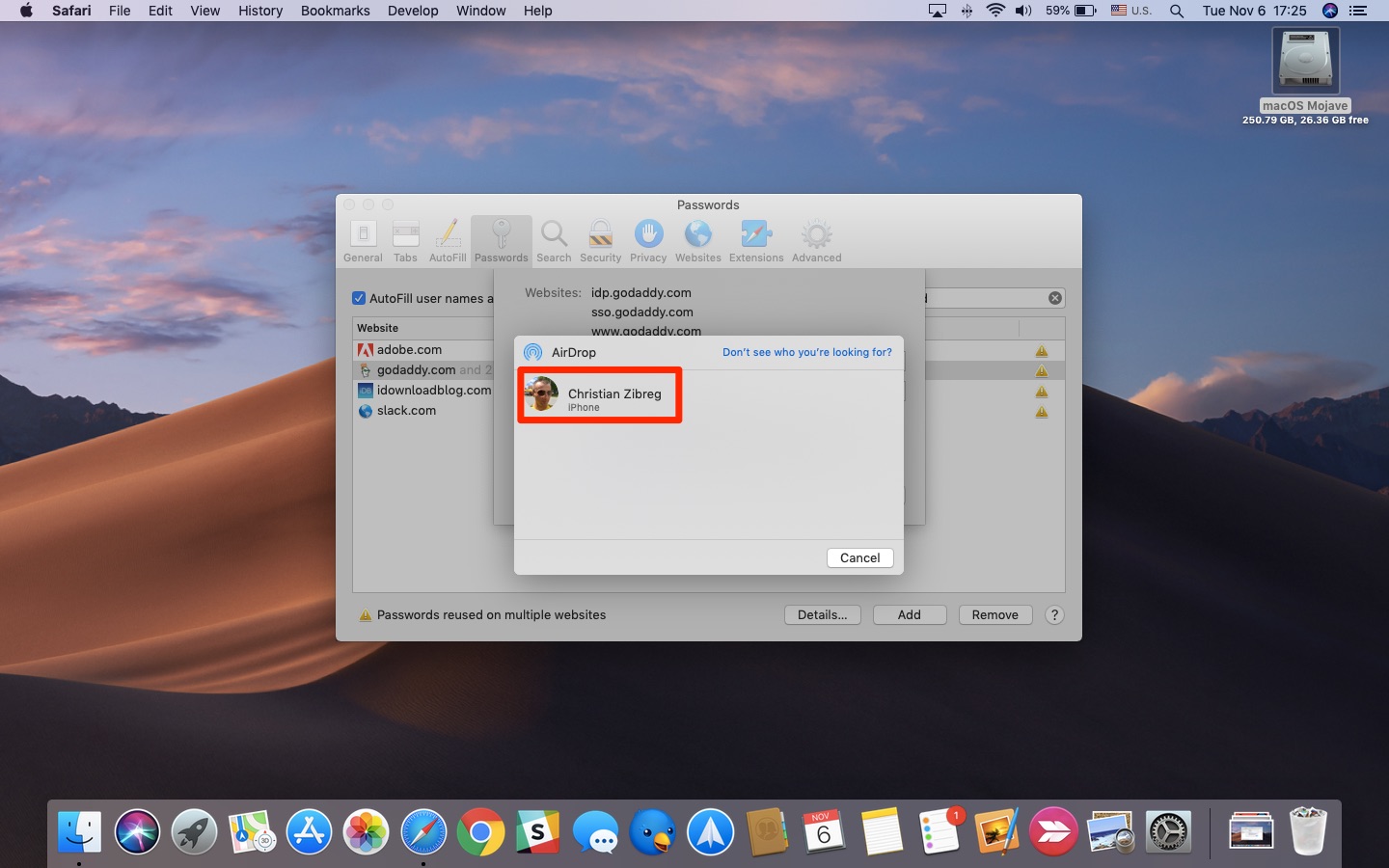

Please note that to transfer AirDrop passwords todevices must have Bluetooth and Wi-Fi enabled. If VPN is active on one of the devices, disable it. If something still doesn’t work, you can check the AirDrop settings.
If you use third-party password managersor iCloud Keychain function for storing passwords and other information, then you hardly need AirDrop. However, knowing about this method will not hurt.
Also read: How to find duplicate passwords on iPhone, iPad and Mac


If you are worried about your privacy, you should not, because passwords are not sent in text form. All data sent through AirDrop is carefully encrypted.