The iPhone camera has a flash for shooting in low light.
</ p>But just like on any other camera, sometimes
Below we will tell you how to turn on the flash when photographing on an iPhone, and also how to turn off the flash on an iPhone if it is not needed.
How to disable the flash on iPhone
- To get started, open the Camera app.
- At the top of the screen, click on the zipper icon.
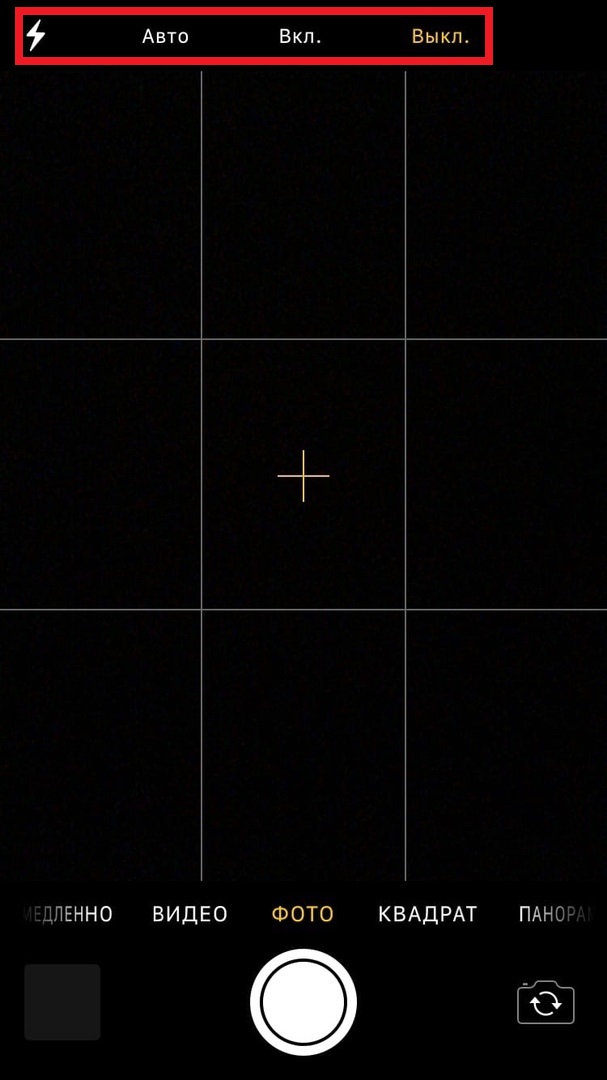

Three options will appear:
- Auto:In this mode, the flash will fire only when needed.
- On:The flash will always fire.
- Off:The flash will not fire at all, even in complete darkness.
You can try different options and decide which one is more suitable for you.
By the way, you can take pictures with a flash not only on the main camera, but also on the front camera.
How to make a flash on the front camera of iPhone
I wonder how to put the flash on the front camera of the iPhone? IPhone 6s and newer has a front camera flash that illuminates your face while taking a selfie. Setting it up is just as easy.
- Open the Camera app.
- Switch to the front camera.
- Click the lightning bolt icon at the top of the screen and select one of the options.
As you can see, controlling the flash on an iPhone is very easy. We hope this article has been helpful to you.