How to post and upload a long video to Instagram, Stories and feed - we will tell you about it directly

Instagram long video
Usually, users are interested in two things — how to post a long video to Stories and how to add it to the feed.As you've probably already noticed, there are a few limitations to the social network.For example, you can add videos to a regular feed that are as long asThe same goes for Stories — if you add a one-and-a-half-minute video to your Stories, the service will automatically trimIt is up to a minute and the last stretch will not be published. There are several ways to catch it.
How to put a long video in a tape?
There are two ways to upload a long video to tape.
The first way is to publish it on IGTV and add a one-minute preview to the post.Here's what you need to do...
Instruction 1
- Open Instagram using the " " button at the bottom, select the long video you want to upload.You will be presented with two options – "Short Video" and "Long Video".If you want to upload a long video to the feed, then use the optionLong Video: The service will automatically trim a minute of the video and publish itit in your feed, and then you will be prompted to watch the entire video in IGTV.It turns out that the feed shows a one-minute preview of the video with the ability to view it further.
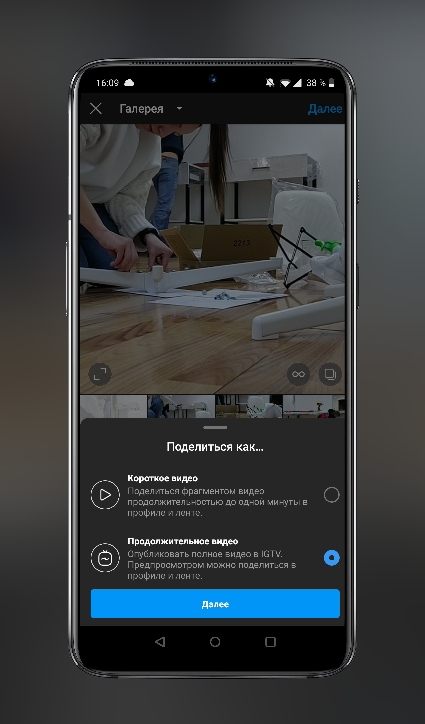
- If you choose "Short video", then Instagram itself will simply cut out a minute of the video and not a second more, and then publish itIn this case, no one will be able to watch the end of your video.

I personally like the "Long Video" option because it savesthe length of your video, plus you can choose a beautiful frame for the cover of the video that will bein your Feed post.
The second way is to cut your video into several equal pieces no more than a minute long and publish them in a postinto a tape in the form of a carousel.
Instruction 2
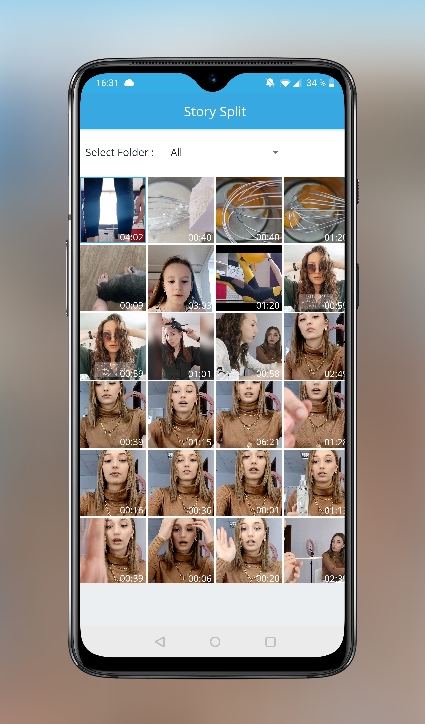
- To do this, download the Story Split – Video Splitter app beforehand.It's free.
- Next, add your video (let's say it is 5 minutes long) to this application. Press the NEXT button.
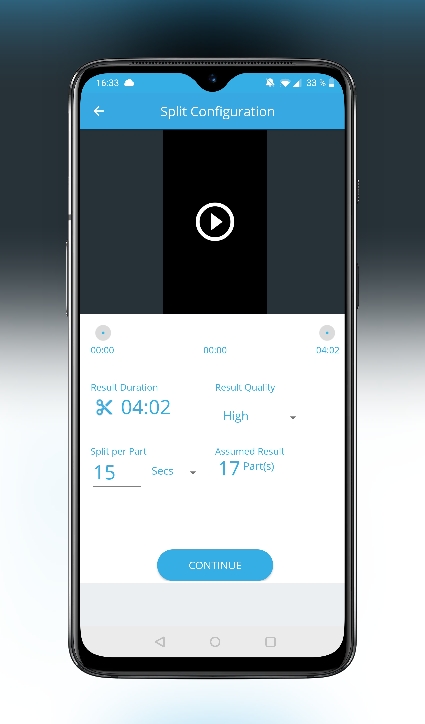
- Next, you will see the screen where it saysvideo duration, you can set the length of the video segment, on the right you can immediately see how many segments will be output. And also you can select the recording quality. Since the video does not fit the video for more than a minute, you can simply set the duration of the segments to 60 seconds. And then we press the CONTINUE button.
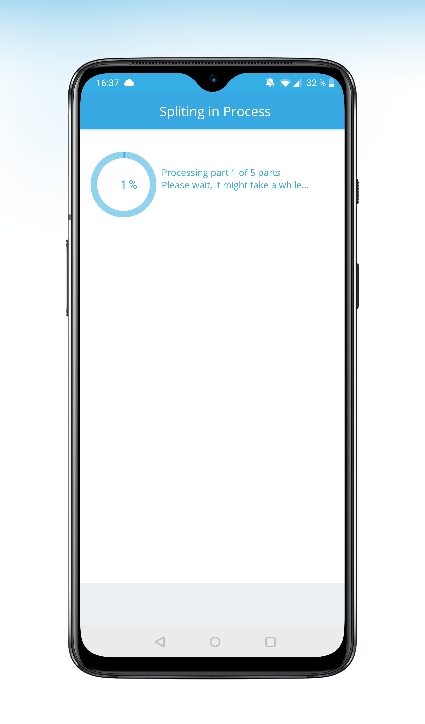
- The program will start cutting the long video and five new pieces of video will appear in your gallery.
 You just have to add them all in the correct order to the carousel in the Instagram feed and, voila, you were able to upload a long video to the Instagram feed.
How to upload a long video to Storys Instagram?
Now let's take a look at two ways to post a long video on Instagram Stories.
The first way is to use Instruction 2, which we wrote above.With the Story Split – Video Splitter app, you will have to cut your long video into pieces that are 15 seconds long or a minute long.Because one Instagram story is 15 seconds.That is, you're just going to post all those 15-second clips in the right order.
Or cut the video in a minute, and upload several minutes of videos to Storys in turn.
The second method assumes the same scheme, butusing the applications that you have. Usually everyone has an InShot video editor on their phone, for example. Just fill in the video there, split into two or more parts lasting no more than a minute, and then save each. After that, in the correct order, upload a long video to Storis.
Well, now you know how to upload a long video to Storys Instagram and to the feed.