Not all keyboards look the same. There are full keyboards, ergonomic keyboards, keyboards with
How to use Page Down and Page Up on Mac
While you won't find the Page Up or Page Down key, you can use theFNalong with an up or down arrow to get the functionality of the Page Up and Page Down buttons.


FNis used to call functions, and is most often used in combination with the F1-F12 keys. By default, the F1-F12 keys work only in combination with the buttonFn. This is done so that the Dashboard andThe volume control worked without the need to hold down the FN key. However, if you are a former PC user, or simply want to use the F1-F12 keys like on a regular keyboard, you can enable this option in the system settings.
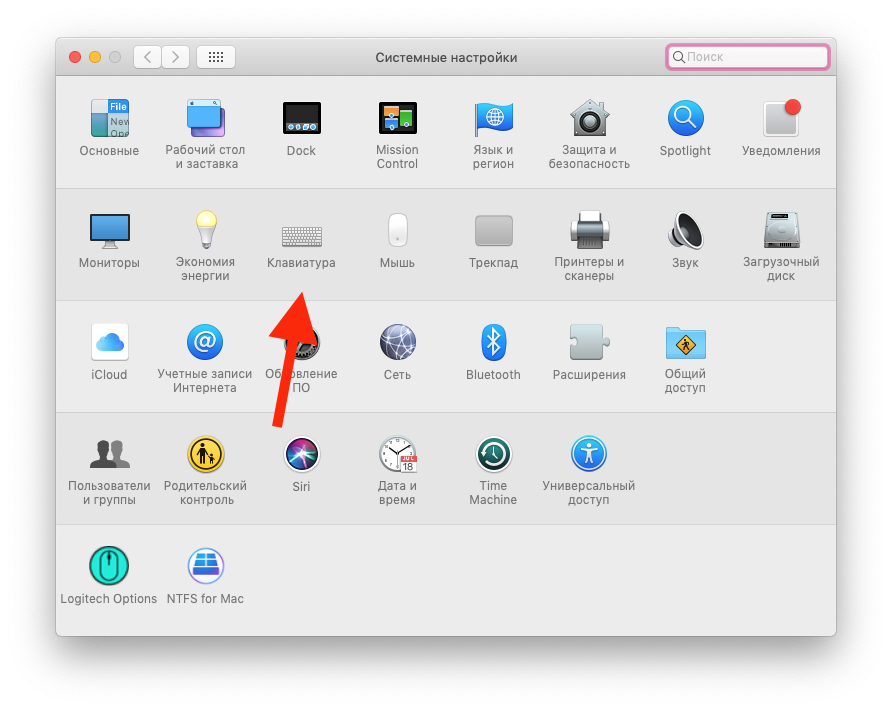

Go toSystem Settings>Keyboard, and check the box “Use keys “F1”, “F2” etc. as standard function keys“

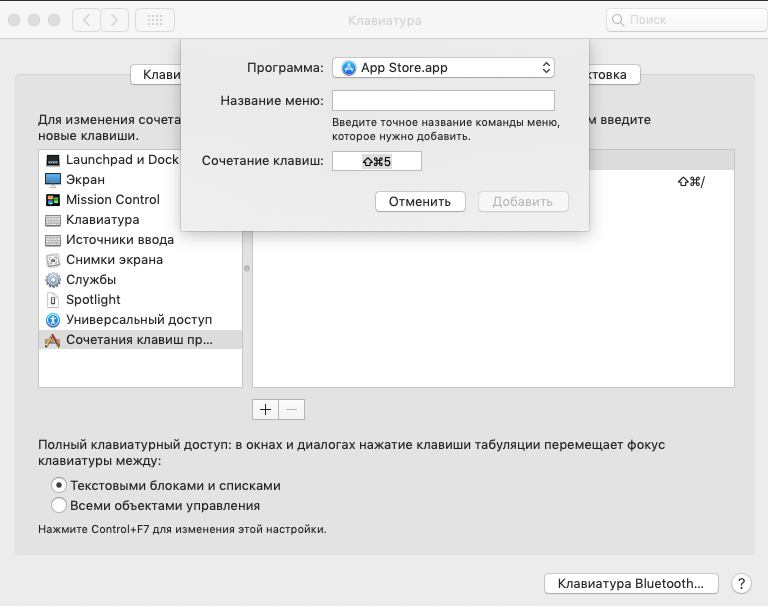
 There you can configure keyboard shortcuts that will work. You can change the functions of the F1-F12 keys on the “ tab.Keyboard shortcuts“. Click on the key you want to change (for example^ F7) and set a new value.