Corporate instant messengers, video conferencing applications, office suite - collected basic tools
Advertising
Advertising
- 1. Video calling
- Zoom
- Skype
- 2. Office suite
- Google Services: Docs, Sheets, Presentations
- 3. Cloud storage
- Google drive
- OneDrive
- Dropbox
- 4. Messengers
- Slack
- Telegram
- Microsoft teams
- 5. Project managers
- Trello
- Asana
- 6. Task schedulers
- Notion
- Todoist
- 7. Time trackers
- Toggl
- Timely
- What is the result
1. Video calling
Zoom
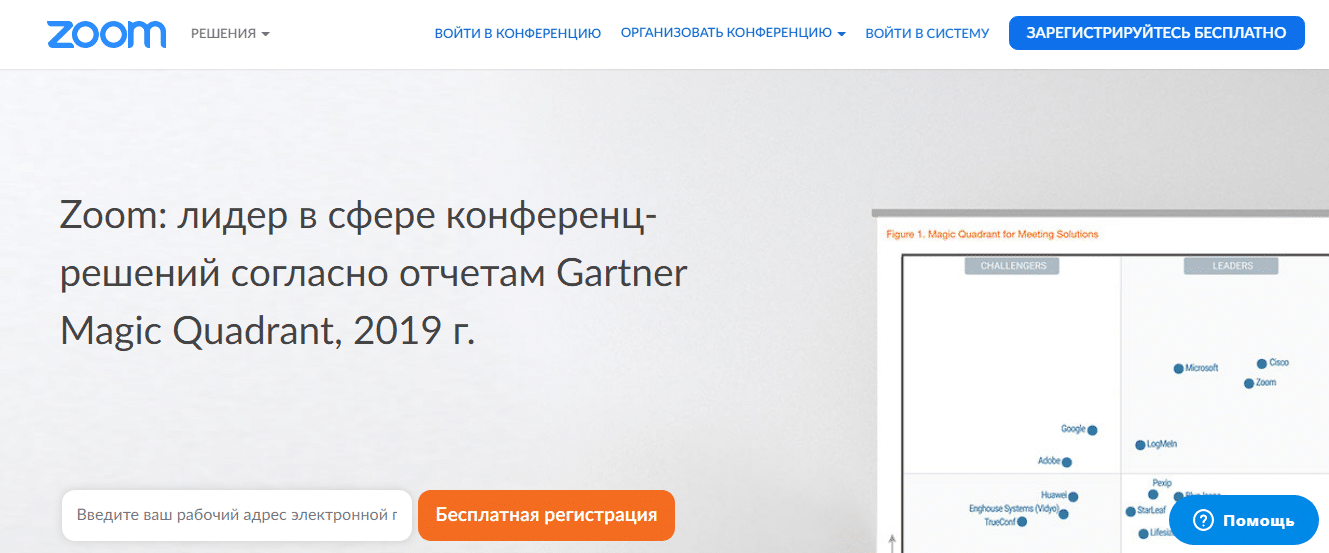

Zoom is the best app for remote meetings,presentations and meetings, which has become indispensable in connection with the epidemiological situation in the world over the past few months. In the application, you can exchange files, communicate in a private or group chat and blur the background of the video if you do not want colleagues to see the atmosphere of your room.
In Zoom you can share your screen and leavenotes, use interactive elements to engage participants. The program is suitable for online classes and trainings: participants can be divided into subgroups for exercises.
Advertising
Advertising
In the free version you can organizeonline seminar with the participation of up to 100 people, maximum event duration 40 minutes. The disadvantage of the program is that the quality of communication and sound deteriorates if a new participant joins the conference.
- Availability: iOS, Android, macOS, Windows, Web
- Cost: free, paid version from $ 15 per month


ZOOM Cloud Meetings
Price:
Free


ZOOM Cloud Meetings
Price:
Free
Web version
Skype
An alternative to Zoom is the well-known Skype,once the first video calling service. Up to 50 people can simultaneously participate in group audio and video calls for free, call recording and automatic subtitles are available. You can chat, share files, screen and blur the background. Skype is available on your phone, computer and tablet.
Cons - confusing interface, unstable application, only 50 people in the free version.
- Availability: iOS, Android, macOS, Windows, Linux, web
- Cost: free for personal use, business version


Skype for iPhone
Price:
Free+


Skype – free IM & video calls
Price:
Free
Web version
2. Office suite


Google Services: Docs, Sheets, Presentations
Collaborating on a text has long been difficultSubmit without Google Docs. You can create and edit documents directly in the browser, all changes are saved automatically. Several people can work with one file at once, notifications of new notes or changes in the text are sent to e-mail. A text document can be downloaded in Microsoft Word and PDF format, opened on any device.
The same with documents and presentations: you can create a file directly in a browser or application and share it with a colleague. PowerPoint files can be transported in Google presentations, and vice versa.
- Platforms:iOS, Android, macOS, Windows, Linux, web
- Cost:free, paid versions of G Suite subscription availablefor workgroups and organizations - Basic ($6 per month per person, includes technical support, 30 GB) and Business ($10 per month per person, unlimited disk space)

Google Docs
Price:
Free

Google Sheets
Price:
Free

Google Slides
Price:
Free

Google Docs
Price:
Free


Google Sheets
Price:
Free


Google Slides
Price:
Free
Web version
3. Cloud storage
Google drive


Google Drive Cloud Service Storesfiles of any format and share them with other users. 15 GB of free space available. Google Drive is integrated with all Google services (mail, photos, documents, presentations, etc.). You can open files in Drive from your smartphone, tablet, or computer.
More Drive space available with a Google subscriptionOne - for 139 rubles per month you will get 100 GB of space and additional subscription benefits. You can also expand your Drive space with the aforementioned G Suite subscription (Basic 30 GB option for $6 per month per person) or Business and Enterprise (unlimited storage space).
- Platforms:iOS, Android, macOS, Windows, Linux, web
- Cost:free, paid version of G Suite from $6 per month

Google Drive – storage
Price:
Free+


Google Drive
Price:
Free+
Web version
OneDrive
Microsoft cloud service with the ability to store up to 5 GB of information for free. Supports Microsoft Office: you can create, edit and share documents in a browser.
- Platforms:iOS, Android, macOS, Windows
- Cost:free, business packages from $1.99 per month

Microsoft OneDrive
Price:
Free+


Microsoft OneDrive
Price:
Free+
Web version
Dropbox
In Dropbox, only 2 GB of space is available for free, access and synchronization on only three devices.
- Platforms:iOS, Android, macOS, Windows
- Cost:free, space upgrades start at $9.99 per month for personal use and $12.50 per month per user for business


Dropbox: Smart Storage
Price:
Free+


Dropbox: Cloud Storage to Backup, Sync, File Share
Price:
Free+
Web version
4. Messengers
Slack


Corporate Slack messenger is perfectto build communication of the working team (up to 100 people) with a large number of projects (for example, editorial staff). Communication is divided into channels (threads) - all issues are streamlined and discussed separately. You can create a separate working chat for Slack excludes e-mail: files and messages can be exchanged directly in the messenger. It is possible to set up alerts from channels and mark users.
In the free version, an unlimited number of users are available, integration with 10 external services (Trello, Dropbox, Google Drive, Google Docs and others) and archive search of up to 10 thousand messages.
- Platforms: iOS, Android, macOS, Windows, Web
- Cost: free, business version from $ 6.67 per month


Slack
Price:
Free


Slack
Price:
Free
Web version
Telegram
Telegram is a convenient messenger that equallygood for both personal and work correspondence. Create a working chat to quickly solve common issues and share files, links to documents, photos. You can communicate in the application or desktop version.
- Platforms: iOS, Android, macOS, Windows, Linux, web
- Cost: Free


Telegram Messenger
Price:
Free


Telegram
Price:
Free
Web version
Advertising
Advertising
Microsoft teams
Microsoft's platform for remote teamworkwork. There is a group chat and the ability to audio and video conference, integration with other Microsoft products (Word, Excel, PowerPoint) and 140 third-party services (Trello, Adobe, for example). The free version has 10 GB total storage plus 2 GB per user, unlimited chat messages and search.
Cons - it’s more suitable for workgroups using Microsoft Office tools and services.
- Availability: iOS, Android, macOS, Windows, Web
- Cost: free, paid version from $ 5 per month per user


Microsoft Teams
Price:
Free


Microsoft Teams
Price:
Free
Web version
5. Project Managers
Trello
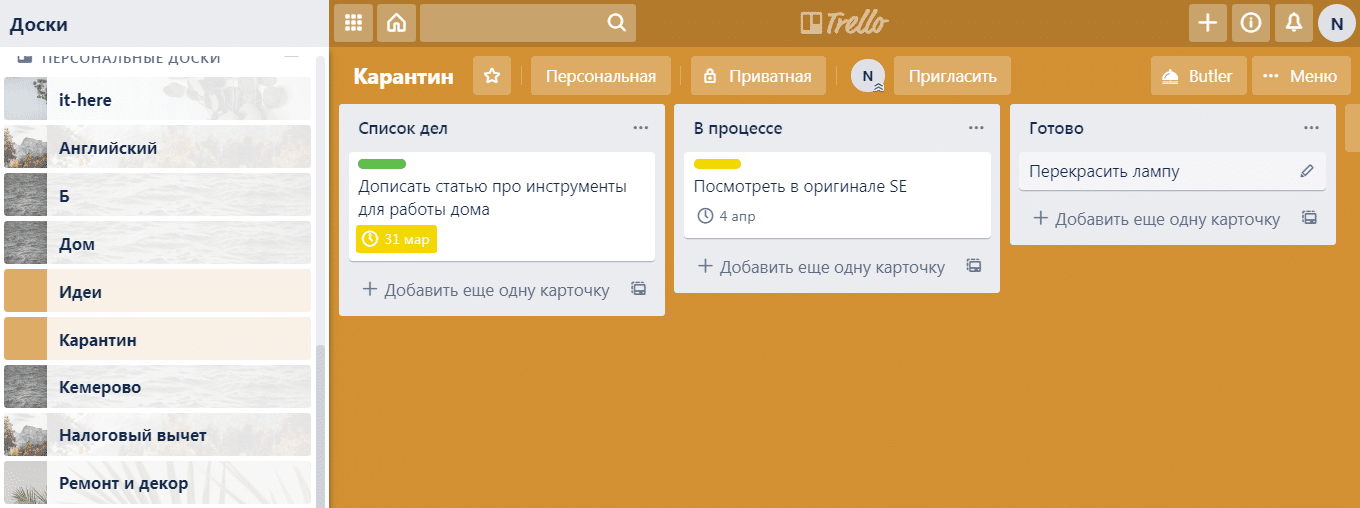

The easiest tool to coordinate work,which implements Japanese kanban technology. You create a project (for yourself or a team, with access to others), in it you break all the affairs into boards: for example, a to-do list, in the process and you're done. In the to-do list, create cards - tasks that you need to complete - and as you solve them, transfer them either to the board in the process or to the ready.
You can create as many boards as you need, andcall them as convenient. A board with ideas can be very useful, where you can quickly write down all thoughts that spontaneously come to mind, but can be useful in the future. For each card, you can specify a deadline, and for the board choose the theme and template (though the templates are in English).
By the way, in Trello it is convenient to carry out not only work projects, but also personal, even household ones (for example, repair, health, shopping, etc.).
In the free version of Trello all the functions of the program are available, but there is a limit of 10 boards for the team and 10 MB of investments. The paid version expands the features for teams.
- Availability: iOS, Android, macOS, Windows, Web
- Cost: free, paid version from $ 10 per month


Trello
Price:
Free+


Trello: Organize anything with anyone, anywhere!
Price:
Free
Web version
Asana
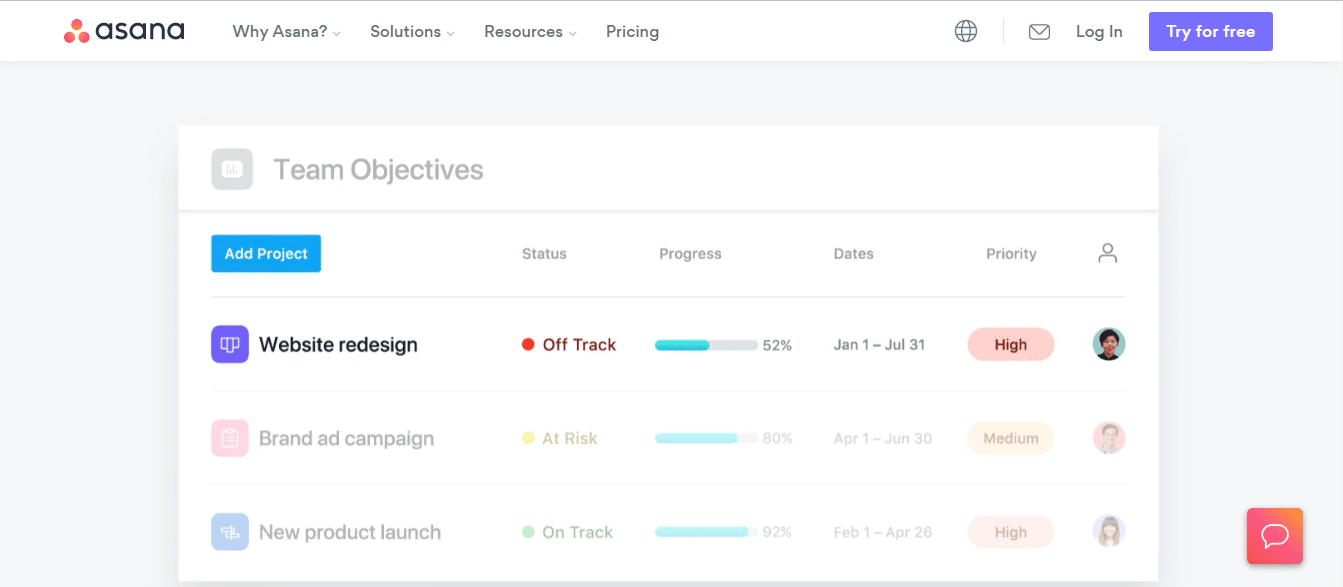

Task Manager Asana, like Trello, is ideal forsmall teams: combines a huge number of tools, including kanban boards. Integrated with major cloud storage, email clients and services (Google, Microsoft Office, Adobe, etc.). For each employee, you can assign a task and a deadline, and the manager can see the overall picture of the work on the project. Any tasks can be discussed, marked participants, add links, share files. You can manage projects completely in the program, without email.
Advertising
Advertising
A maximum of 15 can participate in the free versionparticipants and no timeline. For more detailed work on projects and more participants, you will need a paid version. In conjunction with additional services, it can act as a CRM system.
Cons - only in English, but the interface is intuitive.
- Availability: iOS, Android, Web
- Cost: free, premium version from $ 11 per month per user


Asana: organize tasks & work
Price:
Free


Asana: organize team projects
Price:
Free
Web version
6. Task Schedulers
Notion
Universal cross-platform tool forbusiness planning and personal productivity. Notion combines Kanban boards (as in Trello), notes, to-do lists, texts, and tables. Notion has integration with a large number of services (Google Drive, Twitter, GutHub), you can embed media content and links. If you need to write an article, you can do it directly in Notion: the service supports the capabilities of a text editor. The developers have prepared a huge number of templates for all occasions: to-do sheets, notes, goals, a list of books, etc.).
Of course, documents can be shared with other users, discussed and work together.
Minuses: there is no Russian language, the workspace is in English and visually overloaded - the interface can push away the first time you use it. If you try the application, it will replace you with dozens of software (Google Docs, Trello, Asana, etc.).
For personal use of the free version youwill be enough (you can download up to 5 MB files, access to all features of the program). Personal use without restrictions - $ 4 per month, for teams - from $ 8 per employee.
Advertising
Advertising
- Platforms: iOS, Android, macOS, Windows, Web
- Cost: free, version for teams - from $ 8 per person


Notion – Notes, projects, docs
Price:
Free


Notion– Notes, Tasks, Wikis
Price:
Free
Web version
Todoist
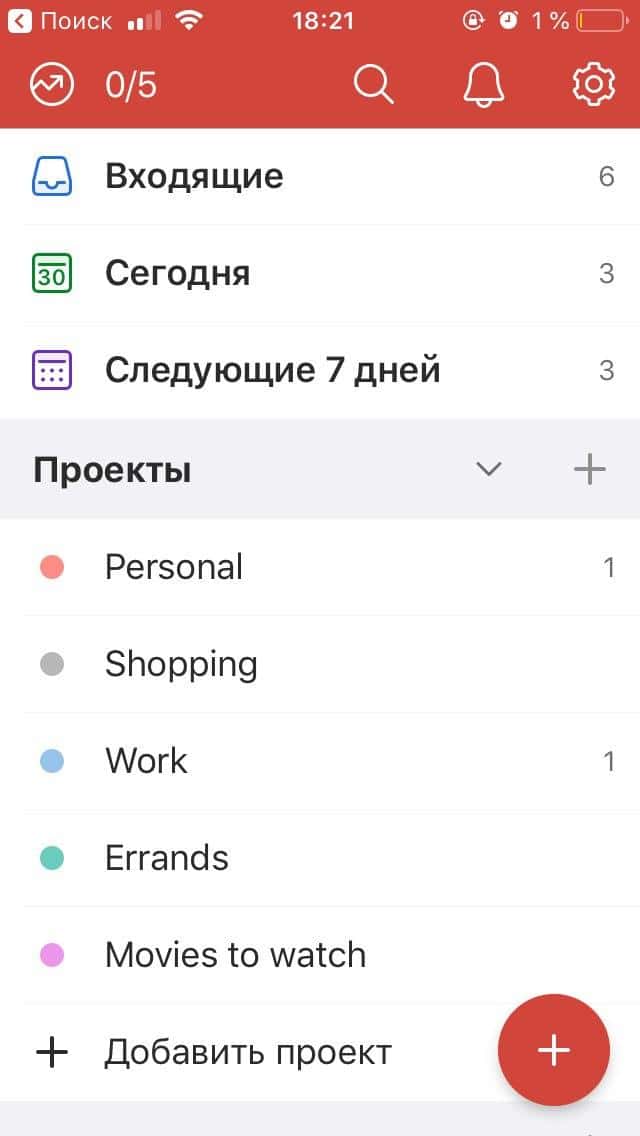



Todoist tracker for personal productivity andplanning daily duties. Write a to-do list for a day or a week and structure them into sections (work, personal, films, purchases). After completing the task, mark it as completed and get emotional satisfaction.
The main minus is the lack of notifications in the free version. Without notifications, interest in task tracking is quickly lost. A maximum of 80 projects are still available for free.
Todoist can be used to manage a team (business version): create projects, comment on tasks, share files, assign performers and deadlines.
- Platforms: iOS, Android, macOS, Windows, Web
- Cost: free, premium version 2 390 rubles.


Todoist: to-do and task list
Price:
Free+


Todoist: To-Do List, Aufgaben & Erinnerungen
Price:
Free+
Web version
7. Time Trackers
Toggl
Toggl app helps you track how muchYou spend time on various tasks, including non-working ones, to analyze and increase productivity. There is integration with the calendar and the possibility of reminders. For personal use, a free version of the application is enough; in iOS 12 and later, you can use it with Siri quick commands. To track the time of employees spent on working projects, you will need a version for working groups (there is a free 30-day trial).
- Platforms: iOS, Android, macOS, Windows, Linux, web
- Cost: free, business version by subscription for $ 18 per month


Toggl: Time Tracker & Work Log
Price:
Free


Toggle: Time Tracker and Timesheet for Work Hours
Price:
Free
Web version
Timely


Timely helps organize remotetime management, understand and visualize how much time and what employees spend. The application is integrated with the main services (Trello, Asana, etc.) in which your employees can work, and tracks the time employees spent in them.
- Platforms: iOS, Android, macOS, Windows, Web
- Cost: for personal use from $ 7 per month (there is a free 30-day trial), for corporate use from $ 49 per month


Toggl: Time Tracker & Work Log
Price:
Free


Toggle: Time Tracker and Timesheet for Work Hours
Price:
Free
Web version
What is the result
Work from home and remote work coordinationteams can be skillfully built using basic tools for a smartphone and computer. And for small teams free versions are often enough. Write in the comments what tools you use for effective self-organization, work at home and communication with colleagues.