Content
- Video review
- Specifications
- Appearance and equipment
- Display
- Keyboard and touchpad
- Software
- Performance and Benchmarks
- Autonomy
- findings
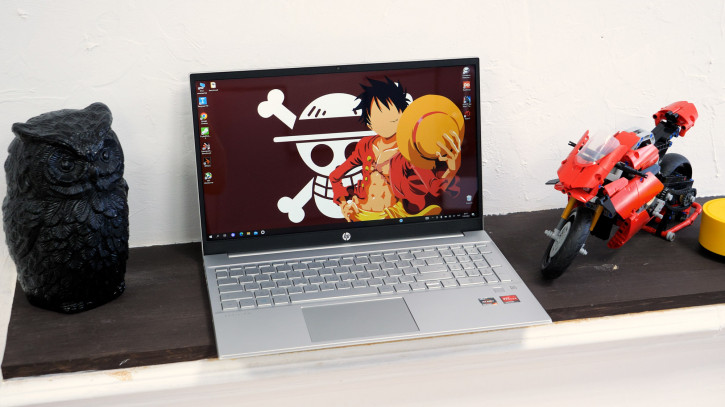
We've been talking a lot about laptops lately."new wave", but the market was before them. About 10 years ago I bought my first laptop - it was an HP Pavilion G6 for 18 thousand rubles (prices, what happened to you?). By the way, it still works. Today I have to tell you about the HP Pavilion Laptop 15 - a modern laptop for study and work tasks.
HP Pavilion Laptop 15-eh1021ur
based on AMD in M.Video
Video review
Technical characteristics
 |
Specifications HP Pavilion Laptop 15-eh1021ur (3E3R9EA) |
|---|---|
| Device type | Ultrabook |
| operating system | Windows 10 Home (free upgrade to 11) |
| CPU | AMD Ryzen 7 5700U (up to 4.3GHz with Max Boost Clock, 8MB L3 cache, 8 cores, 16 threads), TDP 15W |
| GPU | AMD Radeon RX Vega 512MB DDR4 |
| Ram | 16 GB (2 × 8 GB) DDR4 3200 22-22-22-52-74 |
| ROM | 512 GB PCIe NVMe M.2ite |
| Screen | 15.6″, 16:9, 1980× 1080 pixels, IPS BrightView, 60 Hz, up to 250 nits, 40% NTSC, touch, 178° |
| Keyboard | Numeric block, navigation keys Two-level backlight |
| Wireless interfaces | WiFi: a/b/g/n/ac, 2.4/5GHz Bluetooth: 5 |
| Speakers | Audio system B&O Two speakers HP Audio Boost Technology |
| Webcam | HP Wide Vision 720p HD |
| Battery | 41 W⋅h |
| Charging | Proprietary 45W USB-C charging supported |
| Interfaces | 1 x USB-C (10 Gbps, USB Power Delivery, DisplayPort 1.4, HP Sleep and Charge) 2 x USB-A (5Gb/s) 1 x HDMI 2.0 1× microSD reader 1 x 3.5mm combo mini jack 1× power connector 1× Kensington Nano lock slot 1× fingerprint sensor |
| BY | Microsoft 365 (30 days) McAfee LiveSafe ExpressVPN (30 days) LastPass Premium (30 days) |
| Dimensions and weight | 36.02 × 23.4× 1.79 cm 1.75 kg |
Appearance and equipment
The package includes the laptop itself, adapter45 W power supply, network cable and documentation. A standard set for this kind of device, but I can’t help but pay attention to the charging form factor: it’s somehow strange to see a proprietary “brick” at 45 W while competitors are pleasing with much more versatile USB-C solutions at 65 W.

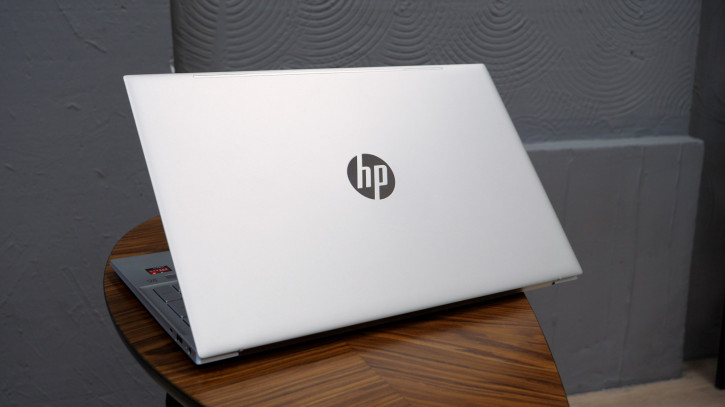
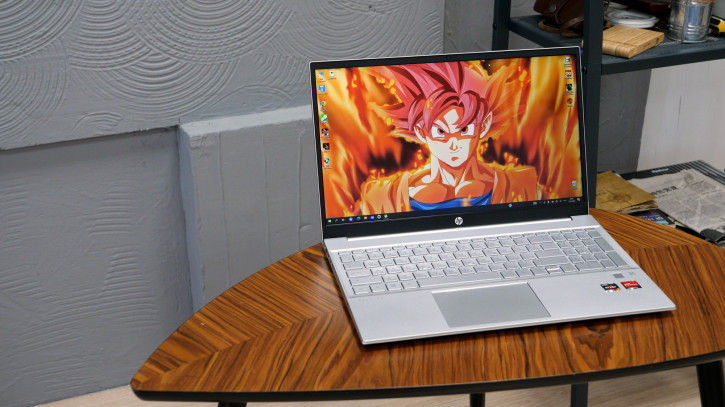
The appearance of the device isclassic modern laptop. The absence of bright design elements allows it to look organic in any environment. Body materials include aluminum and plastic, and the weight is 1.75 kg.
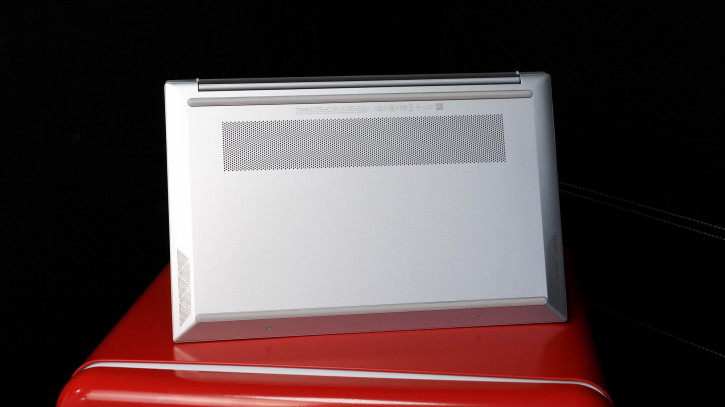
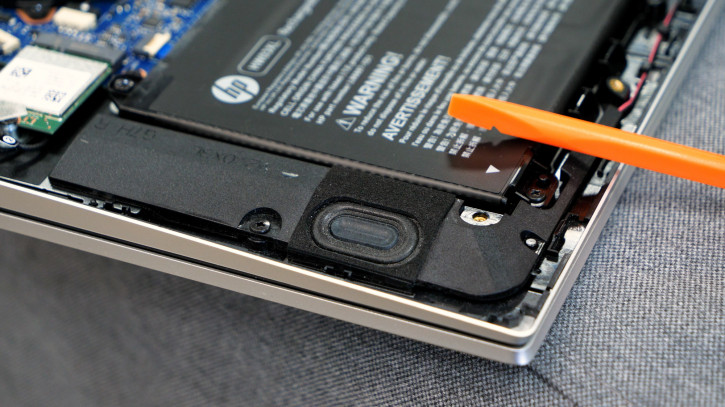
At the bottom there was a place for ventilationholes, rubber feet and a pair of speakers. The Danish company Bang & is somehow involved in the sound quality. Olufsen, specializing in the production of audio and video products. However, you shouldn’t delude yourself: the sound quality is moderate and depends on the surface on which the laptop is installed (remember that the speakers are directed downwards). In any case, there is enough for everyday viewing of video and background music.
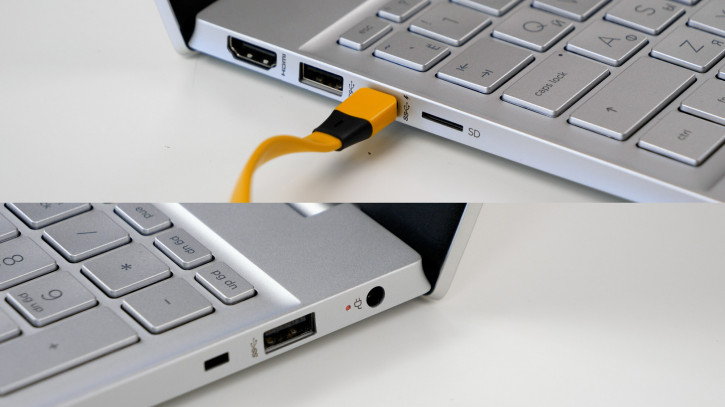
The following connectors are located on the ends:
- 1 x USB-C (10 Gbps, USB Power Delivery, DisplayPort 1.4, HP Sleep and Charge)
- 2 x USB-A (5Gb/s)
- 1 x HDMI 2.0
- 1× microSD reader
- 1 x 3.5mm combo mini jack
- 1× power connector
- 1× Kensington Nano lock slot
The set is decent.High-quality USB-C with a bunch of features and a memory card slot are especially pleasing (too often they began to forget about it in modern laptops), and only the number of these same USB-C ports can upset.
The lid opens to ≈140°. This is enough for a “correct” seat at the table, but may not be enough if the user wants to studyfavorite joblounging on the couch or something.
Display
The screen used is 15.6″IPS matrix with FullHD resolution. Among the dubious advantages, I will note the touch layer: you can control the laptop using touches, but, in my opinion, there is little point in this. Firstly, this is not very convenient on Windows, secondly, fingerprints on the display are aesthetically unpleasant, and thirdly, the “grain” characteristic of touch displays is noticeable against a light, uniform background. Although, I can easily imagine that the feature will be appreciated by children who have been accustomed to touch controls from an early age.
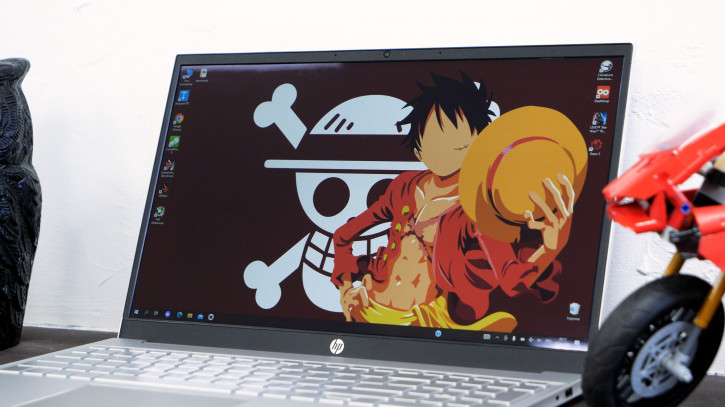
Of the features, it is worth paying attention tomoderate brightness of 250 nits and a fixed color range of 45% NTSC. The latter corresponds to ≈57-62% sRGB, which is quite enough for everything that is not related to professional color work.
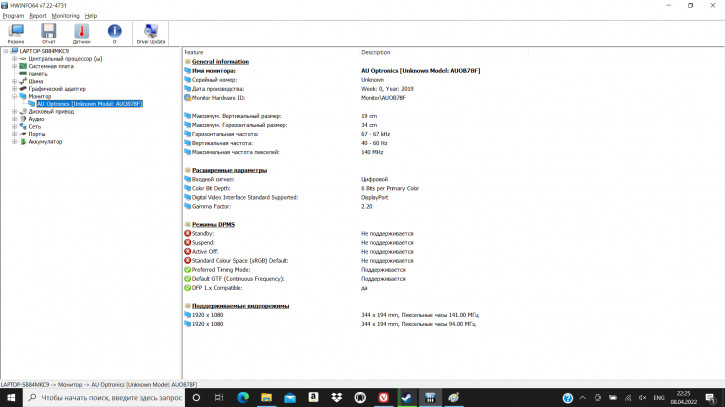
Installed display specifications
Keyboard and touchpad
The keyboard includes a full-fledged numeric keypad and has a bright two-level backlight. The plastic touchpad supports gestures and is somewhat off-center to the left.
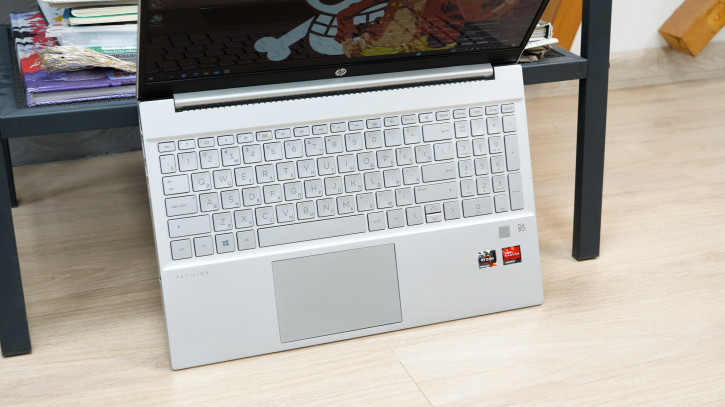
At first glance, the keyboard looks like a keyboard, but there are several non-obvious points hidden in it:
- Fitted into a relatively small deviceNumPad, the manufacturer did not leave free space for a comfortable hand position. The left hand often remains on the weight when working with the keys in the left edge. You notice this when working lying down or from your knees. Although, in fairness, it is worth saying that the same situation is observed with analogues (in terms of dimensions and the presence of a digital block)
- The fingerprint scanner is a golden find forlaptop building. In the case of the HP Pavilion Laptop 15, it is displayed in a separate area, which is a little less convenient than the option with mounting it in the power button (you have to tap your finger twice instead of once). Although even in this version, unlocking the device is much easier than using the classic password entry.
- The location of the power button raises fears for accidental pressing exactly until the moment when you find out that it does not respond to short presses. Long press is required to turn off.
Software
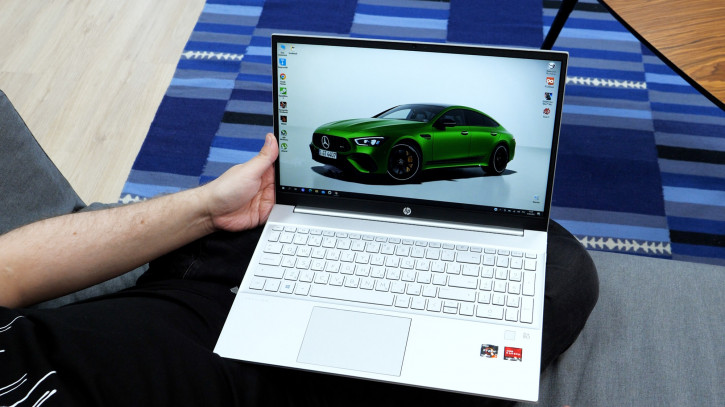
Pavilion Laptop 15 comes witha preinstalled home version of Windows 10 with a free upgrade to version 11. In addition, a number of trial versions of programs such as Microsoft 365, McAfee LifeSafe, ExpressVPN (currently) and LastPass Premium are also preinstalled on the device.
Performance and tests
As usual with many PC manufacturers andlaptops, HP has a bunch of variations of the same device. Very different components can be hidden in the same cases, so let's clarify that all further tests were carried out on the HP Pavilion Laptop 15-eh1021ur (3E3R9EA) with the following filling:
- Ryzen 7 5700U processor (up to 4.3GHz with Max Boost Clock, 8MB L3 cache, 8 cores, 16 threads), TDP 15W.
- Integrated graphics chip AMD Radeon RX Vega, 512 MB, DDR4.
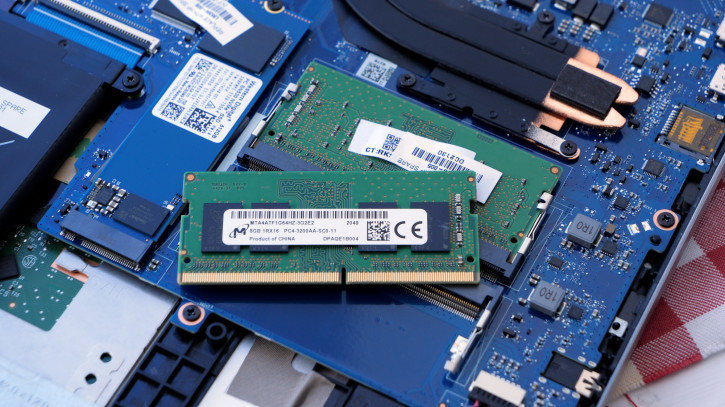
- 16 GB of DDR4 3200 RAM, divided into tworeplaceable8 GB sticks.
- 512 GB PCIe NVMe M.2 permanent storage. The disk of the notorious Western Digital is installed (details in the screenshots below).
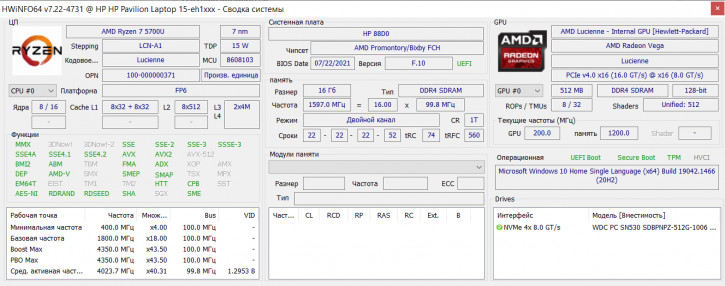
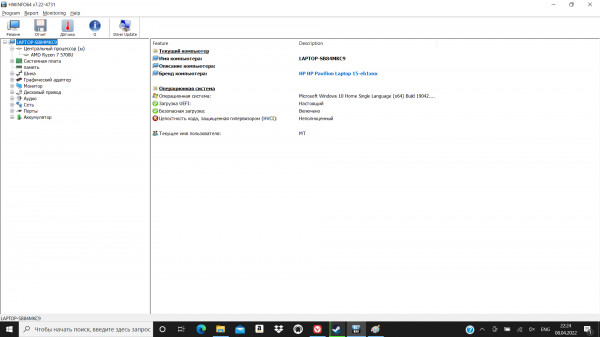
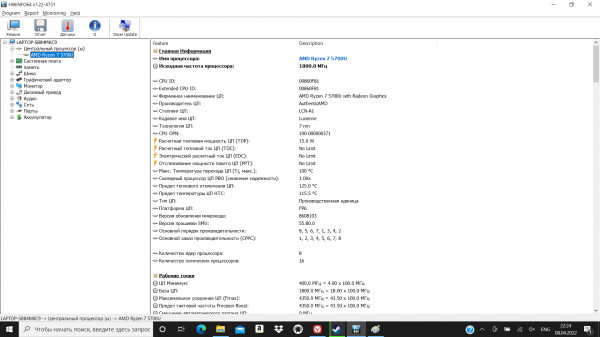
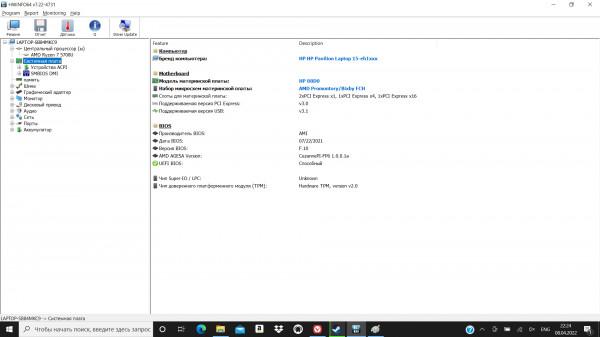
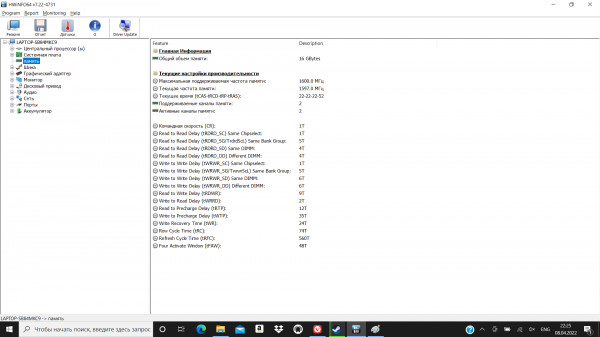
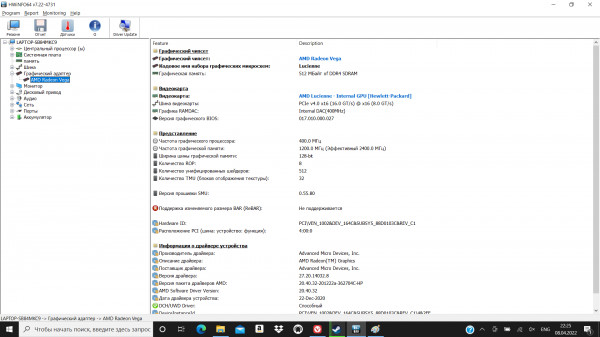
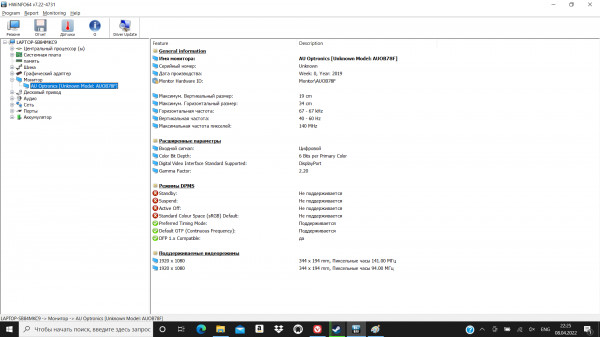
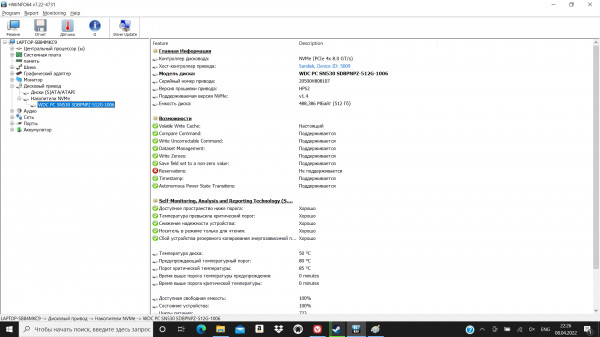
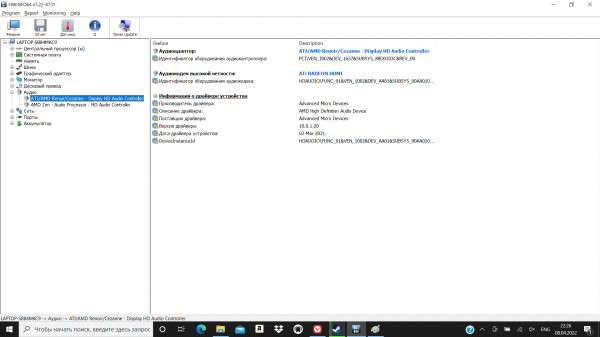
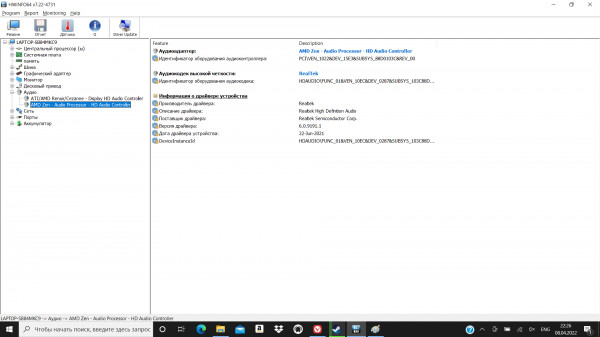
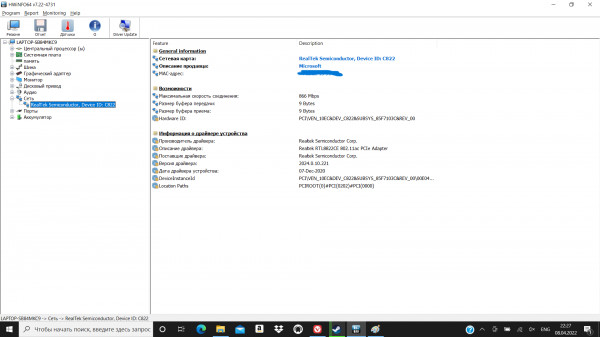
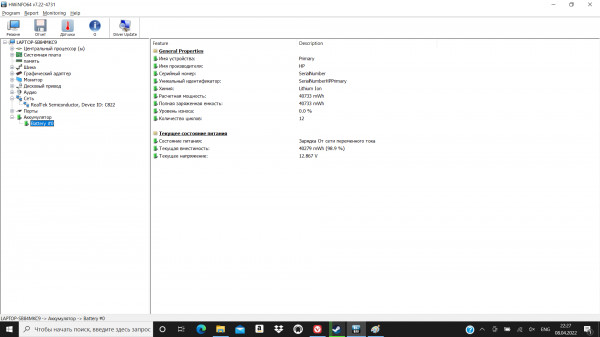
Component Information HWiNFO64
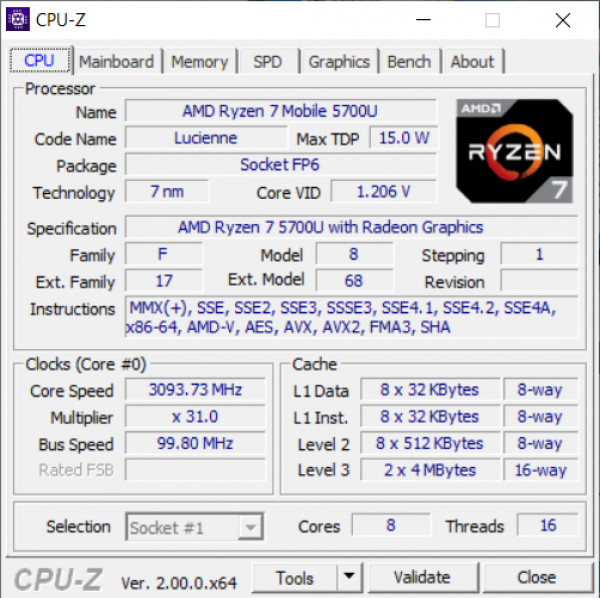
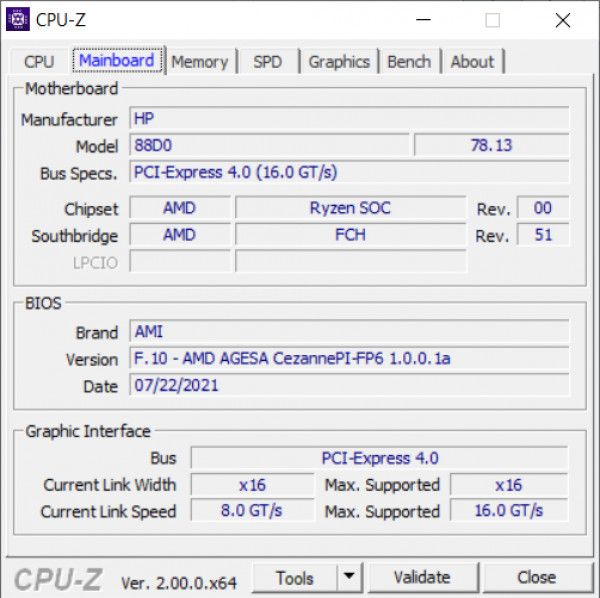
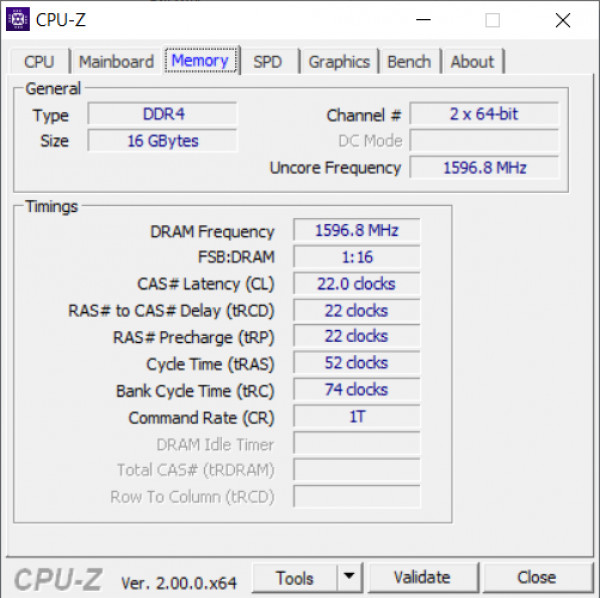
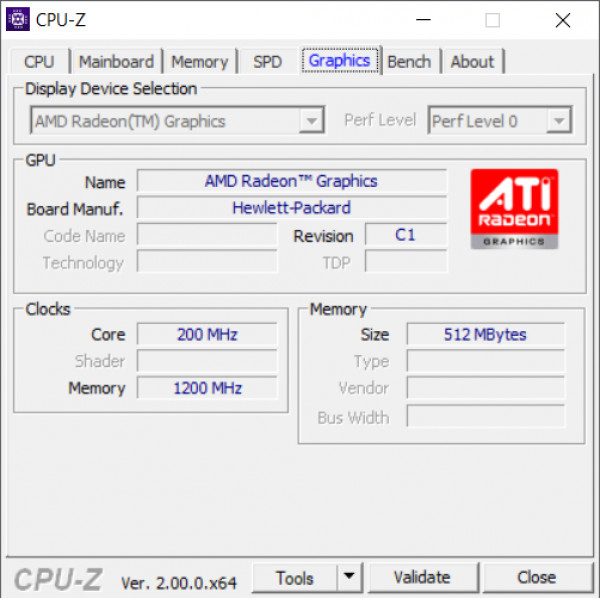
information about CPU-Z components
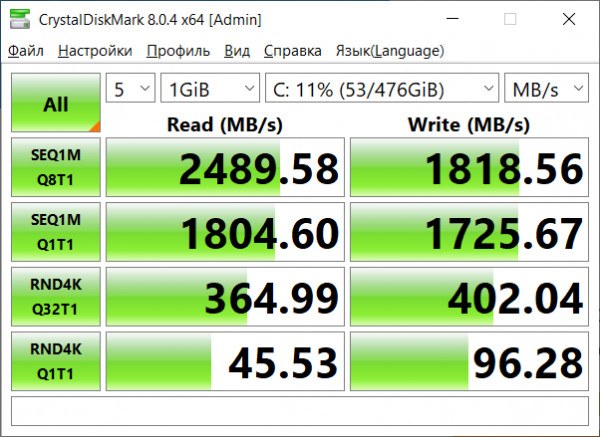
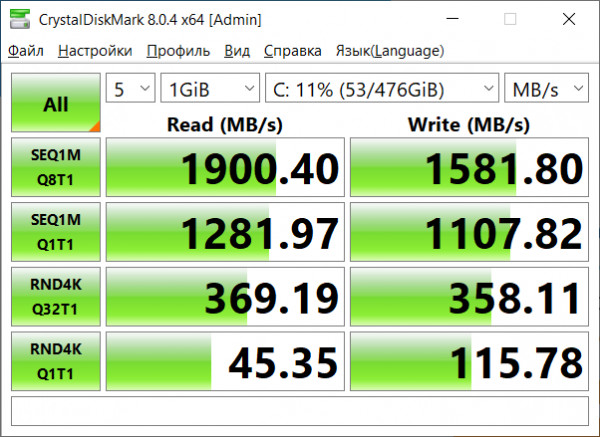
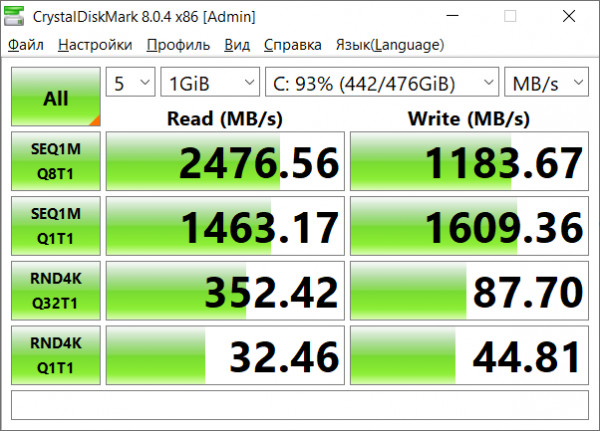
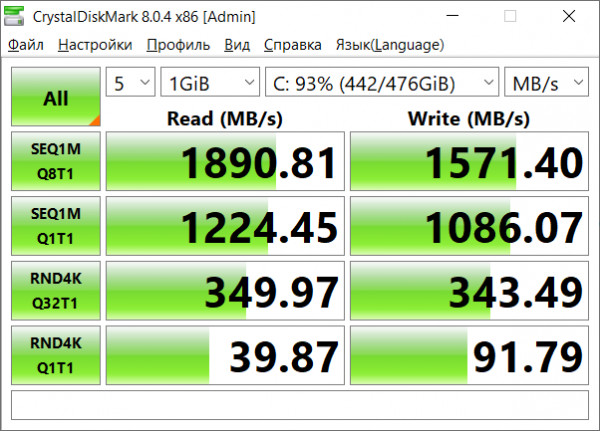
SSD Speed Tests*
*All tests in performance mode. Screenshot order:
- off the grid, empty
- offline, empty
- from the network, 93% occupancy
- offline, 93% occupancy
</i>
An important feature of the device, of course,is a Ryzen 7 5700U processor based on the Zen 2 architecture. The letter "U" in the name indicates that it belongs to an energy-efficient series with a reduced heat pack. Claimed TDP is 15W, but in stress tests we have seen an increase of up to 20W - none other than Max Boost Clock in action. The toppings are enough to work in office programs, surf the Internet in a variety of windows, as well as solve amateur-level tasks in photo and video processing (here, however, not the best color reproduction of the display will rather interfere). A good choice for those who do not put extreme tasks in front of a laptop.
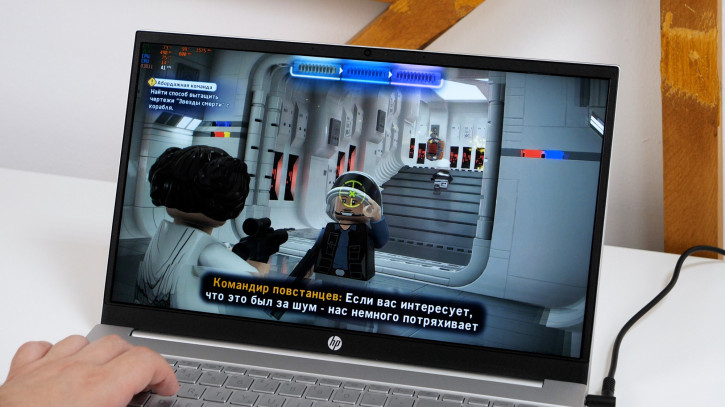
As for game projects, they will rest onFirst of all, in the capabilities of the built-in graphics core. In heavy games, a comfortable framerate, if possible, is achieved at low and medium-low settings, often with a lower resolution. When running on mains, the Gears 5 benchmark at medium settings and FullHD resolution produced an average frame rate of 32 fps. Much less demanding Dota 2 produced about 100-120 fps at low settings and 35-40 fps at maximum. There was no significant drop in fps during offline play, but judging by the graphs, TDP above 15 W is connected only when working from the mains. You can visually evaluate the gameplay in our video review (link with timecode).
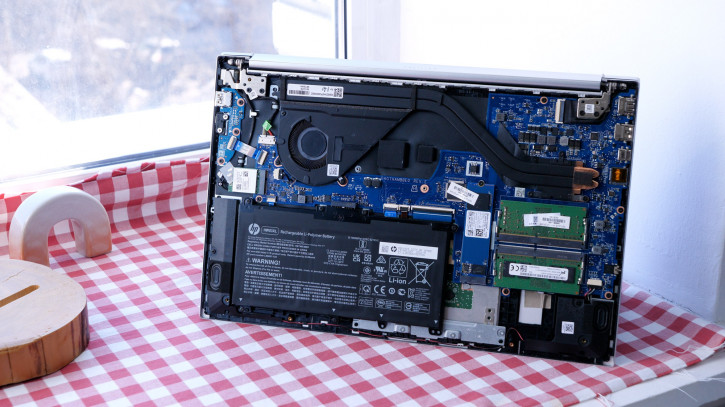
The economical version of the processor made it possible to get byone cooler and a pair of heat sink pipes. As tests have shown, the system approached 100° CPU only in the case of the Cinebench stress test when operating from the network. But for a half-hour offline session of Dota 2 (low graphics, 60 fps, 100% scaling), the temperature remained consistently around 52°. As for the noise of the cooler, it can become annoying only under stressful loads. The character of the sound is slightly “whistle”.
Autonomy
The autonomy of the device rests on the shouldersbattery with a capacity of 41 Wh. The included power adapter charges it with the following timings: 15 minutes - 28%, 30 - 48%, 60 - 60%, 75 - 95% and about 80-85 minutes it takes a charge to 100%. In addition, you can charge the laptop using USB-C.
Energy-efficient filling allows you to provide about 8 hours of work, despite not the largest battery. Measurements of the duration of battery life showed the following figures:
- 60 minutes YouTube (Wi-Fi, 60% brightness, 1080p) - 13%.
- 60 minutes in the browser + ten minutes of parallel work in Lightroom - 18%.
- 30 minutes Dota (FullHD, low graphics, 100% scaling, 60 fps) - 18%.
Conclusions
The HP Pavilion Laptop 15-eh1021ur (3E3R9EA) is a great tool for anyone looking for a compact ultrabook for office and school use. Of the positive features, I will emphasize once again:
- Intelligent chipset that combines good power and economical power consumption.
- Replaceable RAM and ROM.
- The presence of a digital block (employees of a number of professions will appreciate it).
- The presence of HDMI and USB-C with Display Port and Power Delivery.
Somewhat confusing in this story can be:
- Touch control.If someone in the comments tells the real story of its useful application in laptops that are NOT able to open up to 360 °, I will be grateful. In my opinion, in this design, the touch harms both the display (graininess, noticeable on a light background, prints), and the final cost of the device.
- Color reproduction of 45% NTSC will rightly discourage everyone involved in photography, video, drawing, etc. from this model.
- The power supply a la "brick" looks somewhatarchaic, given that the USB-C port supports charging. In our opinion, replacing the proprietary connector with another USB-C port, and the power adapter with an appropriate one, would be a much more modern, versatile and easy-to-use solution.
Fortunately, the manufacturer offers a number of variations, among which at least you can find models without touch controls, and as a maximum, an option that exactly suits your needs.
HP Pavilion Laptop 15-eh1021ur
based on AMD in M.Video
© Dmitry Pivnev.