Content
- Specifications
- Appearance and equipment
- Display and camera
- Keyboard
and touchpad
- Software
- Performance and Benchmarks
- Autonomy
- findings
It would seem that COVID-plague is “defeated”, butthe turbulent situation in the world still keeps the degree of interest in remote work. Huawei, in turn, continues to update its line of laptops, aiming at the urgent needs of modern man. Today we will talk about Huawei MateBook D 16 (2022) - an update to the popular line.

Technical characteristics
 |
Specifications Huawei MateBook D 16 |
|
|---|---|---|
| Device type | Notebook | |
| operating system | Microsoft Windows 11 Home | |
| CPU | Intel i7-12700H TDP 45W | |
| GPU | Intel Iris Xe Graphics 96 (Alder Lake) | |
| Ram | 16 GB (non-replaceable) LPDDR4x-3733 |
|
| ROM | 512 GB Silicon Motion PCIe SSD |
|
| Display | 16", 16:10, 1920 at 1200 dots, 300 nits, 1200:1 IPS, 100% sRGB, matte finish | |
| Keyboard | Numeric block, 1.5 mm stroke, two-level illumination | |
| Wireless interfaces | Wi-Fi 6, 2.4 and 5 GHz, 2×2 MIMO, Huawei Metaline antenna Bluetooth 5.1 |
|
| Speakers | Two, pointing down | |
| Webcam | 1080p | |
| Battery | 60 Wh | |
| Power Supply | USB-C, 65W (20V, 3.25A), SuperCharge | |
| Interfaces | 1× USB-A 3.2 Gen2 1 × USB-A 2.0 1 × USB-C 2.0 (Charging & Data Transfer) 1 × USB-C 3.2 Gen1 (Charging, Data Transfer, DP) 1 × HDMI 2.0 (4K, 60Hz) |
|
| BY | Huawei PC Manager Huawei Control Panel superdevice |
|
| Dimensions and weight | 356.4 × 233.8 × 20.05 mm 1.7 kg |
|
| Other | Fingerprint scanner built into the power button | |
Appearance and equipment
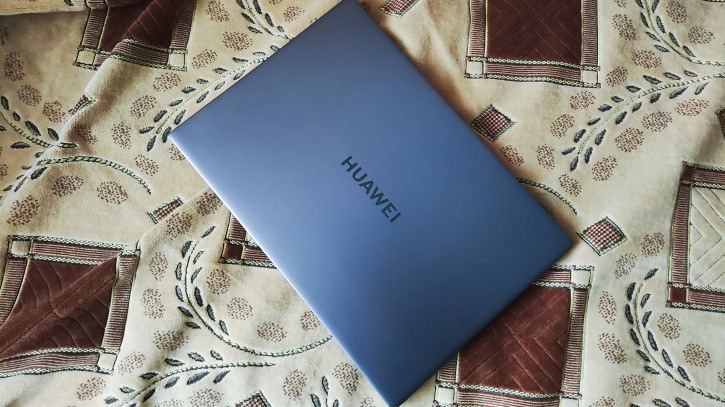
Disclaimer: The photos for this review were taken on the road using the Poco F4 smartphone (review). Please understand and forgive.
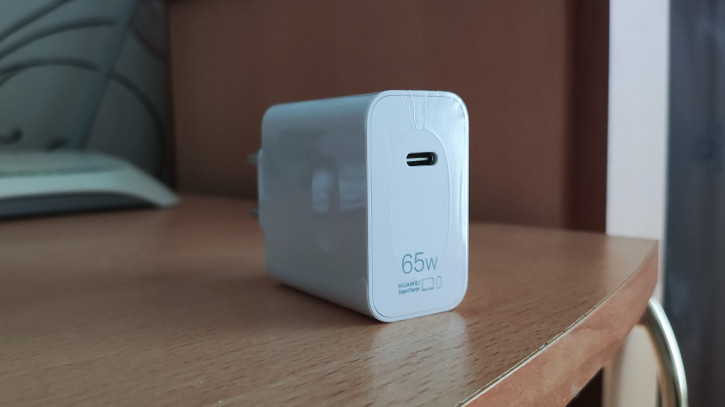
The package includes the laptop itself, an adapter65W power supply, USB-C to USB-C power (and data) cable, warranty card, and quick start guide. The set is standard, but it is worth noting the reduced (in comparison with previous models of the MateBook line) power supply. Charging via USB-C has always pleased with its versatility, and now it also takes up less space - it's the best for traveling and working outside the home.
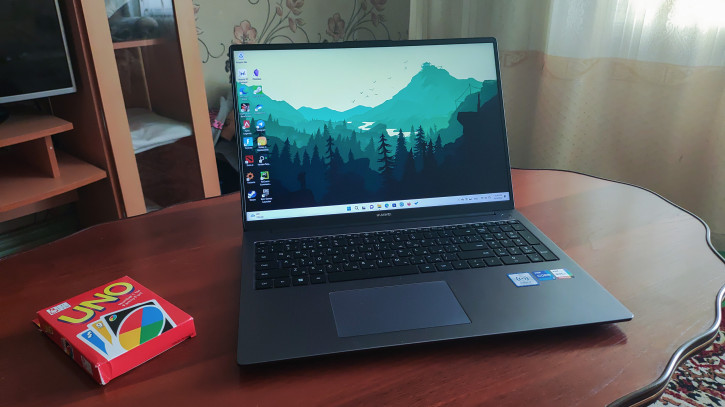
The case of the laptop is made in a classic neutral style. Moderate size allows you to throw the device in any full-size backpack. Weight is 1.7 kg, which is lighter than many analogues.
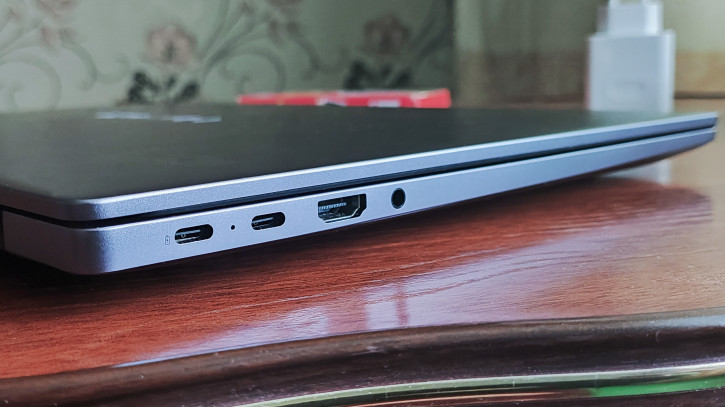
The following connectors are located on the ends:
- 1× USB-A 3.2 Gen2
- 1 × USB-A 2.0
- 1 × USB-C 2.0 (Charging & Data Transfer)
- 1 × USB-C 3.2 Gen1 (Charging, Data Transfer, DP)
- 1 × HDMI 2.0 (4K, 60Hz)
This set allows you to connect enoughnumber of peripherals without flirting with USB hubs. On the bottom, there are rubber feet, an air vent and a pair of speakers. Due to their orientation, the sound of the speakers is markedly affected by the surface on which the notebook is placed. Under optimal conditions, they are able to produce a fairly pleasant, everyday sound, but without bass and any frills.
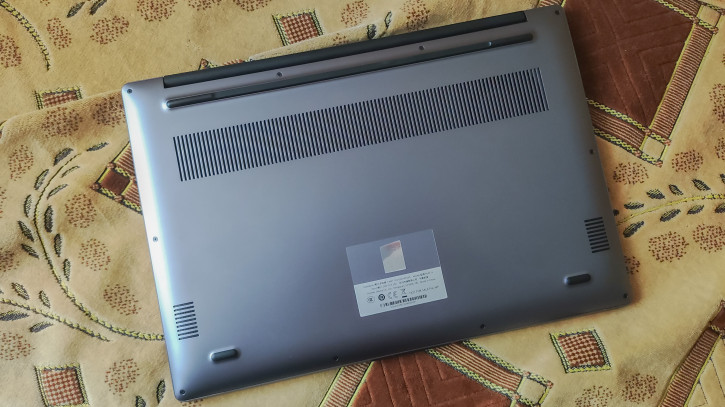
The laptop is perfect for working "from the knees" and in other not the most obvious poses.The lid hinges ≈140°, and the bottom is not prone to heat up in typical tasks such as surfing the Internet and working in office programs.
Display & Camera
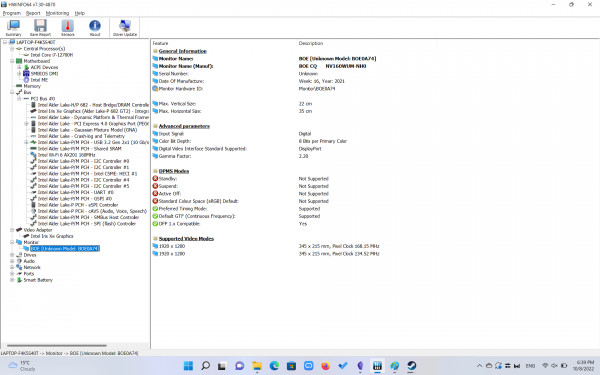
The Huawei MateBook D 16 has a 16" IPS matrix with a resolution of 1920 by 1200 pixels.The 16:10 aspect ratio looks like a good compromise between the "media" 16:9 and the "working" 3:2.The panel has a moderate brightness of 300 threads with a matte finish.Such a bundle provides comfortable work indoors, but you should not expect excellent readability under the sun.
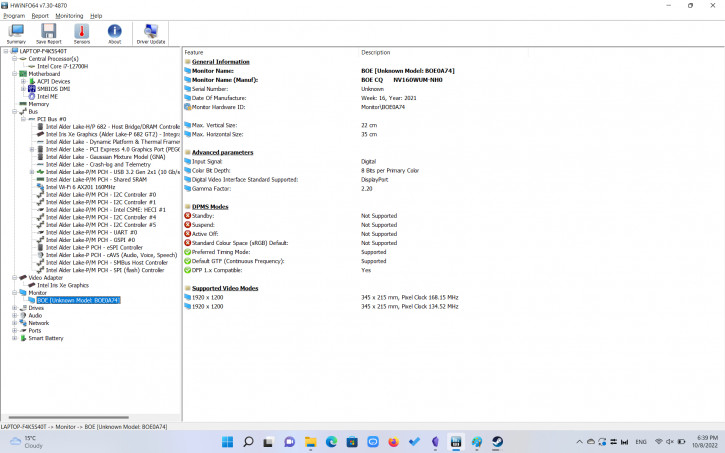
HWINFO: installed matrix information
In addition, the 100% coverage of the sRGB color space is pleasing, which makesA laptop suitable for working with graphics, as well as a pleasant feelingThe manufacturer declares the use of technology to protect againstblue color and TÜV Rheinland certification.In fact, we can say that the eyes really do not experienceunnecessary discomfort when working with the MateBook D 16, and the Night Lite mode does notThe image is too yellow.
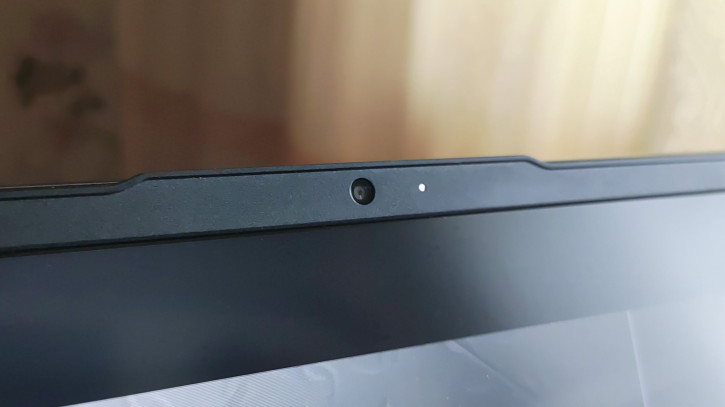
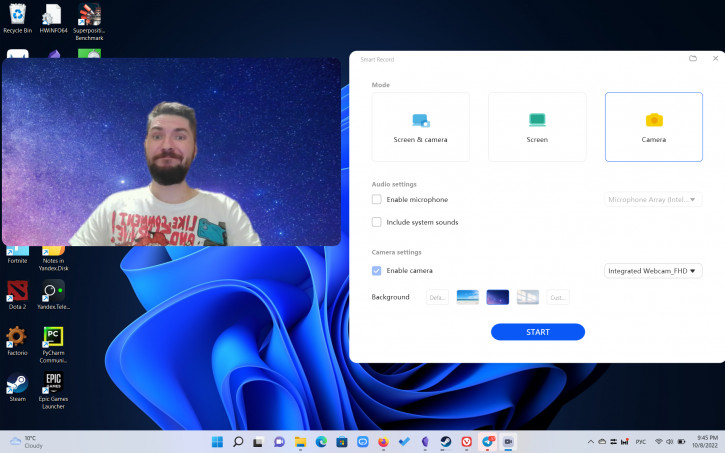
One of the most visually noticeable differences2022 laptop versions from 2021 (review) - webcam location. No more flirting with hide-and-seek in the keyboard, now everything is like with people - the camera is mounted in the top frame of the display. Together with an adequate angle, the sensor itself has grown in the new model. Now the camera is able to produce a relatively good picture in 1080p. Moreover, in the built-in software you can find such intelligent functions as background replacement, surveillance (crops the frame and always tries to keep the face in the center, the detail in this case is noticeably lame), “look into the camera” (raises its eyes slightly on the fly, which makes it seem that the gaze is directed much closer to the camera, and not down at the screen).
Example of photos and videos
Keyboard & Touchpad
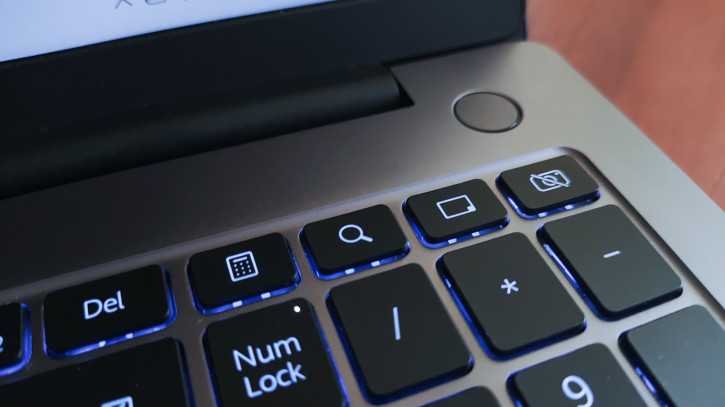
The keyboard has undergone significant changes.The speakers moved to the bottom, and the vacant space was occupied by a block of numeric keys. Above it, there was a place for four additional buttons: calling the calculator, AI Search, minimizing and turning off the camera. Despite moving the camera, the key between F6 and F7 was left. She is now responsible for calling Microsoft voice dialing. We didn't have any problems with ergonomics. You quickly get used to the keyboard, and the presence of a two-level backlight allows you to comfortably work at night.
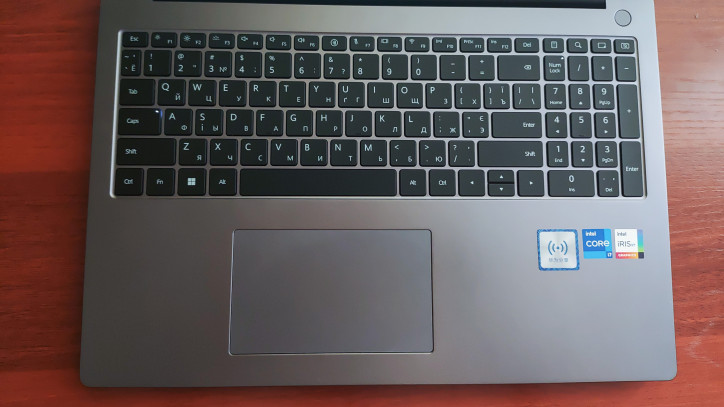
The plastic touchpad is shifted to the left side, butcentered relative to the main part of the keyboard (excluding the number block). The click works both with a tap and a full press anywhere on the touchpad. An NFC antenna is installed under the touchpad for quick pairing with related Huawei equipment.
Software
Huawei MateBook D 16 comes withpreinstalled Microsoft Windows Home 11 and a couple of proprietary applications: PC Manager and Control Panel. The former lets you monitor system status, update drivers, and fiddle with camera and sound settings. The second is hidden in the tray and partly duplicates the functions of PC Manager, providing them with more convenient and faster access.
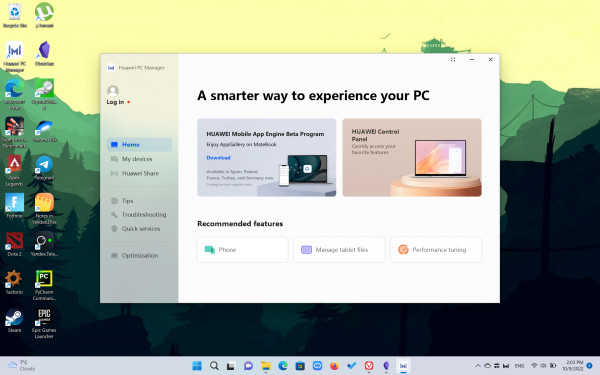
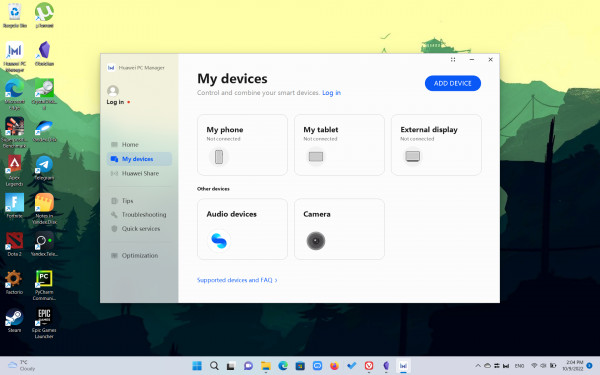
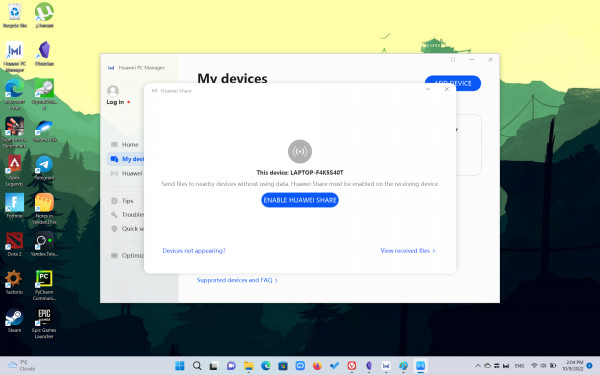
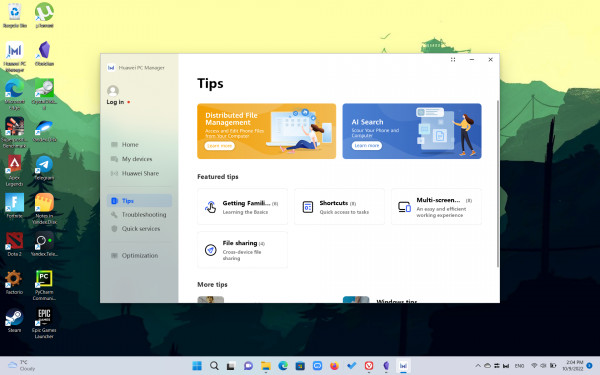
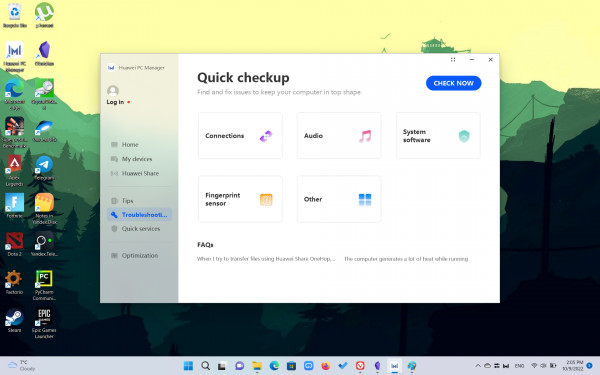
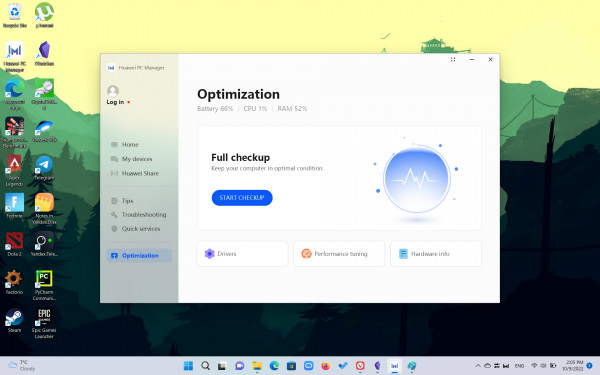
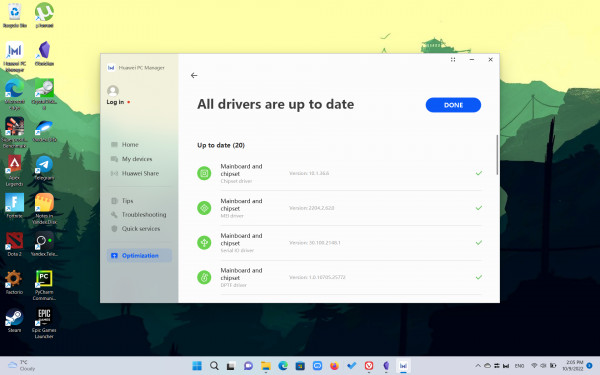
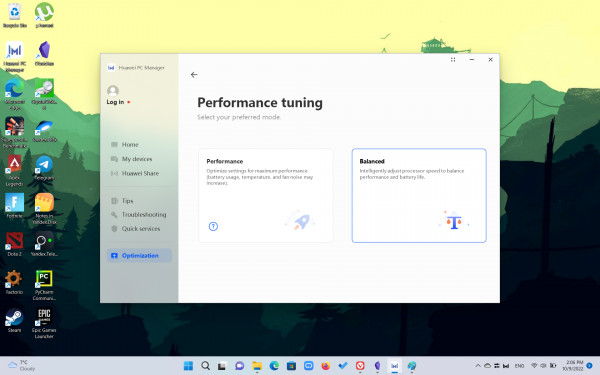
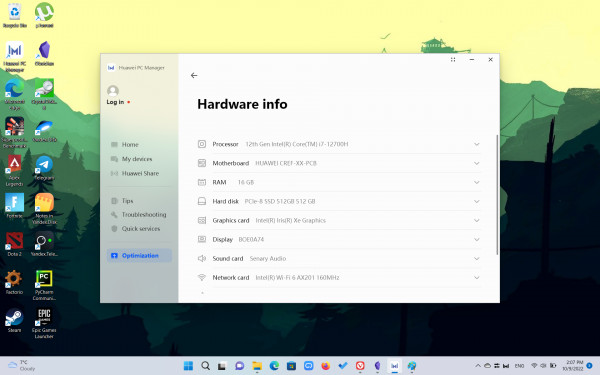
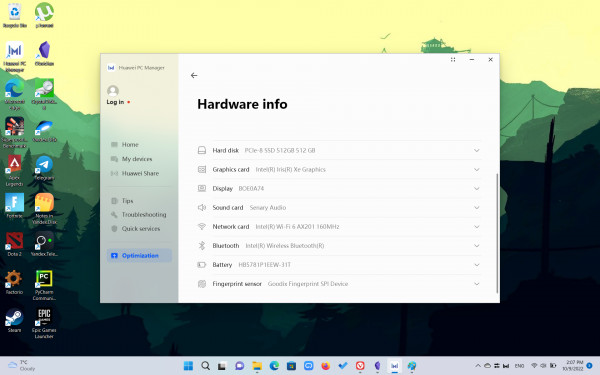
Huawei PC Manager
Binding also occurs through PC Managervarious related devices, whether it is a display (can be connected both by wire and without it), a smartphone, tablet or other small peripherals. Those who are not averse to immersing themselves in this ecosystem will discover convenient pairing of devices by touch (using an NFC tag under the touchpad for this), the ability to use the Huawei MatePad tablet as a second screen and draw with a stylus, easy file transfer and Ai Search for all connected devices.
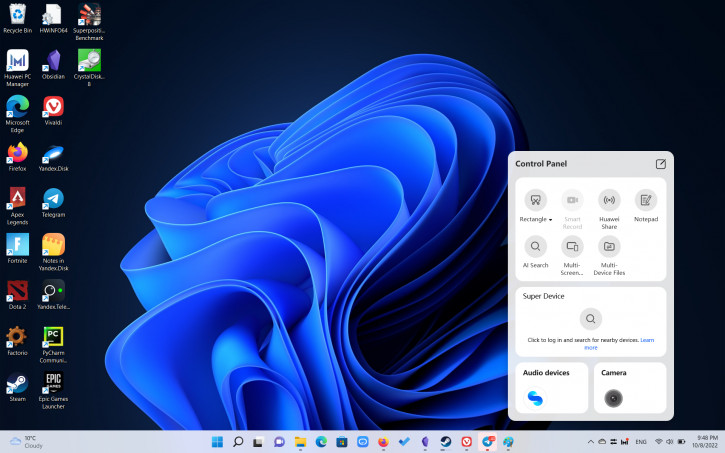
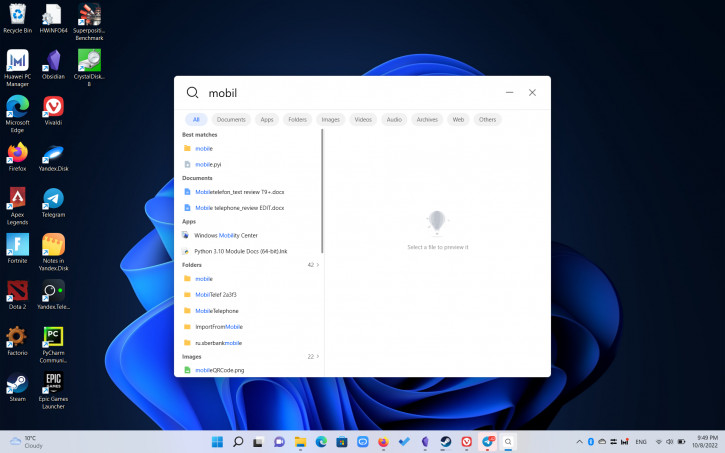
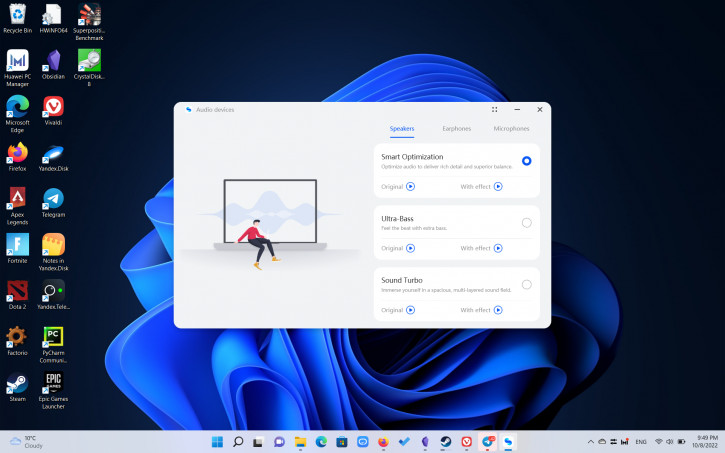
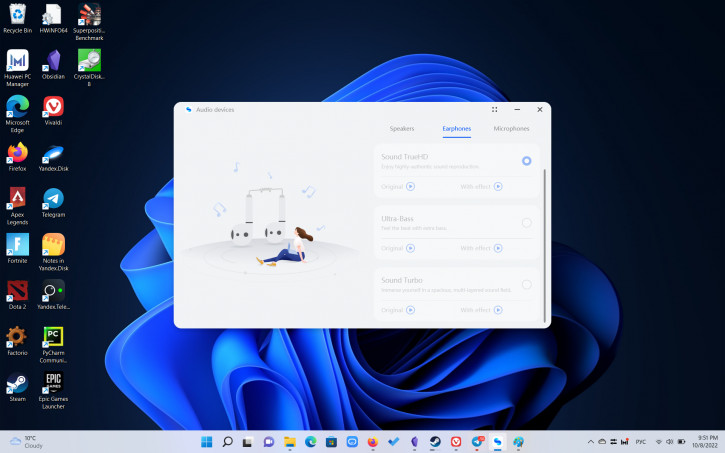
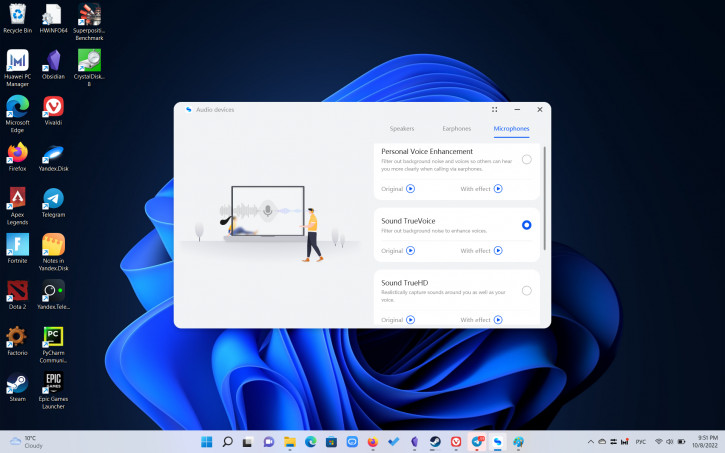
Huawei Control Panel
Performance & Tests
We have a test sample in our hands in the following configuration (there are others):
- Processor i7-12700H TDP 45W.
- Integrated graphics chip Intel Iris Xe Graphics.
- 16 GB LPDDR4x-3733 (24-24-24-56-80) non-replaceable RAM.
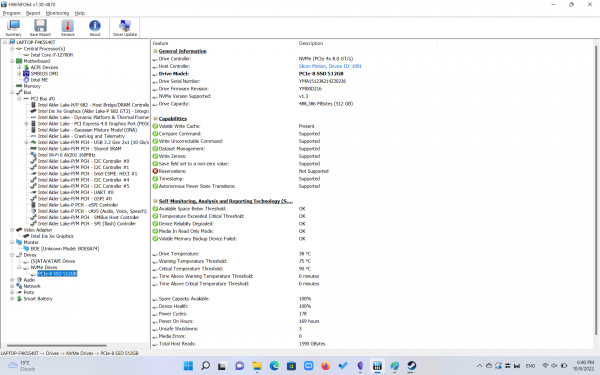
- 512GB M.2 PCIe SSD permanent storage (replaceable).
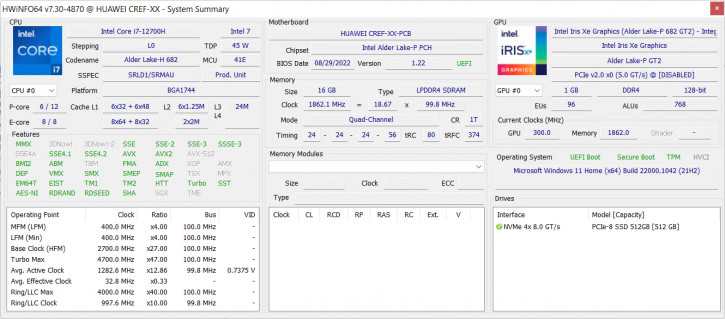
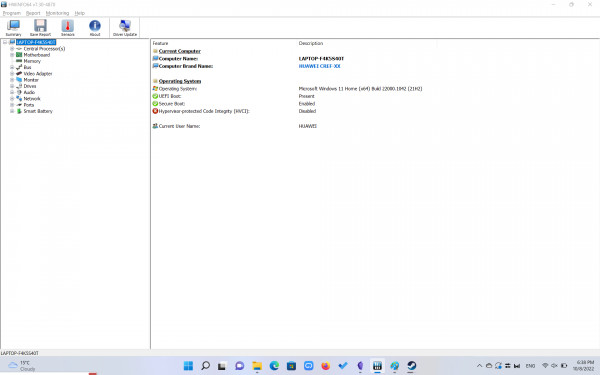
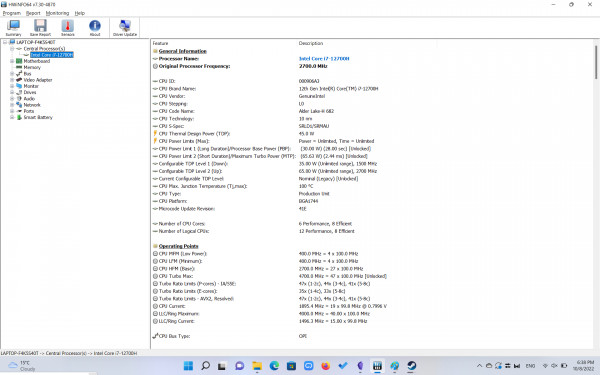
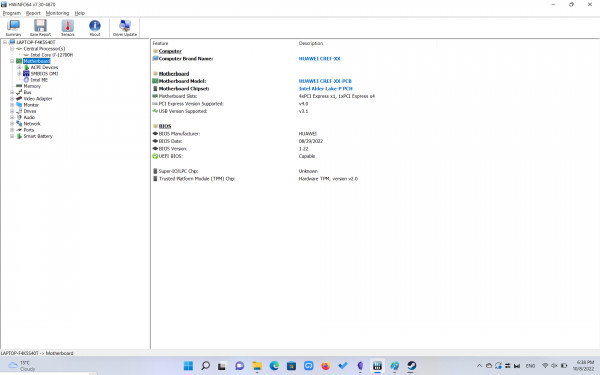
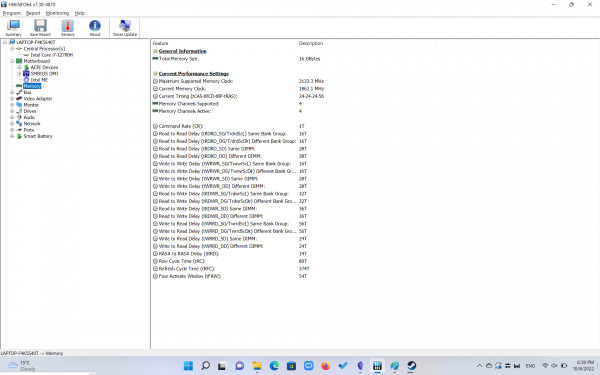
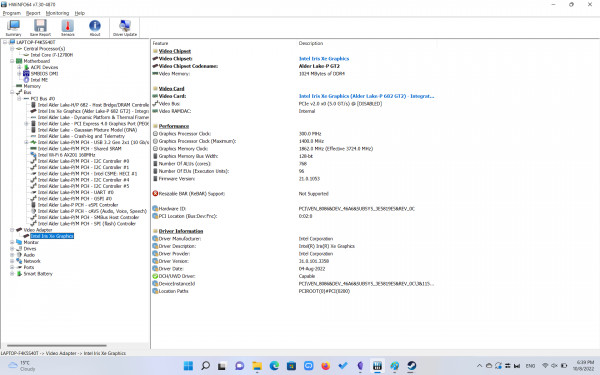
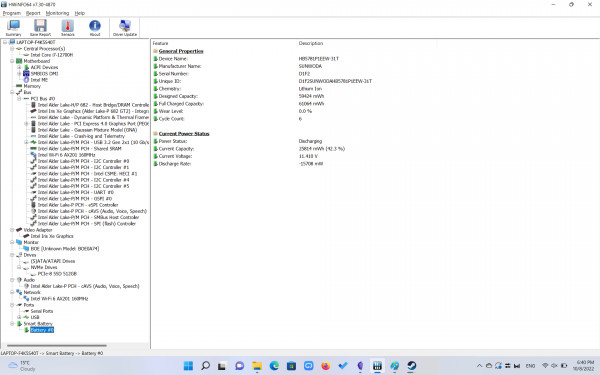
General information about HWiNFO64 components
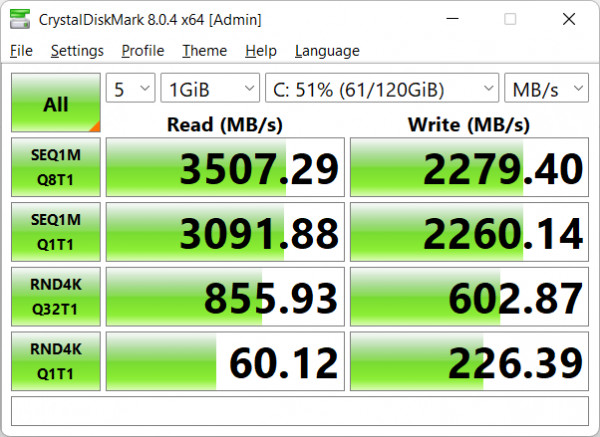
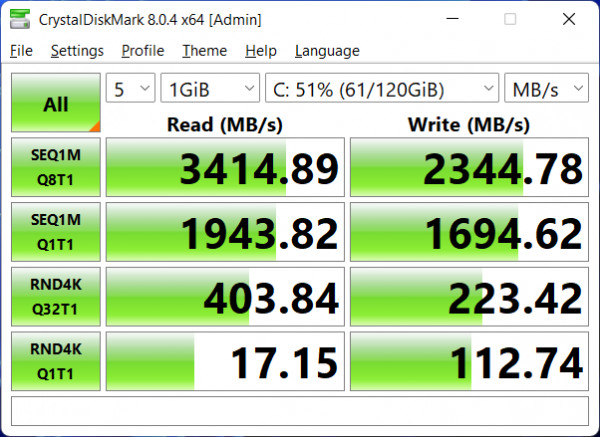
SSD performance when online and offline
The bottom cover of the laptop is securely screwed with Torex bolts.Unfortunately, we did not find a suitable screwdriver on the road, so we will limit ourselves to a verbal description of the internals based on materials from the network.So, the remarkable thing under the lid hides the lack of slots for expanding/replacing RAM, a replaceable M.2 SSD, and one coolerWith a single heat pipe covering the CPU and... All-encompassing nothing in place where the board involvesApparently, this was due to the use of the same base for the D 16 and 16S models, which uses two fans.
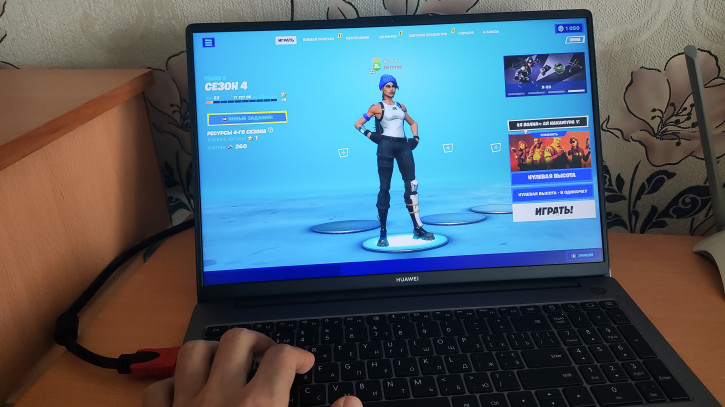
One way or another, the issues of production optimizationof little concern to the end user. The situation is as follows: a significant part of the board is not used, and the powerful processor does not receive enough cooling to reveal its potential. Despite the TDP of 45W, under long-term load, even in performance mode, the processor does not consume more than 40W. In a 30-minute Cinebench R23 test, throttling, a short-term 100° hit, and a jump to 65 watts in the first seconds were recorded. When working in graphics programs like Lightroom and Photoshop, throttling is also registered.
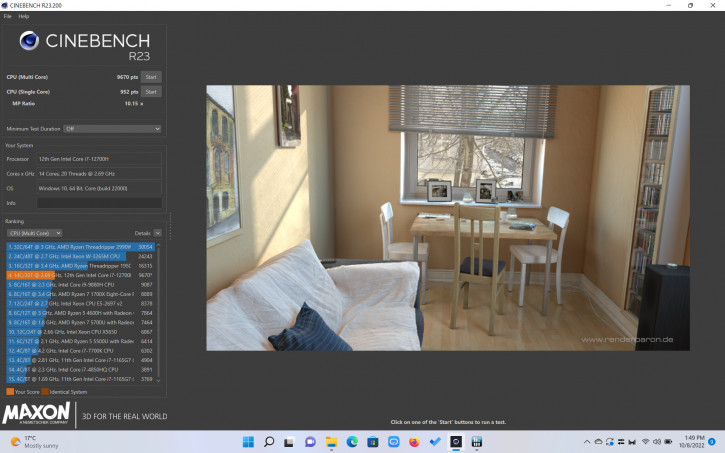
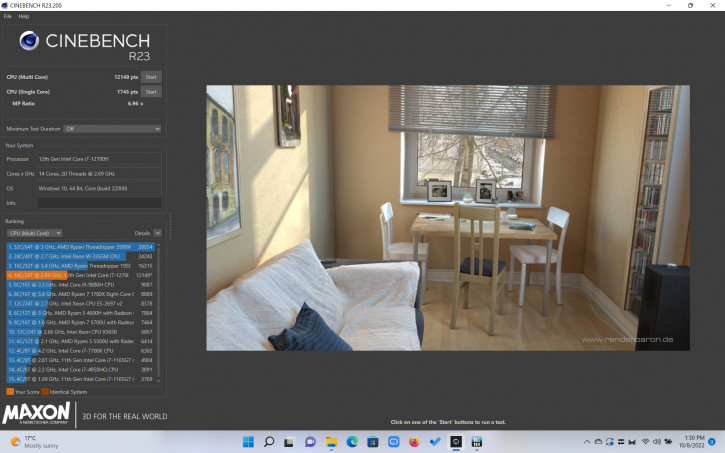
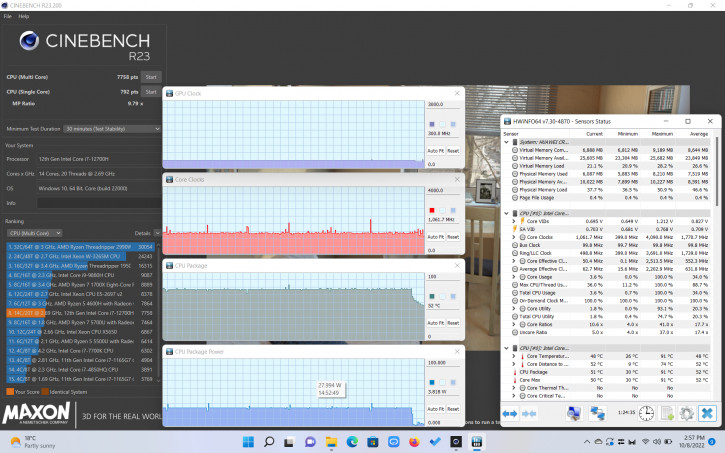
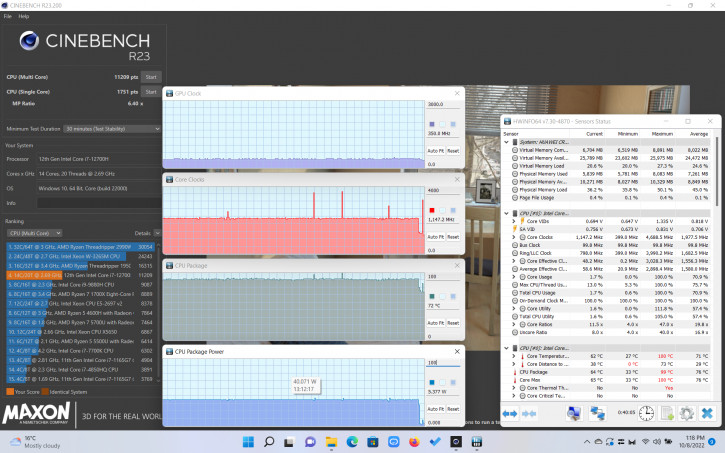
Cinebench R23*
*Screenshot order:
- Single run, offline.
- Single run, offline, production mode.
- Half-hour test, offline.
- Half-hour test, from the network, productive mode.
</i>
Device behavior takes into account moderatecapabilities of the cooling system and does not allow excessive heating of the case. Discomfort during use can only be felt when working “from the knees” from the network in productive mode and on productive tasks. In this case, the bottom noticeably warms up, and the noise of the cooler begins to bother. At the same time, even in normal and eco modes, the performance is enough for a fast wake-up, a comfortable system speed and moderately demanding programming, retouching, editing, etc. tasks.
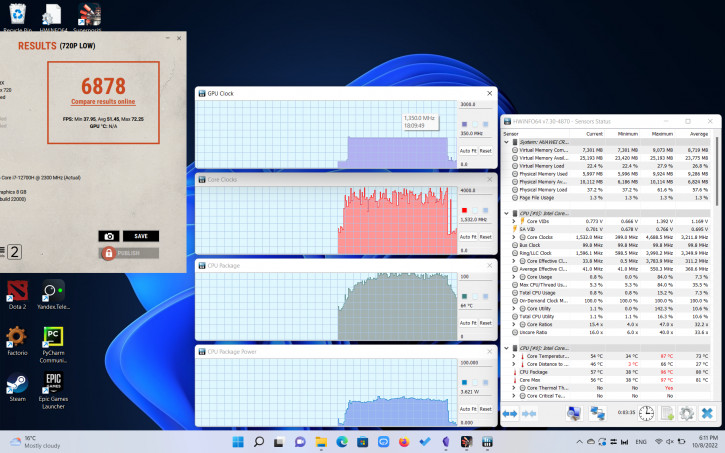
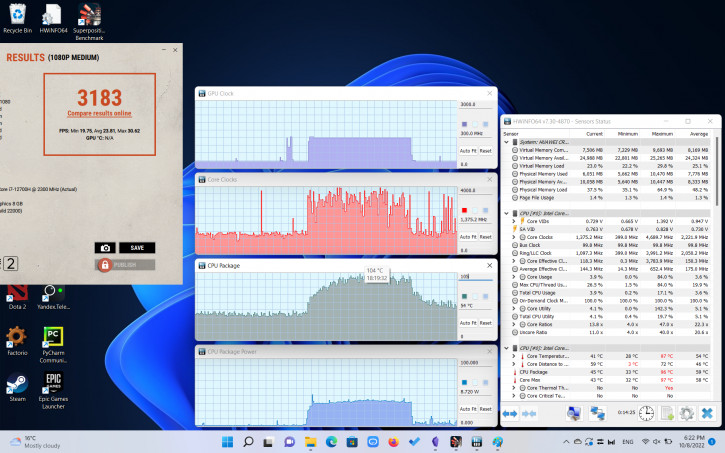
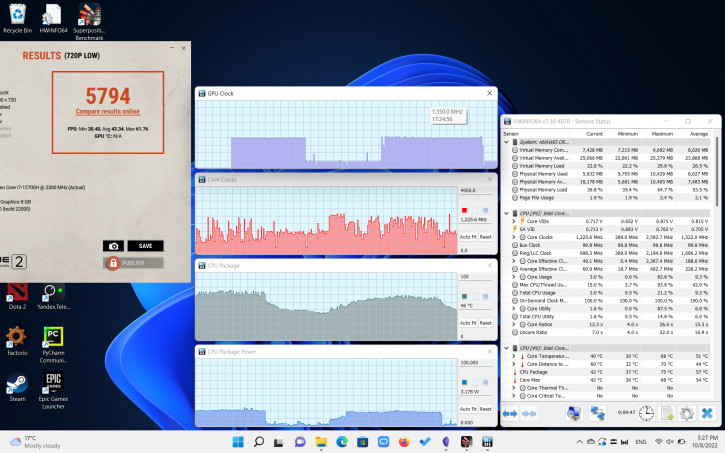
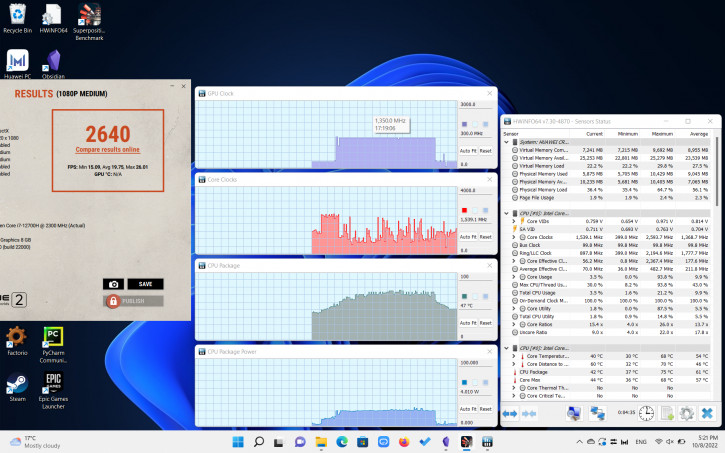
superposition*
*Screenshot order:
- performance, offline, low
- performance, offline, medium
- offline, low
- offline, medium
</i>
Graphics processing relies on capabilitiesintegrated chip Intel Iris Xe Graphics 96 (Alder Lake). They are quite enough for undemanding network, indie and not the most recent AAA game projects. More demanding titles require maneuvering around low-medium graphics settings. For example, Dota 2 at 1080p shows the following results:
- Mains, performance mode, ultra graphics settings ≈ 55-70 fps.
- Reset, performance mode, low graphics settings (100% scaling) ≈ 100 fps.
- Autonomous, ultra graphics settings ≈ 50-60 fps.
- Autonomous, low graphics settings (100% scaling) ≈ 70-90 fps.
Autonomy
A 60 Wh battery is responsible for off-grid operation.It can be charged with a 65W power adapter (20V, 3.25A) with support for SuperCharge fast charging technology.The charge timings are as follows: 30 minutes – 47%, 60 – 89%, 70 – 95%, ≈80 – 100%.Discharge Rate in Typical Applications ≈Average:
- 60 minutes in "office" mode (Wi-Fi, 50% brightness, browser with an uncontrolled number of tabs, Obsidian text editor) - 15% charge.
- 60 minutes YouTube (Wi-Fi, 50% brightness) – 17% charge.
- 30 minutes Dota 2 (Wi-Fi, 50% brightness, low graphics settings (100% zoom)) - 30% battery.
Conclusions
The updated model Huawei MateBook D 16 leftpleasant impressions, but it seemed to us ambiguous. On the one hand, the manufacturer retained favorite features such as the fingerprint sensor in the power button and USB-C charging, refreshed the filling, changed the aspect ratio of the display to a more convenient one, added a digital block and abandoned the dubious location of the Web camera. The latter now not only provides an adequate angle, but also pleases with a picture pulled up to 1080p.
On the other hand, the speakers have moved to the bottom(which made the sound dependent on the surface), and the additional M.2 slot and the second cooler were completely lost, which directly affected the unlocking of the potential of a fairly powerful chipset. We recommend taking a closer look at the Huawei MateBook D 16 (2022) to those looking for a modern, 16-liter laptop for office, educational, and moderately demanding professional tasks. As for the price, the maximum configuration may unpleasantly surprise you, but the pricing situation is not simple now. However, the line offers several trim levels, with varying degrees of power and availability.
Latest news and reviews in our Telegram
© Dmitry Pivnev.