A couple of days ago, Apple introduced iOS 14 — the latest version of the operating system designed for
iOS 14 on video
iOS 14 brings some useful new onesinterface changes, including an updated home screen. Widgets have been redesigned and, for the first time, can be dragged and dropped from the «Today» tab. and place it directly on the home screen among your applications.
You can choose which widgets you wantUse which page you want to see them on, and how large the widget should be. This makes widgets much more useful since they can be positioned in the front and center. You can fit up to 10 widgets, and there is even a Smart Stack function that automatically displays the corresponding widget depending on iPhone usage and time of day.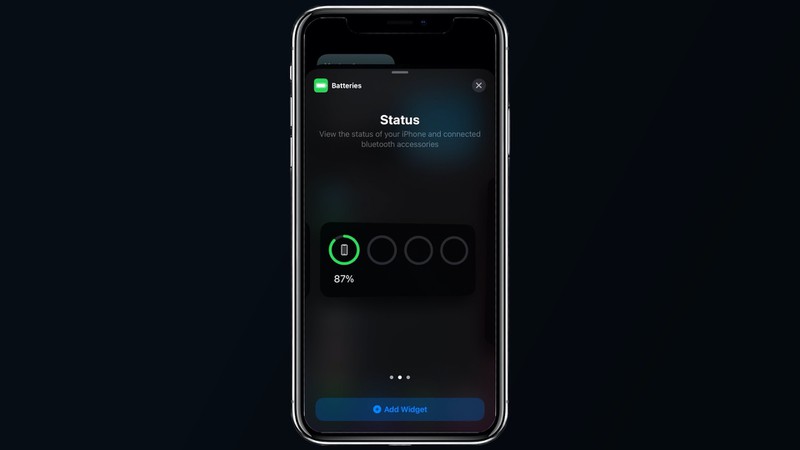
Along with widgets, application pages canBe hidden from the home screen for a cleaner and more customizable look. All your applications are still available thanks to the new application library feature, which could be one of the best improvements in the update. Swipe left and right on iPhone to see all your apps organized in neat little folders.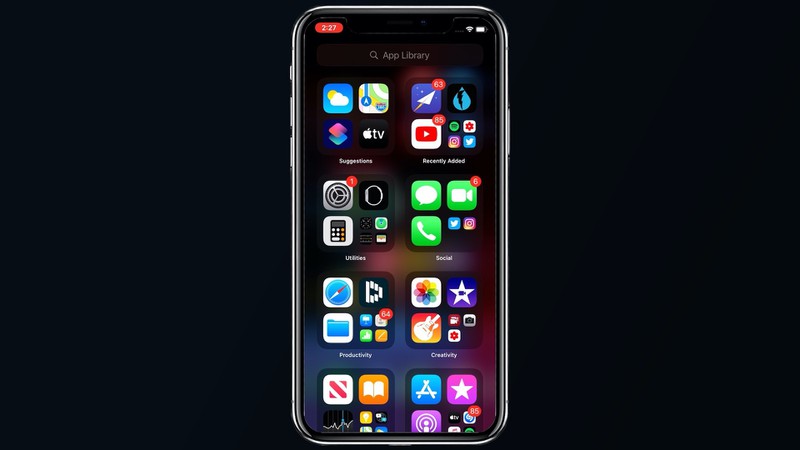
You can search to find the application.here, click on a folder to view all its contents, or check out the Offers folder, where Apple gives recommendations on applications based on usage habits.
Siri in iOS 14 is smarter and can accessmore data sources to provide better answers to complex questions, but, even better, Siri no longer takes up the entire iPhone screen when activated.

There is an animated Siri icon thatappears at the bottom of the iPhone when you call Siri, and most Siri results also appear as small banners at the top of the screen, no longer interrupting what you are currently doing on your phone. Ask about the weather, for example, and it will appear in a small banner.
Apple also made another major improvement.the quality of life that users have been expecting for many years, and now phone calls, FaceTime calls, VoIP calls and much more are now displayed in the form of banners and do not occupy the entire screen.

The Maps application has undergone a majorrepair showing bike routes for cyclists and passengers. There are bike paths, as well as information on the level of climb and incline to avoid stairs. For electric vehicles, it is now possible to create a route that includes charging stations.
In addition, Maps now has a featureGuides, which allows trusted brands and Apple partners to create guides that highlight interesting attractions, places to eat, and more in the various cities you visit. You can also create your own Guides — it's the same as Collections from iOS 13, just with a new name.
Weather app includes some featuresDark Sky, the app Apple acquired in March. It adds information about severe weather events, a graph of precipitation for the next hour, and minute-by-minute precipitation readings when it is forecasted to rain, which is so far limited by the USA.
Apple has added some great newfeatures in the Messages app, many of which enhance group chats. At the top of the “Messages” you can pin up to nine important conversations so that you can follow the most important chats, as well as a new built-in reply function that allows you to reply to a specific message in a standard chat or group chat.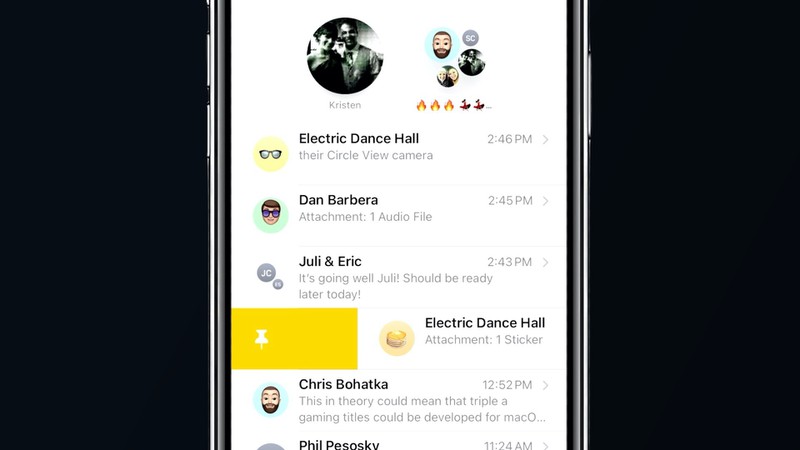
Mentioned in "posts", therefore,if you want to attract the attention of someone in a group chat, you can @ mention them by name and a pop-up notification will appear even if they have group chat disabled because it is noisy. There are also new options for selecting images for groups with emoji and memoji icons.
Speaking of Memoji, Apple has added new Memoji customization options. You can choose new hairstyles, hats or masks and there are more age options.
Apple has also improved Emoji by addinga much needed search function. When you open the Emoji interface, there is now a search bar at the top so you can search for a specific Emoji by keyword.
Brand new translation appExpands Siri's translation capabilities in iOS 13 by allowing you to type or speak to translate into and from 11 languages, including Arabic, Chinese, English, French, German, Italian, Japanese, Korean, Portuguese, Russian, and Spanish.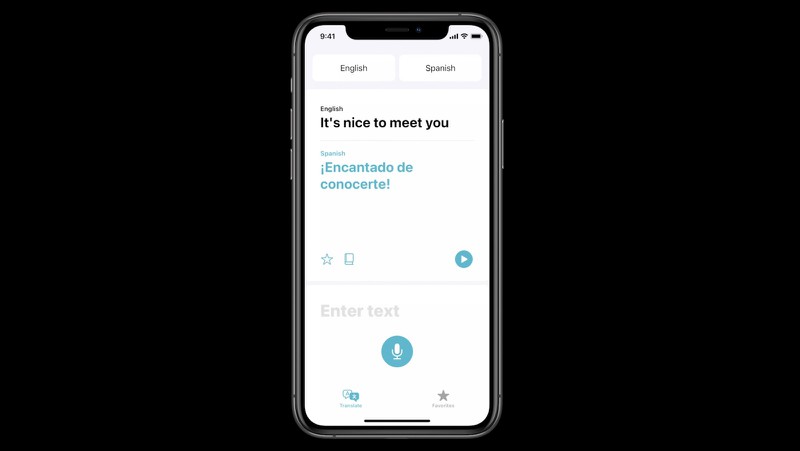
Languages can be downloaded for translation intodevice and Siri can speak for you. Put the iPhone in landscape mode and it will enter what Apple calls "Talk Mode." In this mode, the application listens to any of the two installed languages, translating between each other so that you can communicate with someone in another language.
Apple's long-awaited Car Key feature has beenintroduced with iOS 14, but will eventually work with devices running iOS 14 and iOS 13. A car key lets you use your iPhone or Apple Watch instead of a physical key to lock, unlock and start your car using NFC. It has some interesting new features, such as key exchange through Messages, and in the future it will work without even having to take your iPhone out of your pocket. The car keys are to be marketed by the car manufacturers and will make their first appearance on the BMW 5 Series next month.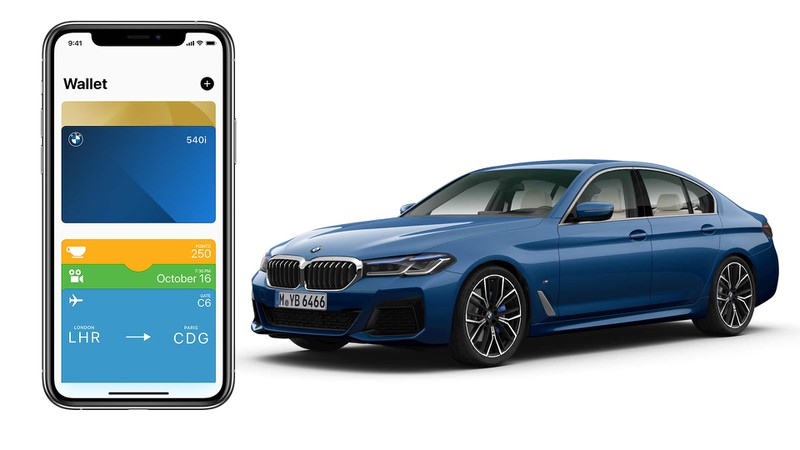
There are a lot more features in iOS 14, including many small changes that we'll cover in future videos.