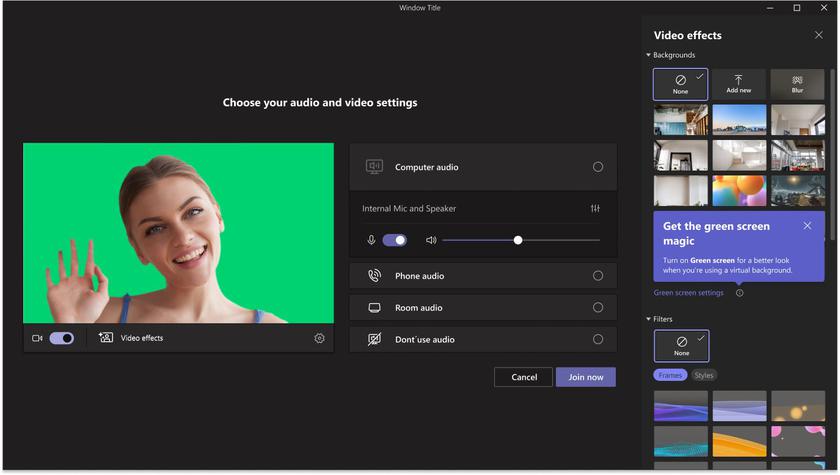
Microsoft has added a green screen feature to Teams, which is designed to improve virtual backgrounds
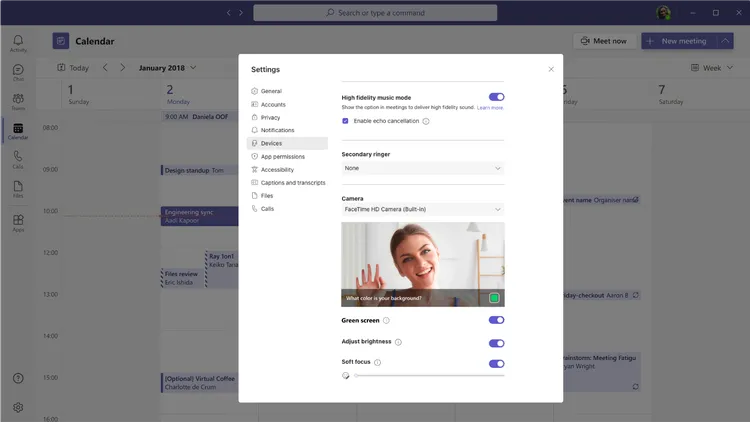
"The screen or background wall should be flat with no blemishes or other obstructions," saysJan Steberl, Microsoft Teams Program Manager, in a blog post, "Users should apply the effectbackgrounds in Teams meetings to enable the green screen effect, and must choose the color carefullybackground so that the effect is applied correctly and the best quality is achieved."
</ img>
However, it should be noted that the greenScreen is only supported on Windows and macOS devices with Intel processors, which means it cannot be used on AMD-based laptops or Macs with M1 or M2 processors. Also, turning off background blur with the green screen feature is not supported in co-op mode.