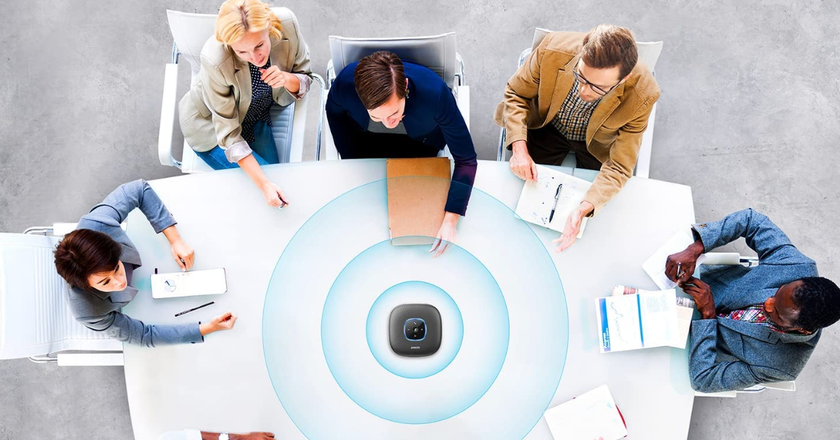
When it comes to running a successful conference, having the best conference room microphones is essential. IN
The 7 Best Conference Room Microphones
</ p>Author's Choice
</ p>Anker PowerConf Bluetooth Speakerphone –is a portable conference speakerphone that uses 6 microphones arranged in a 360° array to pick up voices from all directions. It also features intelligent voice enhancement and optimized clarity and volume for your convenience. Additionally, this product is ideal for home offices as it is Zoom certified and compatible with all popular online conferencing platforms. Connect to your phone via Bluetooth or to your computer with a USB-C cable without the need to install drivers. Plus, with a built-in 6,700mAh battery, you can enjoy up to 24 hours of talk time!
Pros:
- Bluetooth
- Noise suppression
- Touchpad
- Runs 8-10 hours on a single charge (non-stop)
- Mute button in the center
- Intelligent Voice Amplification
- 360° coverage
Minuses:
- Cannot connect multiple Bluetooth devices at the same time
People's Choice
</ p>eMeet Luna Conference Speaker – ThisA versatile and stylish speaker that's perfect for any meeting. With Automatic Voice Enhancement, the Luna Bluetooth Speaker with Microphone is able to sense the distance to the sound source and automatically adjust the sound volume to achieve volume balance. Connect 2 Lunas using the dedicated EMEET cable to increase your effective meeting space for up to 16 or more participants. making it more flexible for small, medium and large meetings. Finally, 3 microphones equipped with VoiceIA's proprietary 360° algorithm technology ensure smooth, clear calls. This conference speaker automatically turns off when not in use after one hour to save battery power, other times can be configured in the eMeetLink app.
eMeet Luna conference speaker has variousconnection modes and high compatibility, allowing you to easily connect to any device. Its sleek design and portability make it easy to take with you anywhere. With the dongle, you can automatically pair with your computer and have a stable connection. It is also compatible with various platforms including Zoom, Skype for Business, WebEx, etc. Wherever you are – Whether you're in the office, at home or on a business trip, eMeet Luna's conference speaker will help you make your call seamless.
Pros:
- USB, Bluetooth, AUX, dongle connection
- Noise suppression
- Up to 8-16 people
- Auto power off when not in use
- The mute button is in the front center
- 360° coverage
Minuses:
- Some background noise is still picked up
Premium Choice
</ p>Anker PowerConf S500 – it's powerful and simpleA speakerphone that provides clear two-way communication and Hi-Fi sound. It's certified by Zoom Rooms and Google Meet for high-quality calls, and features VoiceRadar technology to eliminate unwanted noise for more immersive meetings. The speakerphone also supports full-duplex communication, which means both people can talk at the same time without interrupting each other.
In addition, PowerConf S500 can create a wireless connection with another speakerphone to increase coverage up to 20 people.
Moreover, it is easy to use –simply connect it via USB-C, Bluetooth, or the included dongle. No IT knowledge is required and it works with all leading conferencing platforms including Skype, Facetime, Zoom and many more.
Pros:
- USB-C, Bluetooth, dongle
- Hi-Fi sound
- Up to 12 people
- Wireless pairing
- Front mute button
- Certification: Zoom Rooms/Google Meet
- Working time: 16 hours
Minuses:
- To connect two devices, with a largenumber of people in the meeting, you will need to connect one of the microphones to your laptop via a USB-C cable (make sure your laptop supports this cable, otherwise you will need an adapter)
Best Budget
</ p>Conference microphone TONOR USB 360° – ThisA great way to improve audio quality during online meetings and distance learning sessions. Built-in noise-canceling technology ensures your voice comes through loud and clear, while an omnidirectional polar pattern ensures all voices in the room are picked up evenly. The microphone is capable of picking up the voices of all speakers around it with a wide pickup range (5m/16.4ft). Compatible with Zoom, Skype, GoToMeeting, WebEx, Fuze, etc.
Are you moving around the room or sitting onOne place, this microphone will provide excellent sound quality for all your meetings. All this, as well as the low price, make it a good device for distance learning or online meetings. Conference microphone TONOR USB 360° – This is a great way to make sure everyone in the room can be heard clearly.
Pros:
- USB
- Noise reduction
- Balanced Sound
- Ideal for small offices and distance learning
- Pickup Range (5m/16.4ft)
- 360° coverage
Minuses:
- Lack of Bluetooth
With USB connection
</ p>EMEET M0 Mics Speakerphone for Conference Calls360° – It is a speakerphone that supports simultaneous communication between people. It has 4 smart microphones and is equipped with acoustic echo cancellation and noise reduction technologies. The M0 speaker microphone connects to your computer via a USB cable, it can be used immediately, allowing you to connect it to your computer without worry. Compatible with Skype, Skype for business, Microsoft Lync, Google Hangout, Zoom, etc. The speakerphone is small, square and portable, making it easy to carry around.
Pros:
- USB
- Noise and echo cancellation function
- Balanced Sound
- Private time with AUX port
- Small and portable, plug and play
- Control panel “all in one” with LED indicator
- Up to 4 people
- 360° coverage
Minuses:
- No Bluetooth
Best for small offices
</ p>Microphone TONOR Conference USB Microphone –This is a microphone with an omnidirectional polar pattern. It is designed for small or medium-sized meetings held over the Internet using Skype, GoToMeeting, WebEx, Hangouts, Zoom and other programs. The microphone is compatible with all operating systems and does not require driver installation. It has a built-in blue light and a convenient mute button. The microphone is made of strong and durable metal material, and the base is equipped with an anti-slip mat. It is small, convenient and does not take up much space when used. Connected with 1.8m long nylon shielded wire, it effectively eliminates signal interference to achieve the best recording results.
Pros:
- USB
- Noise reduction
- Balanced Sound
- Ideal for small offices
- Small and portable, plug and play
- 360° coverage
Minuses:
- Lack of Bluetooth
Microphones for conference tables
</ p>BOYA – excellent choice for lectures,video conferencing, meetings and much more. The cardioid polar polar pattern picks up sound in front of the microphone clearly and picks up voice easily. The 18-inch two-piece lavalier provides greater convenience by allowing you to easily adjust the direction and angle of the microphone. The mode switch at the bottom of the microphone base allows you to easily switch between ON/OFF, MUTE, TALK and ON modes. The LED indicator on the base of the microphone lets you know when the microphone is in the Talk/MUTE state. The BY-GM18C can be powered by 48V XLR phantom power and comes with a foam windshield to reduce wind noise, human voices and ambient noise.
Pros:
- XLR connector
- 18" double loop microphone
- Mute button XLR LED indicator
- Mode switch on the bottom of the microphone base
- Noise suppression
- 360° coverage
Minuses:
- No Bluetooth
- No USB
</ img>
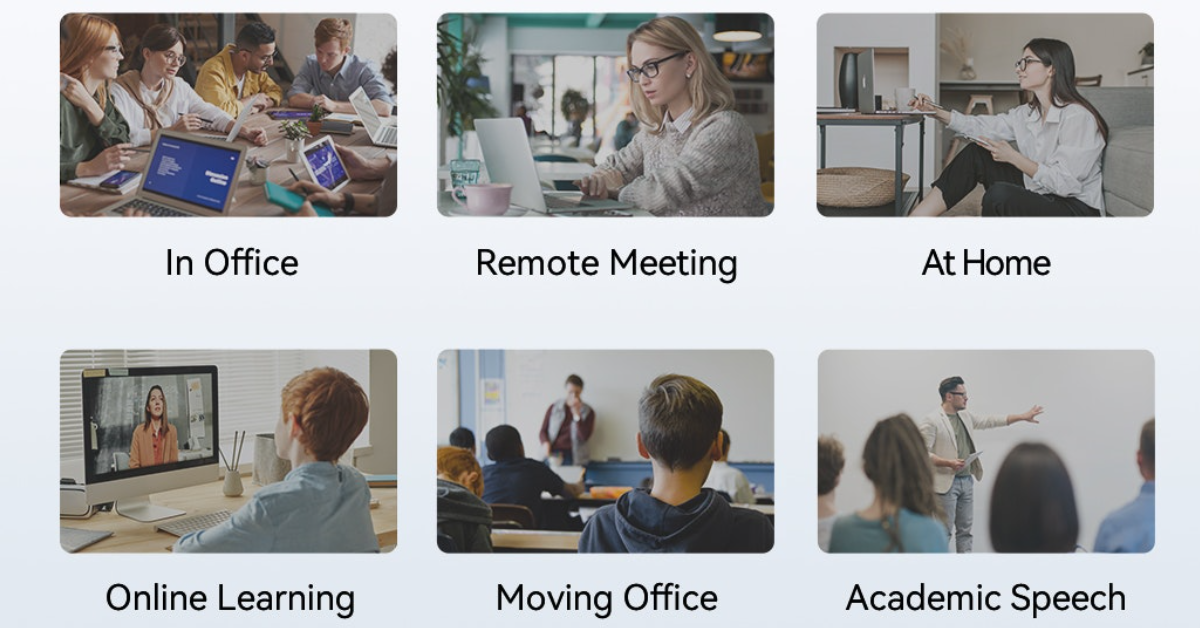
Key benefits of the best conference room microphones include:
- Everyone in the room can be heard clearly
- Simple and easy to install
- Works with any standard conference room table
- Affordable and cost-effective solution for small and medium businesses
Best microphones for conference rooms – buyer's guide
Compatibility
A good microphone should be able to work with widerange of devices. Look for something that will connect to at least PC, Mac OS and Windows. USB and Bluetooth compatibility is a plus. Also check if the microphone is compatible with Skype, GoToMeeting, Zoom, and other programs you may need or use.
Noise suppression
Look for a noise canceling microphone.This is a very important feature as it will help eliminate any background noise and amplify the voice of the interlocutor. The microphone must be equipped with high quality sensors to ensure the best results.
Battery life
When buying a microphone, you should pay attentionfor battery life. The ideal microphone should last at least a day on battery so you don't have to constantly charge it. A short battery life can create problems, as frequent recharging can tire you out.
Quality sound system
Consideration should be given to purchasing a microphone.good quality, which provides 360 degree omnidirectional sound for the best voice transmission effect. So that everyone in the office is heard and everyone hears what is being transmitted.
Mute button
The mute button comes in handy during presentations. If the microphone has a mute button, you can use it to quickly stop the sound when needed.
Ease of use
Ease of use – important factorwhich must be taken into account when purchasing a microphone. The microphone should be convenient and easy to use. Not all people are tech geeks, so they need a microphone that is easier to use.
Portability
A microphone should not only be convenient foruse in the conference room, but also portable for ease of movement. If you want to use it in multiple places, portability – this is an aspect that needs to be taken into account.
</ img>
Best microphones for conference rooms – Questions and answers
Are condenser microphones suitable for Zoom calls?
For Zoom calls it is best to usesensitive condenser microphones because they pick up your voice unmistakably no matter where you are – in a meeting room or at your desk. Plus, using a USB microphone in Zoom means your computer will do all the setup for you, since USB devices are plug’n’Play.
What to look for when choosing the best microphone for conference rooms?
- Noise suppression
- Compatible with operating systems and programs for online calls
- Battery life
- High quality sound system
- Simplicity and ease of installation
- Works with any standard conference room table
Conclusion
Microphones for conference rooms – idealA tool for conducting small group meetings and conferences. This simple device helps keep meetings on track, allowing everyone in the room to be heard clearly, and communicate information loudly and clearly to those present online. It also eliminates the need for expensive and cumbersome public address systems, making it an ideal solution for small and medium-sized businesses. The conference room microphones we feature are also very easy to install and can be used with any standard conference room table. So if you're looking for a way to enhance your next meeting, be sure to check out the best conference room microphones. Thank you for reading!
Dig into the topic:
- The best webcam for a conference room