If you are interested in website owners and the security of your data coming through websites, then it will be useful
Advertising
Advertising
- What does a digital certificate mean?
- What does a digital certificate include?
- How to view a digital certificate in Safari
- How to view a digital certificate in Firefox
- Certificate of the current site
- All certificates
- How to view a digital certificate in Chrome
What does a digital certificate mean?
If you opened this article, then you already know what a digital certificate is. However, many do not know about this term. For them we will try to explain.
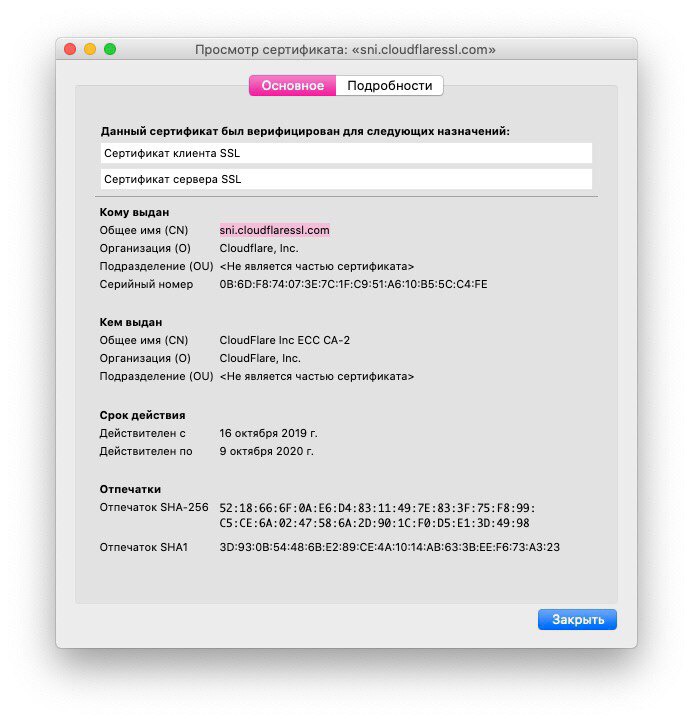
If the site has a genuine certificate, thismeans the web address is indeed officially owned by this organization. By making sure that the site encrypts your information and that it has a genuine certificate, you protect yourself from malicious sites and the leak of personal information.
There are two ways to quickly find out if a site has a certificate:
- In the address bar next to the link, an icon in the form of a closed lock is displayed.
- The site address starts with "https:", not "http:".
What does a digital certificate include?
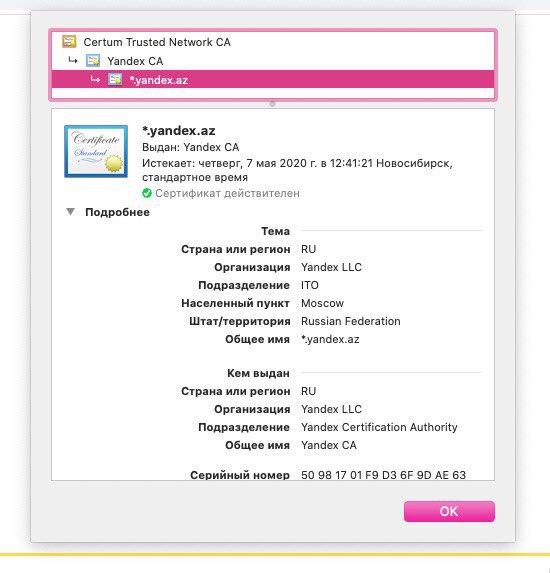
In the digital certificate you can find out the following details:
Advertising
Advertising
Who issued the certificate: This is a company that has been checking the site. Among the most popular are VeriSign, Thawte, DigiCert and GlobalSign.
To whom the certificate was issued: This is the owner of the site or the organization to which it belongs.
Certificate Expiration Date: Most certificates are issued for one or two years, but some may take longer. If the deadline has expired, do not trust the site.
How to view a digital certificate in Safari
Safari makes it easy to view the certificate of the currently open site.
one)Clickpadlock iconbefore (or after) the site link in the address bar.
2)On the window that appears, clickShow certificate. In some cases, the certificate will open automatically.
3)You will see information about the site's digital certificate.

How to view a digital certificate in Firefox
You can quickly view the certificate of the current open site, as well as the certificates of all saved sites.
Certificate of the current site
one)Clickpadlock iconbefore the link in the address bar.
2)A window will appear with the inscriptionSecure connection. Click on the arrow next to the caption.
3)You will see who issued the certificate. ClickRead more.
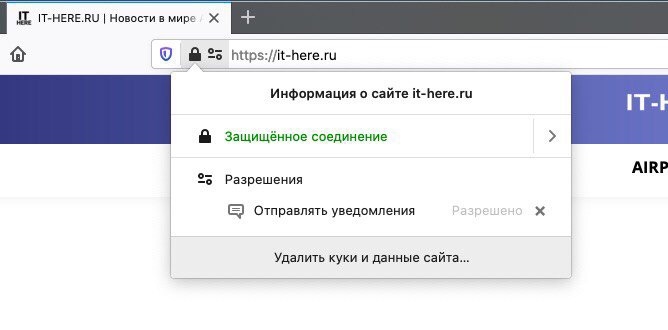

four)A window with details will open where you can click the buttonView certificate, which will open a new tab with information about the site’s certificate.


All certificates
one)Clickmenu buttonin the top right corner of the Firefox window and selectSettings.
2)On the left, select the tabPrivacy and protectionand scroll down to the sectionProtection.
3)Click the buttonView certificates.
four)A window will open with all the certificates saved in Firefox.
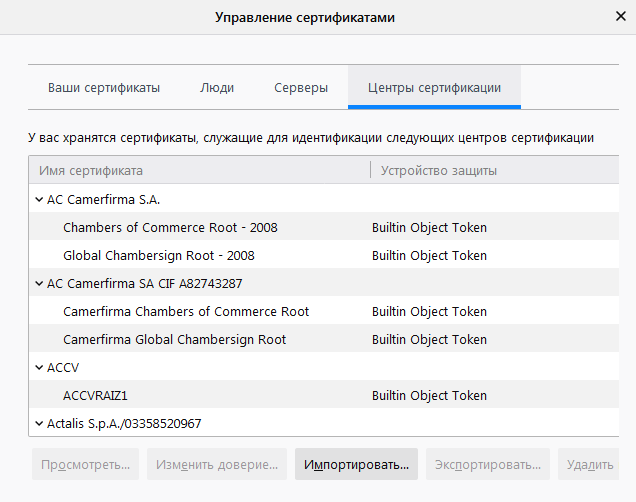

five)Double-click any certificate to open it in a new tab.
How to view a digital certificate in Chrome
You can view the certificate of the current site in Chrome in two simple ways.
one)Clickpadlock iconbefore the site link in the address bar.
Advertising
Advertising
2)On the window that appears, clickCertificate.
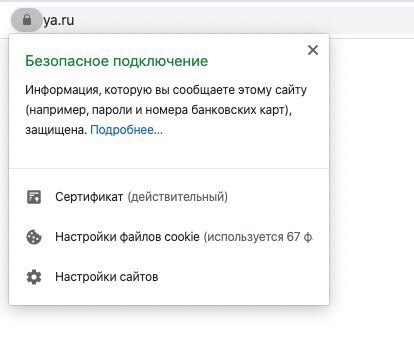

3)Here will be details about the site's digital certificate.

You can also use the developer menu.
one)In the upper right corner of the window, click onmenu iconas three dots, and then selectAdditional tools>Developer Tools.
2)On the right side of the window, select the tabSecurityand click on itView Certificate.
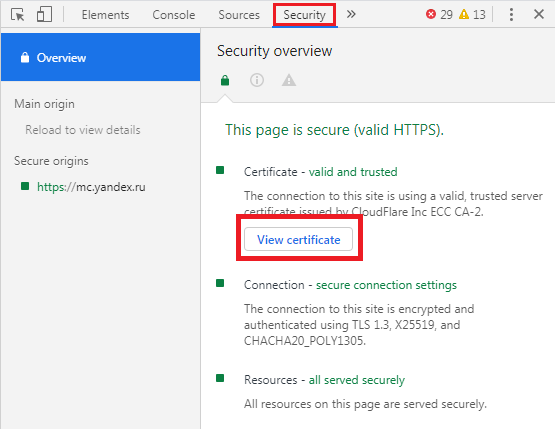

This will open the same window with the information as in the first method.
If you want to secure yourself online, regularly check site certificates. It takes less than a minute of time, but you will be confident in your safety.